<?xml version="1.0" encoding="UTF-8"?>
<rss version="2.0"
	xmlns:content="http://purl.org/rss/1.0/modules/content/"
	xmlns:wfw="http://wellformedweb.org/CommentAPI/"
	xmlns:dc="http://purl.org/dc/elements/1.1/"
	xmlns:atom="http://www.w3.org/2005/Atom"
	xmlns:sy="http://purl.org/rss/1.0/modules/syndication/"
	xmlns:slash="http://purl.org/rss/1.0/modules/slash/"
	>

<channel>
	<title>iMore &#187; PC</title>
	<atom:link href="http://www.imore.com/tag/pc/feed/" rel="self" type="application/rss+xml" />
	<link>http://www.imore.com</link>
	<description>More of everything iPhone and iPad</description>
	<lastBuildDate>Fri, 10 Feb 2012 05:14:51 +0000</lastBuildDate>
	<language>en</language>
	<sy:updatePeriod>hourly</sy:updatePeriod>
	<sy:updateFrequency>1</sy:updateFrequency>
	<generator>http://wordpress.org/?v=3.3.1</generator>
		<item>
		<title>HP CEO admits Apple may overtake their PC volume&#8230; if you count iPads</title>
		<link>http://www.imore.com/2012/01/16/hp-ceo-admits-apple-may-overtake-their-pc-volume-if-you-count-ipads/</link>
		<comments>http://www.imore.com/2012/01/16/hp-ceo-admits-apple-may-overtake-their-pc-volume-if-you-count-ipads/#comments</comments>
		<pubDate>Mon, 16 Jan 2012 18:40:29 +0000</pubDate>
		<dc:creator>Simon Sage</dc:creator>
				<category><![CDATA[News]]></category>
		<category><![CDATA[acer]]></category>
		<category><![CDATA[computer]]></category>
		<category><![CDATA[dell]]></category>
		<category><![CDATA[hp]]></category>
		<category><![CDATA[ipad]]></category>
		<category><![CDATA[lenovo]]></category>
		<category><![CDATA[market share]]></category>
		<category><![CDATA[PC]]></category>
		<category><![CDATA[research]]></category>

		<guid isPermaLink="false">http://www.imore.com/?p=91806</guid>
		<description><![CDATA[<a href="http://www.imore.com/2012/01/16/hp-ceo-admits-apple-may-overtake-their-pc-volume-if-you-count-ipads/ipad-asymco-pc-market-share/" rel="attachment wp-att-91807"></a>

HP CEO Meg Whitman admitted in a recent interview that if you count tablets, Apple may very well bust past them in PC sales after holiday sales are tallied up.]]></description>
			<content:encoded><![CDATA[<p><a href="http://www.imore.com/2012/01/16/hp-ceo-admits-apple-may-overtake-their-pc-volume-if-you-count-ipads/ipad-asymco-pc-market-share/" rel="attachment wp-att-91807"><img class="aligncenter size-full wp-image-91807" title="iPad-asymco-pc-market-share" src="http://cdn.imore.com/images/stories//2012/01/iPad-asymco-pc-market-share.png" alt="" width="400" height="511" /></a></p>

<p>HP CEO Meg Whitman admitted in a recent interview that if you count tablets, Apple may very well bust past them in PC sales after holiday sales are tallied up. A bunch of analyst estimates suggest Apple could break 20 million combined iPad and Mac unit sales over the holidays. That would put it over the   14.7 million that HP had churned out last quarter, and well ahead of other manufacturers like Acer, Dell, and Lenovo. Of course, if you don&#8217;t count the iPad, and only Mac sales, Apple falls well behind the whole lot.  Over the holidays, it&#8217;s estimated Apple cleared little over 5 million Mac units.</p>

<p>I&#8217;m still a little dubious about counting the current breed of tablets as full-blown PCs, despite being great computing devices. There&#8217;s no lack of Macbook Air owners that aren&#8217;t inclined to also carry around an iPad, and <a href="http://www.wpcentral.com/intel-demos-tablet-ish-windows-8-ultrabooks-ces-2012">Windows 8 is showing that other big-boy laptops will soon be able to slim down</a> to the size of tablets borne of smartphone operating systems.</p>

<p>These are interesting estimates to consider, but we won&#8217;t know for sure how well Apple&#8217;s Mac and iPad sales did until they announce their quarterly results on January 24. What do you guys think &#8211; is it fair to lump in the iPad with Mac sales when talking about the PC market?</p>

<p>Source: <a href="http://techcrunch.com/2011/11/30/meg-speaks-the-truth/">TechCrunch</a> via <a href="http://www.asymco.com/2012/01/16/apple-is-the-top-personal-computer-vendor/">Asymco</a></p>
]]></content:encoded>
			<wfw:commentRss>http://www.imore.com/2012/01/16/hp-ceo-admits-apple-may-overtake-their-pc-volume-if-you-count-ipads/feed/</wfw:commentRss>
		<slash:comments>7</slash:comments>
		</item>
		<item>
		<title>iCloud Control Panel for Windows now available</title>
		<link>http://www.imore.com/2011/10/12/icloud-control-panel-windows/</link>
		<comments>http://www.imore.com/2011/10/12/icloud-control-panel-windows/#comments</comments>
		<pubDate>Wed, 12 Oct 2011 19:36:42 +0000</pubDate>
		<dc:creator>Chris Oldroyd</dc:creator>
				<category><![CDATA[News]]></category>
		<category><![CDATA[Apple]]></category>
		<category><![CDATA[apps]]></category>
		<category><![CDATA[control panel]]></category>
		<category><![CDATA[icloud]]></category>
		<category><![CDATA[PC]]></category>
		<category><![CDATA[Windows]]></category>

		<guid isPermaLink="false">http://www.tipb.com/?p=78824</guid>
		<description><![CDATA[<a href="http://cdn.imore.com/images/stories//2011/10/iCloud-Windpws.png"></a>

Apple has released its iCloud Control Panel app for Microsoft Windows computers. The iCloud Control Panel is required to enable iCloud on your Windows PC and provides access to Photo]]></description>
			<content:encoded><![CDATA[<p><a href="http://cdn.imore.com/images/stories//2011/10/iCloud-Windpws.png"><img class="aligncenter size-medium wp-image-78830" title="iCloud Windows" src="http://cdn.imore.com/images/stories//2011/10/iCloud-Windpws-560x419.png" alt="" width="560" height="419" /></a></p>

<p>Apple has released its iCloud Control Panel app for Microsoft Windows computers. The iCloud Control Panel is required to enable iCloud on your Windows PC and provides access to Photo Stream, Contacts, Calendars Bookmarks and Mail.</p>

<p>It is quite a large download, coming in at just under 40MB.</p>

<p>If you need extra help, jump into our <a href="http://forums.imore.com/icloud">iCloud Forums</a>.</p>
]]></content:encoded>
			<wfw:commentRss>http://www.imore.com/2011/10/12/icloud-control-panel-windows/feed/</wfw:commentRss>
		<slash:comments>35</slash:comments>
		</item>
		<item>
		<title>1Password vs. DataVault for iPhone: Fight!</title>
		<link>http://www.imore.com/2011/05/26/1password-datavault-iphone-fight/</link>
		<comments>http://www.imore.com/2011/05/26/1password-datavault-iphone-fight/#comments</comments>
		<pubDate>Thu, 26 May 2011 13:21:48 +0000</pubDate>
		<dc:creator>Allyson Kazmucha</dc:creator>
				<category><![CDATA[App Reviews]]></category>
		<category><![CDATA[App Store Apps]]></category>
		<category><![CDATA[App vs App]]></category>
		<category><![CDATA[Apps]]></category>
		<category><![CDATA[1password]]></category>
		<category><![CDATA[agile systems]]></category>
		<category><![CDATA[ascendo]]></category>
		<category><![CDATA[datavault]]></category>
		<category><![CDATA[desktop syncing]]></category>
		<category><![CDATA[dropbox sync]]></category>
		<category><![CDATA[ios]]></category>
		<category><![CDATA[iPhone]]></category>
		<category><![CDATA[Mac]]></category>
		<category><![CDATA[mobileme sync]]></category>
		<category><![CDATA[password management]]></category>
		<category><![CDATA[PC]]></category>

		<guid isPermaLink="false">http://www.tipb.com/?p=63358</guid>
		<description><![CDATA[Passwords are an important part of having an online presence. I always tell friends and family that you should never ever have the same password for all of your accounts.]]></description>
			<content:encoded><![CDATA[<p><img src="http://cdn.imore.com/images/stories/2011/05/IMG_0035-266x400.png" alt="" title="1password unlock code" width="266" height="400" class="aligncenter size-medium wp-image-63364" /></p>

<p>Passwords are an important part of having an online presence. I always tell friends and family that you should never ever have the same password for all of your accounts. (Do they listen? Probably not.) Either way, having the same password means if someone gets hold of one of your accounts, they could potentially have access to all of them. Having separate passwords is the best idea but then comes keeping track of all of them. Apps like 1Password and DataVault set out to solve that problem. </p>

<p>I took a look at both of these popular password management apps and pitted them against each other. Follow along to see which one came out on top!</p>

<p><span id="more-63358"></span></p>

<h3>Management &amp; Syncing</h3>

<p><img src="http://cdn.imore.com/images/stories/2011/05/IMG_0038-266x400.png" alt="" title="1password settings" width="266" height="400" class="alignright size-medium wp-image-63367" />
When it comes to password management, I want to have easy access to my passwords regardless where I&#8217;m at. Both of these apps seem to provide that. Both 1Password and DataVault have iOS apps, desktop apps, and syncing services. So if you need to reinstall your desktop client or iOS client, you won&#8217;t have to re-enter all your passwords. </p>

<p>I&#8217;ll have to give the edge to DataVault on this one simply for the fact that they offer many more ways to sync your data than 1Password does. 1Password currently offers wifi syncing and syncing with Dropbox. DataVault offers the same but also offers syncing with MobileMe, iTunes file sharing, ad-hoc, and sync servers such as Box.net. So if you don&#8217;t feel comfortable syncing with Dropbox or over wifi, DataVault may be a good option. </p>

<h3>Features and control</h3>

<p><img src="http://cdn.imore.com/images/stories/2011/05/IMG_0042-266x400.png" alt="" title="DataVault Main screen" width="266" height="400" class="alignleft size-medium wp-image-63371" />
Both apps have tons of features. You can create any kind of entry imaginable from logins, credit card accounts, bank accounts, and more. The desktop clients also offer a ton of profile options to auto-fill forms. Even though we are talking about the iOS version of these apps, I think it&#8217;s still important to talk about their desktop counterparts since they do work together for one single solution. </p>

<p>In my testing, both seemed efficient and did their job well. Feature-wise they&#8217;re about even.</p>

<h3>Interface and ease of use</h3>

<p><img src="http://cdn.imore.com/images/stories/2011/05/IMG_0036-266x400.png" alt="" title="1password main screen" width="266" height="400" class="alignright size-medium wp-image-63365" />
I&#8217;m the type of person that doesn&#8217;t want to spend an hour learning to use an app before actually being able to utilize it. (I&#8217;m a Mac user for a reason!) I somewhat felt this way while using DataVault. The interface felt uncoordinated and clunky. I had to figure out what exactly I was supposed to put in each field and a lot of times, I was entering things in the wrong fields. DataVault is definitely a powerful application but I just felt as though entering information was a task in itself.</p>

<p>1Password seems a lot simpler. Entering a login or password is easy and doesn&#8217;t require much work. I also like that I can set two passwords. One being a 4 digit number and the other being a master. I can easily require a master on sensitive passwords and only a 4 digit code for passwords that aren&#8217;t so sensitive. I use the 4 digit code option on things like forum passwords or membership passwords that don&#8217;t have any financial data attached. It allows me to access those passwords much quicker.</p>

<p>From a user experience standpoint, I much prefer using 1Password.</p>

<h3>Pricing</h3>

<p><img src="http://cdn.imore.com/images/stories/2011/05/IMG_0040-266x400.png" alt="" title="DataVault new entry" width="266" height="400" class="alignleft size-medium wp-image-63369" />
DataVault and 1Password for the iPhone are both $9.99 at regular price. The desktop clients will vary. As of now, DataVault for Mac and Windows is on sale for $9.95 (regular price is $19.95). 1Password for Mac and Windows is a bit steeper as it starts at $39.99 and goes up from there if you&#8217;d like to purchase bulk or family licenses. The setup was a bit easier on the desktop version of 1Password opposed to DataVault.</p>

<h3>Conclusion</h3>

<p>When it comes down to it, DataVault may be a cheaper all-in-one solution if you want a complete password management solution but 1Password is definitely just as appealing. For me, I prefer the ease of use of 1Password over DataVault. Some users may want to save the $20 difference on the desktop client and spring for DataVault. The features and syncing capabilities are present in both apps. I do wish 1Password would add MobileMe syncing but for now, Dropbox syncing has always worked just fine. Since Dropbox is free, I somewhat consider it a non-issue for most. </p>

<p>If you decide to try one of these apps out (or already use one or the other), let us know which you prefer. If you prefer a different password management app, let us know why in the comments! Also check out the gallery below for more screenshots of both applications!</p>

<p>DataVault for iPhone &#8211; <a href="http://itunes.apple.com/us/app/datavault-password-manager/id323373347?mt=8">iTunes Link</a></p>

<p>1Password for iPhone &#8211; <a href="http://itunes.apple.com/us/app/1password-for-iphone/id285897618?mt=8">iTunes Link</a></p>


<a href='http://www.imore.com/2011/05/26/1password-datavault-iphone-fight/img_0035-3/' title='1password unlock code'><img width="150" height="150" src="http://cdn.tipb.com/images/stories//2011/05/IMG_0035-150x150.png" class="attachment-thumbnail" alt="1password unlock code" title="1password unlock code" /></a>
<a href='http://www.imore.com/2011/05/26/1password-datavault-iphone-fight/img_0036-3/' title='1password main screen'><img width="150" height="150" src="http://cdn.tipb.com/images/stories//2011/05/IMG_0036-150x150.png" class="attachment-thumbnail" alt="1password main screen" title="1password main screen" /></a>
<a href='http://www.imore.com/2011/05/26/1password-datavault-iphone-fight/img_0037-5/' title='1password logins'><img width="150" height="150" src="http://cdn.tipb.com/images/stories//2011/05/IMG_0037-150x150.png" class="attachment-thumbnail" alt="1password logins" title="1password logins" /></a>
<a href='http://www.imore.com/2011/05/26/1password-datavault-iphone-fight/img_0038-3/' title='1password settings'><img width="150" height="150" src="http://cdn.tipb.com/images/stories//2011/05/IMG_0038-150x150.png" class="attachment-thumbnail" alt="1password settings" title="1password settings" /></a>
<a href='http://www.imore.com/2011/05/26/1password-datavault-iphone-fight/img_0039-3/' title='1password master required'><img width="150" height="150" src="http://cdn.tipb.com/images/stories//2011/05/IMG_0039-150x150.png" class="attachment-thumbnail" alt="1password master required" title="1password master required" /></a>
<a href='http://www.imore.com/2011/05/26/1password-datavault-iphone-fight/img_0040-2/' title='DataVault new entry'><img width="150" height="150" src="http://cdn.tipb.com/images/stories//2011/05/IMG_0040-150x150.png" class="attachment-thumbnail" alt="DataVault new entry" title="DataVault new entry" /></a>
<a href='http://www.imore.com/2011/05/26/1password-datavault-iphone-fight/img_0041-4/' title='DataVault custom icons'><img width="150" height="150" src="http://cdn.tipb.com/images/stories//2011/05/IMG_0041-150x150.png" class="attachment-thumbnail" alt="DataVault custom icons" title="DataVault custom icons" /></a>
<a href='http://www.imore.com/2011/05/26/1password-datavault-iphone-fight/img_0042-4/' title='DataVault Main screen'><img width="150" height="150" src="http://cdn.tipb.com/images/stories//2011/05/IMG_0042-150x150.png" class="attachment-thumbnail" alt="DataVault Main screen" title="DataVault Main screen" /></a>
<a href='http://www.imore.com/2011/05/26/1password-datavault-iphone-fight/img_0043-3/' title='DataVault password info'><img width="150" height="150" src="http://cdn.tipb.com/images/stories//2011/05/IMG_0043-150x150.png" class="attachment-thumbnail" alt="DataVault password info" title="DataVault password info" /></a>
<a href='http://www.imore.com/2011/05/26/1password-datavault-iphone-fight/img_0044-4/' title='DataVault email option'><img width="150" height="150" src="http://cdn.tipb.com/images/stories//2011/05/IMG_0044-150x150.png" class="attachment-thumbnail" alt="DataVault email option" title="DataVault email option" /></a>
<a href='http://www.imore.com/2011/05/26/1password-datavault-iphone-fight/img_0045-3/' title='DataVault wifi syncing'><img width="150" height="150" src="http://cdn.tipb.com/images/stories//2011/05/IMG_0045-150x150.png" class="attachment-thumbnail" alt="DataVault wifi syncing" title="DataVault wifi syncing" /></a>

]]></content:encoded>
			<wfw:commentRss>http://www.imore.com/2011/05/26/1password-datavault-iphone-fight/feed/</wfw:commentRss>
		<slash:comments>53</slash:comments>
		</item>
		<item>
		<title>PwnageTool 4.3.2 is now untethered!</title>
		<link>http://www.imore.com/2011/04/24/pwnagetool-432-untethered/</link>
		<comments>http://www.imore.com/2011/04/24/pwnagetool-432-untethered/#comments</comments>
		<pubDate>Sun, 24 Apr 2011 21:07:11 +0000</pubDate>
		<dc:creator>Allyson Kazmucha</dc:creator>
				<category><![CDATA[News]]></category>
		<category><![CDATA[cydia]]></category>
		<category><![CDATA[Dev Team]]></category>
		<category><![CDATA[iOS 4.3.2]]></category>
		<category><![CDATA[ipad]]></category>
		<category><![CDATA[iPhone]]></category>
		<category><![CDATA[jailbreak]]></category>
		<category><![CDATA[Mac]]></category>
		<category><![CDATA[PC]]></category>
		<category><![CDATA[pwnagetool]]></category>
		<category><![CDATA[redsn0w]]></category>
		<category><![CDATA[ultrasn0w]]></category>
		<category><![CDATA[unlock]]></category>
		<category><![CDATA[Untethered]]></category>

		<guid isPermaLink="false">http://www.tipb.com/?p=61288</guid>
		<description><![CDATA[As you can see from the tweet above, the Dev Team has updated their popular PwnageTool to support an untethered jailbreak under <a href="http://www.imore.com/2011/04/14/apple-releases-ios-432-iphone-ipad-ipod-touch/">iOS 4.3.2</a>. You now have the option]]></description>
			<content:encoded><![CDATA[<p><img src="http://cdn.imore.com/images/stories/2011/04/Screen-shot-2011-04-24-at-3.14.50-PM-400x183.png" alt="" title="Screen shot 2011-04-24 at 3.14.50 PM" width="400" height="183" class="aligncenter size-medium wp-image-61295" /></p>

<p>As you can see from the tweet above, the Dev Team has updated their popular PwnageTool to support an untethered jailbreak under <a href="http://www.imore.com/2011/04/14/apple-releases-ios-432-iphone-ipad-ipod-touch/">iOS 4.3.2</a>. You now have the option of using either PwnageTool or <a href="http://www.imore.com/2011/04/04/ios-431-jailbreak-walkthrough/">redsn0w</a> to jailbreak iOS 4.3.2. </p>

<p>We have experienced some <a href="http://www.imore.com/2011/04/08/issues-ios-431-untethered-jailbreak/">issues with jailbreaking iOS 4.3.2</a>. Some users say they have had issues as well while others are perfectly fine. I&#8217;m personally staying on 4.2.1 for now since I have no compelling reason to upgrade. </p>

<p>The updated version of PwnageTool is available at the link below. It supports the following devices -</p>

<ul>
<li>iPhone 3GS</li>
<li>iPhone 4 (GSM)  </li>
<li>iPod touch 3G</li>
<li>iPod touch 4G</li>
<li>iPad First generation</li>
</ul>

<p>So iPad 2 users and Verizon iPhone users need not apply. And a final note to unlockers &#8211; you should only ever use a custom IPSW when upgrading firmware. While ultrasn0w will unlock your iPhone running iOS 4.3.2, that only applies if you are running an older baseband. So never restore to a stock firmware in iTunes because that will not preserve your baseband! Check out more details and grab your download from the link below!</p>

<p>[<a href="http://blog.iphone-dev.org/post/4731948971/the-untether-rolls-on">Dev-Team Blog</a>]</p>
]]></content:encoded>
			<wfw:commentRss>http://www.imore.com/2011/04/24/pwnagetool-432-untethered/feed/</wfw:commentRss>
		<slash:comments>17</slash:comments>
		</item>
		<item>
		<title>Canalys recognizes iPads as PCs, boosts Apple to #3</title>
		<link>http://www.imore.com/2011/01/26/canalys-recognizes-ipads-pcs-boosts-apple-3/</link>
		<comments>http://www.imore.com/2011/01/26/canalys-recognizes-ipads-pcs-boosts-apple-3/#comments</comments>
		<pubDate>Wed, 26 Jan 2011 14:21:09 +0000</pubDate>
		<dc:creator>Rene Ritchie</dc:creator>
				<category><![CDATA[News]]></category>
		<category><![CDATA[canalys]]></category>
		<category><![CDATA[ipad]]></category>
		<category><![CDATA[marketshare]]></category>
		<category><![CDATA[PC]]></category>

		<guid isPermaLink="false">http://www.tipb.com/?p=54016</guid>
		<description><![CDATA[While others keep iPad ghettoized as a &#8220;media tablet&#8221; analyst firm Canalys is boldly classifying it as just another PC form factor and in so doing, shooting Apple up to]]></description>
			<content:encoded><![CDATA[<p><img src="http://cdn.imore.com/images/stories/2011/01/Screen-shot-2011-01-26-at-9.15.48-AM-400x239.png" alt="Canalys recognizes iPads as PCs, boosts Apple to #3" title="Canalys recognizes iPads as PCs, boosts Apple to #3" width="400" height="239" class="aligncenter size-medium wp-image-54017" /></p>

<p>While others keep iPad ghettoized as a &#8220;media tablet&#8221; analyst firm Canalys is boldly classifying it as just another PC form factor and in so doing, shooting Apple up to #3 on the worldwide marketshare chart behind HP and Acer but ahead of Dell and Lenovo.</p>

<blockquote>
  <p>Canalys urges vendors to accept new market realities, by recognizing pads as an integral new component of the overall PC landscape. Unlike other analyst companies, Canalys incorporates pad shipments, such as the Samsung Galaxy Tab and Apple’s iPad, in its total PC market report.</p>
  
  <p>‘Pads gave the market momentum in 2010, just as netbooks did the year before,’ said Canalys Senior Analyst Daryl Chiam. ‘We are encouraging vendors to plan for the future and not to remain stuck in the past.’</p>
  
  <p>‘Any argument that a pad is not a PC is simply out of sync,’ said Chiam. ‘With screen sizes of seven inches or above, ample processing power, and a growing number of applications, pads offer a computing experience comparable to netbooks. They compete for the same customers and will happily coexist. As with smart phones, some users will require a physical keyboard, while others will do without.’</p>
</blockquote>

<p>Just like Acer got the bump for netbooks, Apple is getting the bump for tablets. Fair or unfair?</p>

<p>[<a href="http://www.canalys.com/pr/2011/r2011012.html">Canalys</a>]</p>
]]></content:encoded>
			<wfw:commentRss>http://www.imore.com/2011/01/26/canalys-recognizes-ipads-pcs-boosts-apple-3/feed/</wfw:commentRss>
		<slash:comments>23</slash:comments>
		</item>
		<item>
		<title>iTunes 10 Walkthrough</title>
		<link>http://www.imore.com/2010/09/13/itunes-10-walkthrough-iphone-ipad-ipod/</link>
		<comments>http://www.imore.com/2010/09/13/itunes-10-walkthrough-iphone-ipad-ipod/#comments</comments>
		<pubDate>Mon, 13 Sep 2010 17:47:08 +0000</pubDate>
		<dc:creator>Chad Garrett</dc:creator>
				<category><![CDATA[Apps]]></category>
		<category><![CDATA[News]]></category>
		<category><![CDATA[Reviews]]></category>
		<category><![CDATA[Walkthroughs]]></category>
		<category><![CDATA[apps]]></category>
		<category><![CDATA[books]]></category>
		<category><![CDATA[desktop]]></category>
		<category><![CDATA[iTunes]]></category>
		<category><![CDATA[Mac]]></category>
		<category><![CDATA[Music]]></category>
		<category><![CDATA[PC]]></category>
		<category><![CDATA[Photos]]></category>
		<category><![CDATA[podcasts]]></category>

		<guid isPermaLink="false">http://www.tipb.com/?p=39093</guid>
		<description><![CDATA[<a rel="attachment wp-att-39156" href="http://www.imore.com/2010/09/13/itunes-10-walkthrough-iphone-ipad-ipod/itunes-10/"></a>

iTunes 10 is here, we&#8217;ve been using it for a while, and now we&#8217;ve got a complete walkthrough for iPhone, iPad, and iPod touch users. If you&#8217;re new to iTunes]]></description>
			<content:encoded><![CDATA[<p><a rel="attachment wp-att-39156" href="http://www.imore.com/2010/09/13/itunes-10-walkthrough-iphone-ipad-ipod/itunes-10/"><img class="aligncenter size-medium wp-image-39156" title="iTunes 10" src="http://cdn.imore.com/images/stories/2010/09/iTunes-10-400x149.png" alt="" width="400" height="149" /></a></p>

<p>iTunes 10 is here, we&#8217;ve been using it for a while, and now we&#8217;ve got a complete walkthrough for iPhone, iPad, and iPod touch users. If you&#8217;re new to iTunes 10, especially if you&#8217;re new to iOS devices, we&#8217;ll help you get up and running quickly. If you&#8217;re already an expert, well here&#8217;s a guide you can send your new user friends and family. Let&#8217;s get started, after the break.</p>

<p><span id="more-39093"></span></p>

<p>If you haven&#8217;t downloaded iTunes 10, you can do so from <a href="http://www.apple.com/itunes/">Apple.com</a>. Once it&#8217;s installed, plug in your iPhone, iPod touch, or iPad to get started.
<h3>Summary/Info</h3>
<a rel="attachment wp-att-39136" href="http://www.imore.com/2010/09/13/itunes-10-walkthrough-iphone-ipad-ipod/1-summary/"><img class="aligncenter size-medium wp-image-39136" title="1 Summary" src="http://cdn.imore.com/images/stories/2010/09/1-Summary-400x254.png" alt="" width="400" height="254" /></a></p>

<p>The Summary section is helpful for checking on updates for your iOS device and restoring it if you run into problems. You can also configure some preferences such as syncing automatically when you plug-in your device. If you use a service like Apple&#8217;s MobileMe, you won&#8217;t have to do much on the Info section, but if you don&#8217;t sync over the air, you can choose/manage what to sync over here such as Contacts, Calendar and Bookmarks.
<h3>New Color Bars</h3>
<a rel="attachment wp-att-39137" href="http://www.imore.com/2010/09/13/itunes-10-walkthrough-iphone-ipad-ipod/2-color-bars/"><img class="aligncenter size-medium wp-image-39137" title="2 Color Bars" src="http://cdn.imore.com/images/stories/2010/09/2-Color-Bars-400x55.png" alt="" width="400" height="55" /></a></p>

<p>When you plug in your iOS device you will notice a colored bar at the very bottom labeled &#8220;Capacity&#8221;. This bar is not a new feature to iTunes 10, but it is a tweaked one. It is divided into colors showing you what you have stored on your device by Audio, Video, Photos, Apps, Books, Other and Free space. If you click in the colored space it will cycle you through few options. Click it once and it will list you how many items you have in each respective category. Next it will break down the data into volume such as days and hours. Last, the display will show you the storage taken up by each category. Depending where you begin clicking this sequence may be in a different order, but it is still quite useful.
<h3>Managing Apps</h3>
<a rel="attachment wp-att-39138" href="http://www.imore.com/2010/09/13/itunes-10-walkthrough-iphone-ipad-ipod/3-managing-apps/"><img class="aligncenter size-medium wp-image-39138" title="3 Managing Apps" src="http://cdn.imore.com/images/stories/2010/09/3-Managing-Apps-400x253.png" alt="" width="400" height="253" /></a></p>

<p>iTunes 10 brings a couple of welcome changes to how iOS devices manage apps- especially if you have an iPhone/iPod Touch and an iPad. On the Apps section of iTunes on your device you have a filter that is probably default sorted by Kind. This places the iPhone and iPod Touch apps at the top and iPad apps at the bottom. You have more filters such as Name and Category, but the really useful choice is &#8220;iPad Only&#8221;. This selection only displays iPad apps for your iPad. Regretfully, iTunes does not save this filtered selection and the next time you plug in your iOS device, it gets reset to Kind.</p>

<p>You also have a check box at the bottom of the screen that allows you to automatically install new apps. This option works great for me, but not my wife. With this checkbox checked, she gets every app I have downloaded installed on her device. An easy way around this is to go to the preview screen to the right in iTunes and select the last screen. This is typically where new apps will go (unless you have a lot of gapping spaces on your home screen). You can delete the app by hovering over it and clicking the X in the top left corner of the app. You can also remove any other app while you are at it. Be careful though, most apps don&#8217;t store their info in the cloud yet, so if you delete it, the data might go with it too.</p>

<p>If you have an .ipa file (Apple&#8217;s app format) you can drag and drop those files to the Apps section in iTunes located in the upper left.
<h3>File Sharing</h3>
<a rel="attachment wp-att-39139" href="http://www.imore.com/2010/09/13/itunes-10-walkthrough-iphone-ipad-ipod/4-file-sharing/"><img class="aligncenter size-medium wp-image-39139" title="4 File Sharing" src="http://cdn.imore.com/images/stories/2010/09/4-File-Sharing-400x213.png" alt="" width="400" height="213" /></a></p>

<p>Do you have an app such as Apple iWork Pages that you would like to get some documents installed? Piece of cake. Scroll to the bottom of the Apps section in iTunes for your app device and you will see the Apps and Document area. Click on the app you want and you will see an available list of documents currently synced to that app. If you want to add more documents, click the Add&#8230; button, browse to the document(s) and click Choose. If you want to save a document from the selected application, select it and click Save to&#8230; to place it on a folder on your computer. Here is an easy tip; of you want to save multiple files from an app or all of them, click the first document then hold the Shift key and click the last document. This selects all of them. Now you can save all of the documents to your computer. You can also Ctrl (PC) and the Apple Key (Mac) to select just the apps you want when clicking on them.
<h3>Music</h3>
<a rel="attachment wp-att-39140" href="http://www.imore.com/2010/09/13/itunes-10-walkthrough-iphone-ipad-ipod/5-music/"><img class="aligncenter size-medium wp-image-39140" title="5 Music" src="http://cdn.imore.com/images/stories/2010/09/5-Music-400x95.png" alt="" width="400" height="95" /></a></p>

<p>Getting music on your iPhone/iPod Touch or iPad has never been easier. You can choose to sync your entire music library (it won&#8217;t fit on my device&#8230; my library is too big). Or pick your favorite Artists, Genres, Playlists an Albums.</p>

<p>Do you have a lot of music videos? I do, but I don&#8217;t want to sync all of my videos; that can take up precious space. To still get music videos on your  iOS device but not all of them, create a playlist in iTunes and drag the music videos you want onto it. Make sure the Include Music Videos checkbox is checked and you are ready to Rock and Roll, so to speak.
<h3>Movies/TV Shows/Podcasts/iTunes U</h3>
<a rel="attachment wp-att-39141" href="http://www.imore.com/2010/09/13/itunes-10-walkthrough-iphone-ipad-ipod/6-movies/"><img class="aligncenter size-medium wp-image-39141" title="6 Movies" src="http://cdn.imore.com/images/stories/2010/09/6-Movies-400x203.png" alt="" width="400" height="203" /></a></p>

<p>These sections all work relatively the same way. Select played or unplayed content to sync or a playlist. You can even choose more robust choices like the most recent episode that has been downloaded but not played. Yikes, but it is useful so you don&#8217;t get redundant content on your device.
<h3>Books</h3>
This section stores all of your Audiobooks and iBooks as well as any added PDF files from your iOS device.  You can&#8217;t add the PDFs from the File Sharing section for iBooks, instead just drag the PDF to the Books section of iTunes in the upper left.
<h3>Photos</h3>
<a rel="attachment wp-att-39142" href="http://www.imore.com/2010/09/13/itunes-10-walkthrough-iphone-ipad-ipod/7-photos/"><img class="aligncenter size-medium wp-image-39142" title="7 Photos" src="http://cdn.imore.com/images/stories/2010/09/7-Photos-400x82.png" alt="" width="400" height="82" /></a></p>

<p>If you use iPhoto or Aperture you can sync those events and projects to your iOS device. On the iPhone 4 and iPod Touch with Retina Displays pictures looks very good. They are also fun to view on the iPad with its huge display. If you really like someone, you can even use the Faces feature and sync over just specific people; that is just too cool. If you own a PC you can sync directly from a folder.
<h3>Ping</h3>
<a rel="attachment wp-att-39143" href="http://www.imore.com/2010/09/13/itunes-10-walkthrough-iphone-ipad-ipod/8-ping/"><img class="aligncenter size-medium wp-image-39143" title="8 Ping" src="http://cdn.imore.com/images/stories/2010/09/8-Ping-400x241.png" alt="" width="400" height="241" /></a></p>

<p>Ah, the only really &#8220;new&#8221; feature in iTunes 10 for iOS devices (except for iPad running 3.2, gotta wait till 4.2 folks) is Ping, Apple&#8217;s new social network for music. You can access Ping directly from iTunes via the Ping button from the desktop and iPhone/iPod Touch.</p>

<p>I really enjoy Ping. You can follow other artists, like and post songs and albums. Strangely you can only do this with music, not Audiobooks or Podcasts. I am betting in the future you will be able to.
<h3>Conclusion</h3>
iTunes 10 brings some great new features for iOS device users, but also adds to what many already consider a bloated application. The good news is you only have to use those features you want and can ignore the rest. iTunes 10 does a great job of managing your digital content on-the-go while adding a modest performance boost to the newest version. Hopefully we&#8217;ve helped get you started, but there are always more tips and tricks to be had so post&#8217;em in the comments if you&#8217;ve got&#8217;em!</p>
]]></content:encoded>
			<wfw:commentRss>http://www.imore.com/2010/09/13/itunes-10-walkthrough-iphone-ipad-ipod/feed/</wfw:commentRss>
		<slash:comments>19</slash:comments>
		</item>
		<item>
		<title>MobileMe Calendar Beta Now Works with  Microsoft Outlook</title>
		<link>http://www.imore.com/2010/07/15/mobileme-calendar-beta-works-microsoft-outlook/</link>
		<comments>http://www.imore.com/2010/07/15/mobileme-calendar-beta-works-microsoft-outlook/#comments</comments>
		<pubDate>Fri, 16 Jul 2010 02:24:27 +0000</pubDate>
		<dc:creator>Rene Ritchie</dc:creator>
				<category><![CDATA[News]]></category>
		<category><![CDATA[calendar beta]]></category>
		<category><![CDATA[ipad]]></category>
		<category><![CDATA[iPhone]]></category>
		<category><![CDATA[mobileme]]></category>
		<category><![CDATA[outlook]]></category>
		<category><![CDATA[PC]]></category>

		<guid isPermaLink="false">http://www.tipb.com/?p=34631</guid>
		<description><![CDATA[<a href="http://images.tipb.com/images/stories/2010/07/Calendar.png.jpeg"></a>

Apple has updated their MobileMe News with information on the the new Calendar beta that should make any Microsoft Outlook user happy:

<blockquote>
  Members using the new MobileMe Calendar beta can </blockquote>]]></description>
			<content:encoded><![CDATA[<p><a href="http://images.tipb.com/images/stories/2010/07/Calendar.png.jpeg"><img class="aligncenter size-medium wp-image-33767" title="Preview the New MobileMe Calendar Beta" src="http://images.tipb.com/images/stories/2010/07/Calendar.png-400x297.jpg" alt="Preview the New MobileMe Calendar Beta" width="400" height="297" /></a></p>

<p>Apple has updated their MobileMe News with information on the the new Calendar beta that should make any Microsoft Outlook user happy:</p>

<blockquote>
  <p>Members using the new MobileMe Calendar beta can now view and edit their MobileMe calendars in Microsoft Outlook 2007 or 2010 using <a href="http://support.apple.com/downloads/MobileMe_Control_Panel_for_Windows">MobileMe Control Panel v1.6.1</a>. The functionality is available even if you&#8217;re connected to a Microsoft Exchange server (Exchange calendar data is kept separate from MobileMe and can be viewed side-by-side on iPhone, iPad, Mac, and PC). To use Microsoft Outlook with the beta, follow these<a href="http://help.apple.com/mobileme/interface/index.html#mm281e14f0">instructions</a>.</p>
  
  <p>Also note that when using Outlook with the beta, support is not currently available for push calendar updates or for accessing your calendar via a proxy server (ask your organization&#8217;s IT administrator if you&#8217;re not sure about this). For more information on the MobileMe Calendar beta, please read this <a href="http://support.apple.com/kb/HT4037">FAQ</a>.</p>
</blockquote>

<p>Like cats and dogs living together, or is anyone looking forward to trying this out?</p>

<p>[<a href="http://www.apple.com/mobileme/news/2010/07/mobileme-calendar-beta-now-works-with-microsoft-outlook.html">MobileMe News</a>]</p>
]]></content:encoded>
			<wfw:commentRss>http://www.imore.com/2010/07/15/mobileme-calendar-beta-works-microsoft-outlook/feed/</wfw:commentRss>
		<slash:comments>16</slash:comments>
		</item>
		<item>
		<title>New MobileMe calendar web app goes into beta</title>
		<link>http://www.imore.com/2010/07/07/mobileme-calendar-web-app-beta/</link>
		<comments>http://www.imore.com/2010/07/07/mobileme-calendar-web-app-beta/#comments</comments>
		<pubDate>Wed, 07 Jul 2010 12:31:44 +0000</pubDate>
		<dc:creator>Rene Ritchie</dc:creator>
				<category><![CDATA[Web Apps]]></category>
		<category><![CDATA[beta]]></category>
		<category><![CDATA[calendar]]></category>
		<category><![CDATA[ipad]]></category>
		<category><![CDATA[iPhone]]></category>
		<category><![CDATA[ipod touch]]></category>
		<category><![CDATA[Mac]]></category>
		<category><![CDATA[mobileme]]></category>
		<category><![CDATA[PC]]></category>

		<guid isPermaLink="false">http://www.tipb.com/?p=33766</guid>
		<description><![CDATA[Apple is launching a new version of the online MobileMe calendar web app, and much like they did with the <a href="http://www.imore.com/2010/05/13/apple-opens-beta-mobileme-mail/">new version of online mail</a>, the design influence of]]></description>
			<content:encoded><![CDATA[<p><img src="http://cdn.imore.com/images/stories/2010/07/Calendar.png-400x297.jpg" alt="Preview the New MobileMe Calendar Beta" title="Preview the New MobileMe Calendar Beta" width="400" height="297" class="aligncenter size-medium wp-image-33767" /></p>

<p>Apple is launching a new version of the online MobileMe calendar web app, and much like they did with the <a href="http://www.imore.com/2010/05/13/apple-opens-beta-mobileme-mail/">new version of online mail</a>, the design influence of the <a href="http://www.imore.com/ipad/">iPad</a> app is unmistakable. Want in on the beta? Here&#8217;s what you have to do:</p>

<blockquote>
  <p>To sign up, go to <a href="http://me.com/calendar">me.com/calendar</a> and click &#8220;Request an invitation.&#8221; You will receive an email notification when you have been added to the beta (we will add members in the order of their request over the coming weeks).</p>
</blockquote>

<p>New features include:</p>

<ul>
<li>The aforementioned new, iPad-like UI.</li>
<li>Shared calendars (for family and friends).</li>
<li>Published calendars (for groups and teams).</li>
<li>Event invitations with RSVPs (yes!).</li>
<li>Based on CalDAV standard.</li>
</ul>

<p>It&#8217;s good to go on iPhone, iPod touch, iPad, and Mac, with Outlook support for the PC coming soon.</p>

<p>So, how does it sound? Enough of an upgrade? Anything major still missing? Anyone get in on the beta yet?</p>

<p>Full feature descriptions after the break.</p>

<p>[<a href="http://www.apple.com/mobileme/news/2010/07/preview-the-new-mobileme-calendar-beta.html">MobileMe News</a>]</p>

<p><span id="more-33766"></span></p>

<blockquote>
  <p>Beautiful new web application<br />
  The Calendar beta includes a new web application at me.com with great-looking calendar views. You&#8217;ll find redesigned day, week, and month views, as well as a new list view to make scanning your events easier. Your calendars will also load faster, thanks to improved performance. The new web application works best with Safari 5, Firefox 3.6, and Internet Explorer 8.</p>
  
  <p>Share calendars with family and friends<br />
  You can easily share your calendars with one or more MobileMe members to keep everyone on the same page. For example, create a shared calendar called &#8220;Kids&#8221; for school and weekend activities. You can allow the person you&#8217;re sharing a calendar with to edit events, and set up email notifications to tell you when they make a change.</p>
  
  <p>Publish a calendar for a group or team<br />
  The Calendar beta lets you share a read-only public calendar that can be viewed by anyone, perfect for publishing an events calendar such as a soccer team schedule. After setting it up you can send the team members a link to view the calendar on their iPhone, iPad, iPod touch, Mac, or PC.</p>
  
  <p>Event invitations with RSVPs<br />
  Inviting any guest to an event is easy from the MobileMe Calendar beta. Just add their email address to the event (they don&#8217;t have to be a MobileMe member) and your guests will get an invitation email they can respond to directly by clicking a link. Your event then automatically updates, making it easy to track RSVPs right in your calendar.</p>
  
  <p>Works on iPhone, iPad, iPod touch, and Mac<br />
  The MobileMe Calendar beta uses the CalDAV standard so you can view and edit your calendars using the built-in calendar applications on your iPhone, iPad, iPod touch, and Mac. Please note that support for PCs with Microsoft Outlook is coming soon.</p>
</blockquote>
]]></content:encoded>
			<wfw:commentRss>http://www.imore.com/2010/07/07/mobileme-calendar-web-app-beta/feed/</wfw:commentRss>
		<slash:comments>23</slash:comments>
		</item>
		<item>
		<title>OnLive to Bring PC Gaming to Your iPhone?</title>
		<link>http://www.imore.com/2009/11/16/onlive-bring-pc-gaming-iphone/</link>
		<comments>http://www.imore.com/2009/11/16/onlive-bring-pc-gaming-iphone/#comments</comments>
		<pubDate>Mon, 16 Nov 2009 13:53:34 +0000</pubDate>
		<dc:creator>Chad Garrett</dc:creator>
				<category><![CDATA[Games]]></category>
		<category><![CDATA[News]]></category>
		<category><![CDATA[gaming]]></category>
		<category><![CDATA[onlive]]></category>
		<category><![CDATA[PC]]></category>

		<guid isPermaLink="false">http://www.theiphoneblog.com/?p=15170</guid>
		<description><![CDATA[Oh yeah &#8212; Looks like in the near future that <a href="http://www.onlive.com/index.html">OnLive</a> thing might just take off and lucky iPhone users will be able to play along with their PC gaming]]></description>
			<content:encoded><![CDATA[<p><img class="aligncenter size-medium wp-image-15171" title="onlive" src="http://www.imore.com/images/stories/2009/11/onlive-400x171.jpg" alt="onlive" width="400" height="171" /></p>

<p>Oh yeah &#8212; Looks like in the near future that <a href="http://www.onlive.com/index.html">OnLive</a> thing might just take off and lucky iPhone users will be able to play along with their PC gaming friends. However, many roadblocks still exist. Steve Pearlman OnLive&#8217;s CEO Says:
<blockquote>I’m afraid we are not announcing a date for availability of OnLive on particular cell phones just yet. We have further development to do, and we need approvals from some cell phone makers before we can release OnLive to the public. So, for now, OnLive on a cell phone is only a technology demo. But, for those of you who have been asking about OnLive on cell phones, the answer is yes, it is coming. And, it is REALLY cool.</blockquote>
As a gamer, this is rather exciting. Not only what it means for the iPhone, but for gaming in general. Perhaps we won&#8217;t need apps on our phone anymore for game playing, we just &#8220;tune in&#8221; to the latest games and play from where we can. I can dig that.</p>

<p>The OnLive service will begin in Winter 2009, however they are currently looking for beta testers. You can sign up <a href="http://www.onlive.com/beta_program.html">here</a>.</p>

<p>[via <a href="http://www.engadgetmobile.com/2009/11/16/onlive-demonstrates-iphone-app-set-to-redefine-mobile-gaming/">Engadget Mobile</a>]</p>
]]></content:encoded>
			<wfw:commentRss>http://www.imore.com/2009/11/16/onlive-bring-pc-gaming-iphone/feed/</wfw:commentRss>
		<slash:comments>8</slash:comments>
		</item>
		<item>
		<title>How to:  Jailbreak/Unlock Your 1st Generation iPhone 2.2.1 &#8211; Windows PC QuickPWN Edition</title>
		<link>http://www.imore.com/2008/10/07/how-to-jailbreakunlock-your-1st-generation-iphone-21-windows-pc-edition-part-2/</link>
		<comments>http://www.imore.com/2008/10/07/how-to-jailbreakunlock-your-1st-generation-iphone-21-windows-pc-edition-part-2/#comments</comments>
		<pubDate>Tue, 07 Oct 2008 15:25:46 +0000</pubDate>
		<dc:creator>Jeremy Sikora</dc:creator>
				<category><![CDATA[Tips and How-To]]></category>
		<category><![CDATA[2.2.1]]></category>
		<category><![CDATA[Apple]]></category>
		<category><![CDATA[iPhone]]></category>
		<category><![CDATA[jailbreak]]></category>
		<category><![CDATA[PC]]></category>
		<category><![CDATA[quickpwn]]></category>
		<category><![CDATA[t-mobile]]></category>
		<category><![CDATA[unlock]]></category>
		<category><![CDATA[Windows]]></category>

		<guid isPermaLink="false">http://www.theiphoneblog.com/?p=4769</guid>
		<description><![CDATA[<a href='http://www.imore.com/images/stories/2008/10/unlockiphone.gif'></a>

<em>Disclaimer</em> &#8211; <strong><em>Neither TiPb nor I take any responsibility for any problems/issues/bricking/etc. that may occur while using this software to modify your iPhone. Please be aware of what you are </em></strong>]]></description>
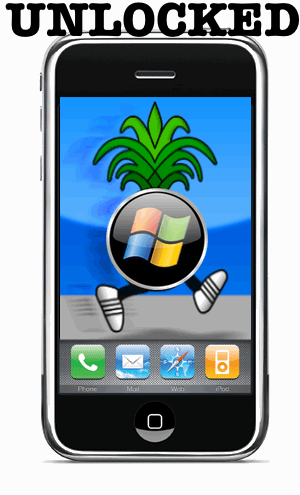
			<content:encoded><![CDATA[<p><a href='http://www.imore.com/images/stories/2008/10/unlockiphone.gif'><img src="http://www.imore.com/images/stories/2008/10/unlockiphone.gif" alt="" title="unlockiphone" width="242" height="400" class="aligncenter size-medium wp-image-4770" /></a></p>

<p><em>Disclaimer</em> &#8211; <strong><em>Neither TiPb nor I take any responsibility for any problems/issues/bricking/etc. that may occur while using this software to modify your iPhone. Please be aware of what you are doing.</em></strong></p>

<p>It was not long ago that we filled you in on the steps to take in order to jailbreak your iPhone 3G on  <a href="http://www.imore.com/2008/09/25/tipbs-jailbreaking-101-mac-edition/">Mac OS X</a> as well as a <a href="http://www.imore.com/2008/09/29/how-to-jailbreak-iphone-21-windows-edition/">Windows PC</a>.  Well today TiPb is proud to present a step by step guide to not only jailbreak your first generation iPhone 2G but to unlock it while jailbreaking.  This is for Windows PC&#8217;s only.  </p>

<p>So if you are against AT&amp;T in the US, or simply need to run your original iPhone on an international carrier like Rogers in Canada or any GSM/EDGE network around the world, then please read on after the jump!
<span id="more-4769"></span></p>

<p>This guide will show you how to jailbreak/unlock the original iPhone 2G only, <strong><em>not</em></strong> the iPhone 3G. Some important notes before we begin: You must have iTunes 8 installed and you must be on firmware 2.2.1, if you are not, be sure to update via iTunes. Also make sure to go into the task manager and disable ANYTHING Apple or iTunes related.</p>

<h3>1. Get the tools.</h3>

<p>Once you are positive you are running the 2.2.1 on your iPhone and have iTunes 8 installed it’s time to get the tools you will need. Create a folder on your desktop named “Pwnage”, then download the following files into that folder:</p>

<ul>
<li><a href="http://miphone.ca/iphone-dev/QuickPwn225-2.zip">Windows QuickPwn 2.2.5</a></li>
<li><a href="http://appldnld.apple.com.edgesuite.net/content.info.apple.com/iPhone/061-5830.20090127.Mmni6/iPhone1,1_2.2.1_5H11_Restore.ipsw">iPhone 2.2.1 ISPW</a></li>
<li><a href="http://www.iphone-hacks.com/download.php?id=131">3.9 Bootloader</a>
</li><li><a href="http://www.iphone-hacks.com/download.php?id=132">4.6 Bootloader</a></li>
</ul>

<p>Unzip the QuickPwn.zip file inside the Pwnage folder.</p>

<p><a href='http://www.imore.com/images/stories/2008/10/quickpwn-21-guide11-300x258.png'><img src="http://www.imore.com/images/stories/2008/10/quickpwn-21-guide11-300x258.png" alt="" title="quickpwn-21-guide1" width="300" height="258" class="aligncenter size-medium wp-image-4771" /></a></p>

<h3>2.  Launch QuickPwn</h3>

<p>Simply click on the pineapple from the Pwnage folder you created on your desktop.</p>

<p><a href='http://www.imore.com/images/stories/2008/10/quickpwn-21-guide5.png'><img src="http://www.imore.com/images/stories/2008/10/quickpwn-21-guide5.png" alt="" title="quickpwn-21" width="128" height="128" class="aligncenter size-medium wp-image-4772" /></a></p>

<h3>3. Connect your iPhone</h3>

<p>Connect your iPhone via USB to your computer and click the blue arrow to continue.</p>

<p><a href='http://www.imore.com/images/stories/2008/10/quickpwn-21-guide6-300x263.png'><img src="http://www.imore.com/images/stories/2008/10/quickpwn-21-guide6-300x263.png" alt="" title="quickpwn-21-guide3" width="300" height="263" class="aligncenter size-medium wp-image-4773" /></a></p>

<h3>4.  Locate Firmware</h3>

<p>Now we have to click the browse button to locate your iPhone firmware.</p>

<p><a href='http://www.imore.com/images/stories/2008/10/8061-500-300x263.png'><img src="http://www.imore.com/images/stories/2008/10/8061-500-300x263.png" alt="" title="step4" width="300" height="263" class="aligncenter size-medium wp-image-4774" /></a></p>

<h3>5.  Selecting the 2.2.1 firmware IPSW</h3>

<p>Select the 2.1 firmware IPSW file from the Pwnage folder you created on your desktop then select the IPSW file and click the open button.</p>

<p><a href='http://www.imore.com/images/stories/2008/09/quickpwn-21-3g-guide6-300x224.png'><img src="http://www.imore.com/images/stories/2008/09/quickpwn-21-3g-guide6-300x224.png" alt="" title="quickpwn-21-3g-guide5" width="300" height="224" class="aligncenter size-medium wp-image-4634" /></a></p>

<h3>6.  Firmware Verification</h3>

<p>QuickPwn will now verify you have selected the correct firmware. After it is verified click the blue arrow to continue.</p>

<p><a href='http://www.imore.com/images/stories/2008/10/quickpwn-21-guide71-300x263.png'><img src="http://www.imore.com/images/stories/2008/10/quickpwn-21-guide71-300x263.png" alt="" title="quickpwn-21-guide71-300x263" width="300" height="263" class="aligncenter size-medium wp-image-4775" /></a></p>

<h3>7. Customize your firmware</h3>

<p>This step allows you select what you’d like installed on your iPhone. You have the ability to select Cydia, Installer, replace boot logos, and unlock your device. Once you have made your selections click the blue arrow to continue on. If you want a full jailbreaking experience, installing Cydia and Installer is highly recommended.</p>

<p><a href='http://www.imore.com/images/stories/2008/10/quickpwn-21-guide8-300x263.png'><img src="http://www.imore.com/images/stories/2008/10/quickpwn-21-guide8-300x263.png" alt="" title="quickpwn-21-guide8-300x263" width="300" height="263" class="aligncenter size-medium wp-image-4776" /></a></p>

<h3>8.  Bootloader Files</h3>

<p>You will now be prompted to select your bootloader files that I instructed you to download a few minutes ago.  Click on the Browse button and select the 3.9 bootloader from the Pwnage folder you created on your desktop. Repeat this for the 4.6 bootloader file. Then click the blue arrow button to proceed.</p>

<p><a href='http://www.imore.com/images/stories/2008/10/quickpwn-21-guide9-300x263.png'><img src="http://www.imore.com/images/stories/2008/10/quickpwn-21-guide9-300x263.png" alt="" title="bootloaders" width="300" height="263" class="aligncenter size-medium wp-image-4777" /></a></p>

<p><a href='http://www.imore.com/images/stories/2008/10/quickpwn-21-guide9-2-300x224.png'><img src="http://www.imore.com/images/stories/2008/10/quickpwn-21-guide9-2-300x224.png" alt="" title="bootloader2" width="300" height="224" class="aligncenter size-medium wp-image-4778" /></a></p>

<p><a href='http://www.imore.com/images/stories/2008/10/quickpwn-21-guide9-3-300x263.png'><img src="http://www.imore.com/images/stories/2008/10/quickpwn-21-guide9-3-300x263.png" alt="" title="bootloader3" width="300" height="263" class="aligncenter size-medium wp-image-4779" /></a></p>

<h3>9.  Verify Connection</h3>

<p>QuickPwn will noW verify that your iPhone is still connected to your PC. Again click the blue arrow to carry on forward.</p>

<p><a href='http://www.imore.com/images/stories/2008/09/quickpwn-21-3g-guide9-300x263.png'><img src="http://www.imore.com/images/stories/2008/09/quickpwn-21-3g-guide9-300x263.png" alt="" title="quickpwn-21-3g-guide8" width="300" height="263" class="aligncenter size-medium wp-image-4637" /></a></p>

<h3>10.  Potential Tricky Part &#8211; Pay Attention</h3>

<p>Ok, this part seems to give some people issues, but I assure you it does work. QuickPwn will now put your iPhone into recovery mode. When its in recovery mode you will be given directions to: Hold the Home button for 5 seconds, Hold the Home and Power buttons for 10 seconds, then release the Power button and continuing holding the Home button until your iPhone is in DFU mode.</p>

<p><a href='http://www.imore.com/images/stories/2008/10/quickpwn-21-3g-guide10-300x230.png'><img src="http://www.imore.com/images/stories/2008/10/quickpwn-21-3g-guide10-300x230.png" alt="" title="quickpwn-21-3g-guide10-300x230" width="300" height="230" class="aligncenter size-medium wp-image-4780" /></a></p>

<h3>11.  Let the jailingbreaking begin &#8211; no going back now!</h3>

<p>QuickPwn will detect your phone is in DFU mode and proceed with the jailbreaking process.</p>

<p><a href='http://www.imore.com/images/stories/2008/10/quickpwn-21-3g-guide11.png'><img src="http://www.imore.com/images/stories/2008/10/quickpwn-21-3g-guide11.png" alt="" title="quickpwn-21-3g-guide11" width="400" height="307" class="aligncenter size-medium wp-image-4781" /></a></p>

<h3>12.  You are officially jailbroken &#8211; Congrats!  Now Time to Unlock &#8211; Be Patient</h3>

<p><a href='http://www.imore.com/images/stories/2008/10/quickpwn-21-guide13-300x263.png'><img src="http://www.imore.com/images/stories/2008/10/quickpwn-21-guide13-300x263.png" alt="" title="quickpwn-21-guide13-300x263" width="300" height="263" class="aligncenter size-medium wp-image-4782" /></a></p>

<p>Once jailbreaking is complete, QuickPwn will then reboot it and run BootNeuter.  Let BootNeuter take over, <em><strong>do not interupt it</strong></em>. This process will take about 5 minutes.  Your iPhone will reboot when it has completed and you will have a fully unlocked iPhone!</p>

<h3>13.  Setting up data connection &#8211; <strong>T-Mobile ONLY</strong><em></em></h3>

<p>Go into Settings, General, then Network and enter the following information.</p>

<p>APN: wap.voicestream.com</p>

<p>Username: (leave empty)</p>

<p>Password: (leave empty)</p>

<p>For other Mobile Carriers data settings check out <a href="http://www.iphonealley.com/forums/archive/index.php/t-1098.html">this link</a>.</p>

<p>Well that’s it folks, it’s time to start exploring this whole new world you have just opened. For answers to more of the questions you may have regarding jailbreaking please head on into our <a href="http://forum.theiphoneblog.com/">forums</a>. There are always members of our community willing to help you out!</p>
]]></content:encoded>
			<wfw:commentRss>http://www.imore.com/2008/10/07/how-to-jailbreakunlock-your-1st-generation-iphone-21-windows-pc-edition-part-2/feed/</wfw:commentRss>
		<slash:comments>447</slash:comments>
		</item>
		<item>
		<title>&#8220;I&#8217;m a PC&#8230; And I Use an iPhone!&#8221;</title>
		<link>http://www.imore.com/2008/09/19/im-a-pc-and-i-use-an-iphone/</link>
		<comments>http://www.imore.com/2008/09/19/im-a-pc-and-i-use-an-iphone/#comments</comments>
		<pubDate>Fri, 19 Sep 2008 16:02:02 +0000</pubDate>
		<dc:creator>Rene Ritchie</dc:creator>
				<category><![CDATA[News]]></category>
		<category><![CDATA[apple envy]]></category>
		<category><![CDATA[celebrity-sightings]]></category>
		<category><![CDATA[im a pc]]></category>
		<category><![CDATA[john hodgmen]]></category>
		<category><![CDATA[Microsoft]]></category>
		<category><![CDATA[PC]]></category>

		<guid isPermaLink="false">http://www.theiphoneblog.com/?p=4505</guid>
		<description><![CDATA[Okay, so it&#8217;s not PC, it&#8217;s John Hodgman, the actor who plays (brilliantly) PC in the highly successful &#8220;Get a Mac&#8221; ads from Apple. But as <a href="http://www.engadget.com/2008/09/19/john-hodgman-iphone-user-pc/">Engadget</a> shows, it&#8217;s definitely]]></description>
			<content:encoded><![CDATA[<p><img src="http://www.imore.com/images/stories/2008/09/pc_uses_iphone.jpg" alt="" title="PC uses iPhone" width="261" height="384" class="aligncenter size-full wp-image-4497" /></p>

<p>Okay, so it&#8217;s not PC, it&#8217;s John Hodgman, the actor who plays (brilliantly) PC in the highly successful &#8220;Get a Mac&#8221; ads from Apple. But as <a href="http://www.engadget.com/2008/09/19/john-hodgman-iphone-user-pc/">Engadget</a> shows, it&#8217;s definitely an iPhone he&#8217;s using. </p>

<p>Of course, that should come as no surprise, given Microsoft&#8217;s market share, <em>most</em> iPhone users are Windows-based on the PC side. Makes sense then, that their commercial avatar loves him some mobile OS X as well!</p>

<p>The conspiracy minded among us, however, might just find it odd that this spy pick comes our way just in time for Microsoft&#8217;s latest ill-conceived step down their $300 million advertising sink hole. Word to Redmond: <a href="http://gizmodo.com/5052051/microsofts-im-a-pc-ad-beats-seinfeld-but-not-hodgman"><em>I&#8217;m</em> a PC</a> too. Now stop embarrassing me with this &#8220;me too&#8221; nonsense, get some therapy for the Apple and Google envy (seriously, you&#8217;re like 10x their size, it&#8217;s time to act like it), and stick to making great products. The rest will really <a href="http://daringfireball.net/2008/09/theres_nothing_there">take care of itself</a>&#8230;</p>
]]></content:encoded>
			<wfw:commentRss>http://www.imore.com/2008/09/19/im-a-pc-and-i-use-an-iphone/feed/</wfw:commentRss>
		<slash:comments>11</slash:comments>
		</item>
	</channel>
</rss>

<!-- Performance optimized by W3 Total Cache. Learn more: http://www.w3-edge.com/wordpress-plugins/

Page Caching using memcached

Served from: imore.com @ 2012-02-10 00:14:58 -->