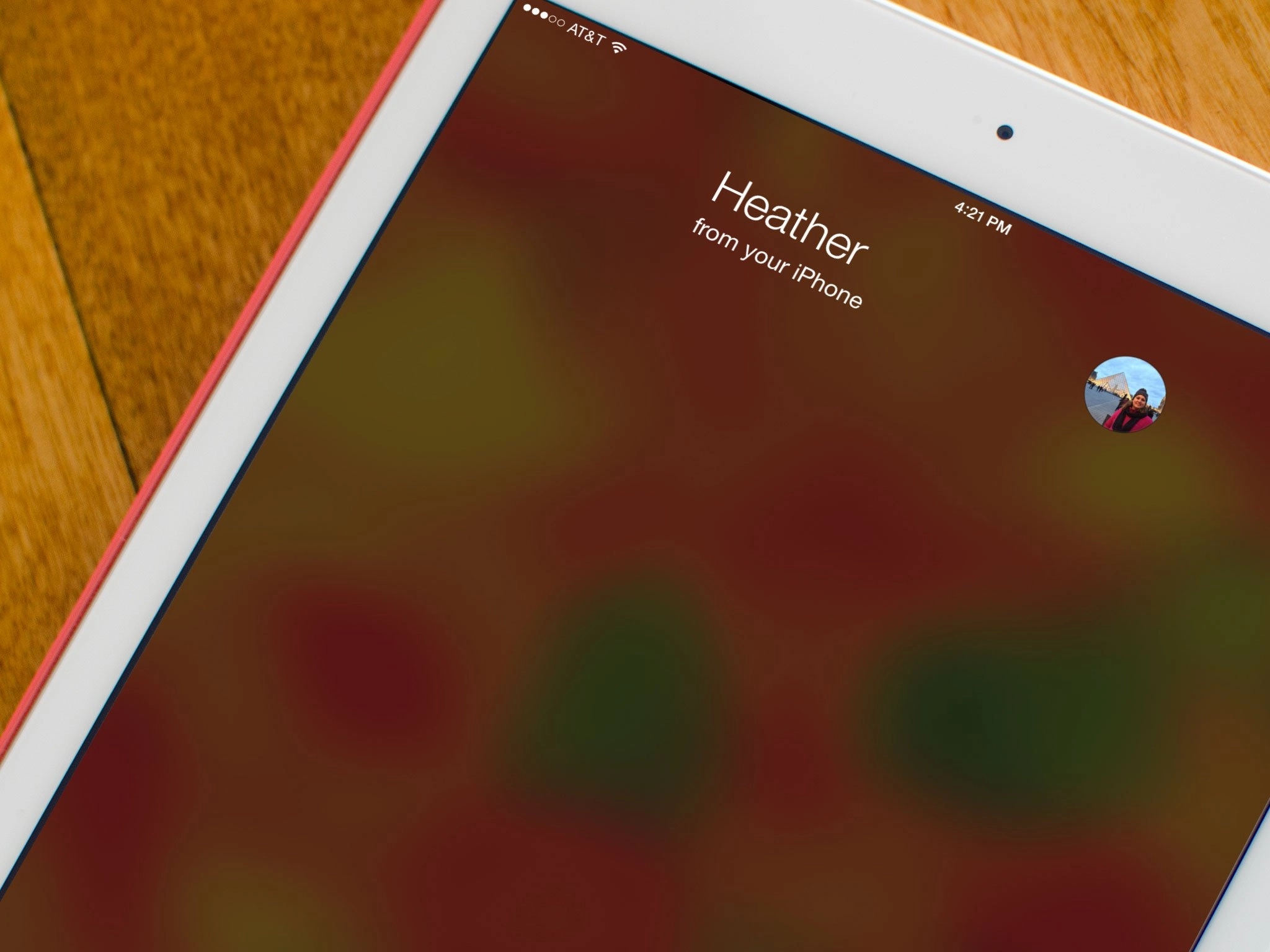
Continuity and Handoff are both new iOS 8 features that make for a more seamless experience than ever when it comes to using multiple devices. Continuity lets you answer phone calls that come in on your iPhone on your iPad, and soon on your Mac as well through Yosemite. Handoff, one of the major elements of Continuity, lets you start a task on one device, and pick up where you left off on another. Unfortunately, some folks seem to be having issues using either of them after upgrading to iOS 8. Luckily, there's a pretty easy fix!
How to fix Continuity and Handoff issues with iOS 8
- Launch the Settings app on your iPhone or iPad running iOS 8.
- Tap on General.
- Tap on Handoff & Suggested Apps.
- Turn the Handoff option Off and then back On again.
- Tap General at the top to return to the previous menu.
- Tap Settings at the top to return to the previous menu.
- Tap on FaceTime.
- Turn the iPhone Cellular Calls option Off and then back On again.
- Reboot your iPhone or iPad.
- Repeat this process with every device you'd like to use.
- Try placing a test call to see if the issue is resolved.


For most folks, this seems to be solving the problem. Keep in mind that both your iPhone and iPad must be running iOS 8 and be supported. Per Apple's website:
Continuity features are available on iPhone 5 or later, iPad (4th generation), iPad Air, iPad mini, iPad mini with Retina display, and iPod touch (5th generation).
So give the fix above a try and let me know in the comments if it worked for you!
Reader comments
Can't get Continuity calling or Handoff working in iOS 8? Here's the fix!
I resolved this problem by reseting my network settings. After that, not more issues.
That worked for me too, thanks. I couldn't see the setting in FaceTime until I reset the network settings.
I turned both my iPad Air, and iPhone 5 off and back on and issue fixed.
Sent from the iMore App
Worked for me, great! Thanks!
It fixed the calling but handoff is still not working
Just enable Bluetooth
Thanks cad0p, handoff works great now.
Tried everything aside from resetting all network settings and nothing has worked yet. IPhone 5s and ipad rMini both ios 8 but nothing. I'd hate to reset network settings right now bc I don't remember the passwords to a few networks I'll need before I can retrieve them, and if it doesn't work after resetting I'd be pissed!
Sent from the iMore App
Calling works great, but handoff doesn't.
How do you get calling? I don't see it, or handoff. For now I'm stuck only being able to call via FaceTime, and what's the point, I already had that if I had wifi anyway.
Sent from the iMore App
Calling works on iPad 3 as well. But handoff is not supported.
I don't understand why ipad3 is not supported. I feel like the ugly stepchild of the ipad world. It was only new a few months before ipad4 came out. Now they are excluding us from handoff. Can you explain why?
I can't explain it other than its A5X processor is not up to the challenge. This means we will never see iOS 9. This is the last year for iPad 3 upgrades.
Calling works on iPad 2 as well.
Handoff for me seems to work well with some apps but not with others. For example, messages always works, numbers and other apps are finicky.
Numbers always worked before without needing handoff, now not so much. No new "handoff" or "calling" functionality here. :-/ can't pass off a FaceTime call, phone call, open or have quick access to the app I was using right up until I walked up to my iPad with my iPhone... Messages also always worked... It's flakey now. Grrr
Sent from the iMore App
I had to "view" my iTunes account from the settings/FaceTime menu on both my iPhone and iPad, and then it worked flawlessly.
Sent from the iMore App
Tried that
Sent from the iMore App
Thanks a lot. This worked for me. Been trying to fix this for the past three days. Thanks.
Not seeing the cellular calls setting on my iPhone 5C.
For me, the biggest issue I have is handoff on the Yosemite beta. I understand SMS functionality was removed but as far as I am aware the rest of the functionality was to be included.
Nevertheless, iOS 8 is still awesome.
Sent from the iMore App
Have calling working fine but it's a tad annoying that my MBP and iPad show a missed call if I pick up on the phone for example. Minor things but it'd be nice if that synced up between all when you pick up on any device.
Make Sure BlueTooth is turned on both the iPhone, iPad and your Mac too...
They are
Sent from the iMore App
It looks like Continuity calling on Yosemite is mediated though FaceTime. I wasn't logged in to FaceTime on my Mac, and calling wouldn't work until I did so.
Thanks for this tip, I spend all morning trying to get this to work. I was using a shared iCloud account with my partner. Now I have setup a new account for me, I added it to iOS 8 and OS X in iMessage and iCloud to no avail. Until I followed your tip to open preferences of FaceTime also, there my old iCloud account was still active. Replacing it with the iCloud account on my iPhone did the trick!
Didn't work for me because I realized my iPad was a 3rd gen. Need to upgrade iPad after I get the 6 Plus.
Sent from the iMore App
Calling works on iPad 2 as well
Calling now works for me. Thanks Allyson!
Any idea when we'll be able to get SMS messages on iPads from non-iOS users?
October is the rumored release timeframe (alongside Yosemite for Macs)
Sent from the iMore App
Calling works good from my iPhone 5S to my iPad mini retina, handoff works from my 5S to mini but not the other way around. It was working, then my 5S battery died, when it came back, it was not working. Hope these issues get worked out soon as it's a really neat feature to have.
Tried everything and I still can't place a call from iPad mini with retina....keeps saying call using iPhone failed!! I can receive calls from my iPad but not make them and I also noticed when I received my call on the iPad my iPhone 5s just kept vibrating while I was on my iPad!!! Any other suggestions on how I can make a call from my iPad mini with retina??
I found an AWESOME free simple app. http://continuitykeypad.co that is just a Dial Pad that lets you, well, Dial out from your mac without having ANY other apps open. You dial, hit call and it connects to FaceTime, and asks in a notification if you want to call via iPhone. It just Works.. :-) (no Bluetooth required, just WiFi)
Worked like a dream. Thanks a lot
Sent from the iMore App
Thanks, Ally but still not working.. I tried turning on Bluetooth but no luck.. Any suggestions ? I have iPhone 5 and iPad mini(1st gen) both running iOS8
Great tip!
Sent from the iMore App
This resolved me as well. Interesting, I have had to toggle a couple settings like this to make them work. The oddest one was multitouch gestures (since it wasn't a new feature).
I fixed handoff by turning AirDrop off and back on on both devices and sharing a photo from my iPad to my iPhone.
This worked for me when nothing else did. Thanks!!
Got the handoff to work on a 5s and iPad mini no problem, but you are forced to disable wifi calling on your phone to do so. I have TMo so now I have to choose one or the other on the phone.
So apparently some of these features will work with the iPad 2. everywhere I looked said ipad2s would not have the ability for conntunity but just received a phone call and it showed up on my iPad. I would like to turn this feature off however because my son uses my iPad most. Is there anyway to do so
I just found in the settings on the iPad 2 for making calls using your iPhone and was able to turn it off. So apparently ipad2s will have the call/text feature just not the handoff for applications
Tyler, I can not find (on my iPad 2) the setting you are talking about. Can you please help me on this? Thanks.
On your iPad go to settings, FaceTime then the second option is allow calls from cellphone service. If it's on you can make and receive calls. Turn it off if you wish to not use this service. I prefer to keep It off if you need to make a call from your iPad and your phone is not by you you can easily turn it back on. My son was using the iPad when I received a important call luckily I answered it from my phone before he was able to answer or ignore it.
Tyler, you make my day. Thanks!
I have a 3d Gen Ipad and the calling feature works fine. Shortly after upgrading to ios8 I noticed call info showing up on on the ipad so I took a call. It worked great.
This blog had my answer. I needed to turn on "iPhone cellular calls" in FaceTime. The only bummer is that I needed to turn off wifi calling which is a big plus for me as a T-Mobile customer. O well.
Thanks for adding the tips in the comments. Resetting network settings is what finally worked for me.
Still not working for me. Calling OR handoff. Grrr
Sent from the iMore App
Which iPad are you using if you have ipad2 handoff doesn't work but calling does its under FaceTime settings on ipad
Agree. iPad 2 here
FWIW, the Apple ID I used to sign into Facetime was different (but really the same but showed another email address attached to my ID) so I had to change that to my .me email address, and it works like a charm.
Dear All,
I have done all above settings carefully and ensured everything is set correctly.
But in my iPad 4 I can see new call icon added to contacts but after touching the call it seems my device attempts to contact my iPhone but there is no connection.
finally I face an error massage that says : "iPhone calls not available"
What should I do? Any support is highly appreciated.
Thanks
Thank you so much ..
it's work with through my iPhone 5S and Mini retina for every thing.
but with my iMac, phone calling was the only one worked not mail neither SMS or Safari !!!
if any one know how to fix my iMac issue i will be thankful :)
If you're trying to use Handoff over Safari, maka sure that Private browsing is turned off for the devices you're trying to Handoff from.
For Handoff to work, I believe you need to have bluetooth turned on.
I have had success with a iPhone 4S and iPad Air. This was placing a phone call and it jumped to the iPad.
Thanks for the detailed help.
Sent from the iMore App
Er.. , How did you connect with an iPhone 4S, it is not supported, it doesn't show up in my settings on my 4S?
Neither Continuity or Handoff will work between my iPhone and my late 2013 Macbook Air (running latest dev edition of Yosemite). How can I remedy this?
I had to go into iCloud settings on each of my devices and sign in, again. Then it took me through 2 step verification on both of my devices. Now it all works well.
good notice, i'm gonna try this one :)
To use "iPhone Cellular Calls" feature you must enable UPnP on your router!! After you have enabled UPnP you just have to turn your WiFi off and on again for all your iDevides and that's it...
Tested with iPhone 5, iPad 3 and iMac Mid 2011 (running OS X Yosemite Public Beta 3).
PS: Without UPnP this feature won't work. You don't have to enable Handoff and/or Bluetooth on your iDevides just for this feature if you don't need them.
Try going into bluetooth settings on your IOS devices, here you'll have to forget former device relations between your IOS devices. You will notice a greyed out relation, this is your IOS 8 continuity/handsoff, if this is the only relation left then you should be able to make calls from your ipad using handoff..
This is what finally worked for me. Turning on Bluetooth and deleting the pairing and re-pairing the devices
I THINK I HAVE SOME PATTERNS TO SHARE......
sorry for the caps....just wanted to make sure people saw this.....
I can get both general handoff and calls to work. I have an iPhone 5s and an iPad Mini.
Points of note I found:
1) Handoff requires bluetooth to work
2) Calls do NOT require bluetooth to work.
3) Take note of the comments above from George M about uPnP. I think this may be critical (or something like it) to letting calls work.
Regarding #3. When I was on the wifi network at a coffee shop (just now), I could NOT get Calls to work. Tried everything. But then I disconnected from the shop's wifi network and turned on my Verizon MiFi. Connected both the iPhone and iPad to it and also turned off bluetooth (see #2 above). Once I got off the shop network, Calls worked fine.
we dont have Facetime in UAE as its a banned service. does that mean that i can never use continuity for calls in UAE?
The Mother-in-law gets her iPad Mini ringing when she gets calls on her 4S, if this is a 5 & up feature how is this happening?
Roland
Have tried and tried all the suggestions here. Handoff works both ways, but I can't make calls from iPad Air to iPhone 6,mwhereas when I get an incoming call it also rings on the iPad (they're both running iOS 8.0.2, bluetooth is enabled and using Apple Extreme router.)
I can continue emails and safari browsing with no problem. I canreceive calls on my iPad using continuity, but I can't place outgoing calls. I can open text messages through continuity, but only iMessages and they don't populate what has already been typed.
Is this a bug or is there a fix?
On both devices:
I have reset network settings
I have reset Face Time & iPhone Cellular Calls
I have reset iMessages
I have reset Bluetooth
I have reset handoff
I have reset iCloud
I have power cycled the devices
I have logged into my support at support.Apple.com and made sure my devices were registered.
I'm using a 4th generation iPad and a new iPhone 6. Any info on a fix is appreciated. Thanks.
I get the same problem, I have iPad air and iPhone 6, can get calls on iPad, can't make them, have done all the same suggestions... no go.
iPad 3 excluded? Most Macs will be excluded (because they lack BLE)? All of this tech could be accomplished via wifi, which every iPhone, iPad, and Mac have. Is Apple intentionally forcing new purchases by restricting new technologies to new hardware, even when there is no technical reason to do so? Lame.
It sucks that they advertise that it can do all of this stuff if you have the hardware that is relatively new. I have a Macbook Pro 2011 early edition which to me is relatively new as it works completely fine and I see no point in going out to buy a new one. It's ridiculous that Apple makes their products to last a long time but not include all the new features. Maybe if they would come out with an upgrade program so that we don't have to pay full price.
Trying to get phone calling to work for the first time both using iPad and mac through iPhone 6plus. Neither work, but with different symptoms. On iPad, having done Ally's fix, I can pick a contact and hit the phone icon and it tries to call, but the call fails. On the mac, for any contact but me?, the option for an audio call is greyed out and will not respond if clicked.
Some obvious stuff. I am on the same wifi network for all three devices (phone, iPad, mac). I believe I am signed into to the same iCloud, but with three different id's that's dicy. I am able to see all my open safari pages on all three devices, suggesting I am correctly signed in to the right iCloud account. All devices are 2013 or later.
A last question, could there be any special issue on cell phone provider plans regarding using using the phone as a hot spot?
Mine its not working too.... I think i have the same problems you have, i have a 5s and a 2012 later iMac and its not working, all accounts and everything... :(
I registered with imore just to say...thank you, thank you, thank you!
It worked.
Hi nothing its working on my devices, the calls and Handoff are not working, i tried to turn off the devices. i have same FaceTime and iCloud accounts. Same wifi network and the bluetooth says that its incompatible with my mac but they are my mac its a iMac 2012 later model. Please help me to get working handoff and calls on my devices.
I hacked around a bit on my iMac and got things working when I realized that having FaceTime id be the same as the one used for the iCloud account and the same one used on the phone. I dumped the alternate apple id on both the phone and mac for now and will add it in later as a secondary address. That change let me make calls from and to the mac using the contact list - put the cursor over the phone number, it turns blue, click and it just works.
That didn't solve the problem on the iPad. After some time with two different apple care experts on the phone checking to see every thing was the same on the phone and iPad, he suggested we reset the network for the iPad - logging out and then reestablishing the network, password etc. That did it for me on the iPad.
Hope this helps.
Be sure that iMessage is able to work on your Mac to get the message from Apple. A simple bluetooth connection is not enough for the pairing procedure. My Mac was behind a corporate firewall and was attached to a VPN network with some proxies so iMessage was unable to fetch the message from Apple's server. After I attached to a public wifi, all previous messages were received all together.
My computers aren't new enough to do full handoff capabilities, but supposedly will work for sms forwarding and iphone cellular calls.
SMS forwarding seems work work well for me.
However, iphone cellular calls is full of problems. Outbound calls only work about 50% of the time, and inbound calls fail 100% of the time.
I tried the above troubleshooting steps, but it didn't help at all...
sadly still not working :(
I wish the Apple motto of "it just works" would work with these new cool features but alas...
I was able to receive calls on my new iPad but when I'd try to make them, the screen would just shift to a blurred home screen for a second, then go back to the Contacts app.
In case others have the same problem, what fixed it for me was:
On my iphone, I went to Settings > Facetime, then unchecked and rechecked the email address of my Apple ID in the "You can be reached by facetime at" section.
Doing so triggered the phone number to be added as an option on my ipad. Now I can make calls.
Hope this helps out others!
If you receive an incoming call and your iphone drops the call (sends the call to vm), check to make sure one of your other devices isnt stuck in an update cycle. Mine started doing this when my Mac Mini was at that point in a system update where it wants to restart. My Macbook Pro and iPad were trying to pick up the call and ring when an incoming call would come in but since the Mac Mini Facetime was locked up it was like the whole handoff network had a busy signal in it. Like the one phone in the house thats off the hook so no one else can use the line. So the iPhone, trying to handle the error, just drops the call. Try a restart of all the devices in your house. One of them could be poking you in the ribs.
I couldn't get the "iPhone Cellular Calls" option to even appear under "FaceTime" settings on my iphone, even after multiple restarts and sing in and outs of icloud... UNTIL I attempted to initiate a cellular call from the FaceTime app on my Mac. I initially got weird clicking noises on the first call, but after a restart of my mac all worked AND the "iPhone Cellular Calls" magically appeared (and pre-enabled too) on my iphone. Must be a bizarre bug. Took me FOUR hours of fiddling to get it all working. RIDICULOUS!
I got iPhone 6 and it's working with my iPad retina, 2011 iMac and MacBook Air. But audio is only on phone. If my phone is far caller won't hear me
