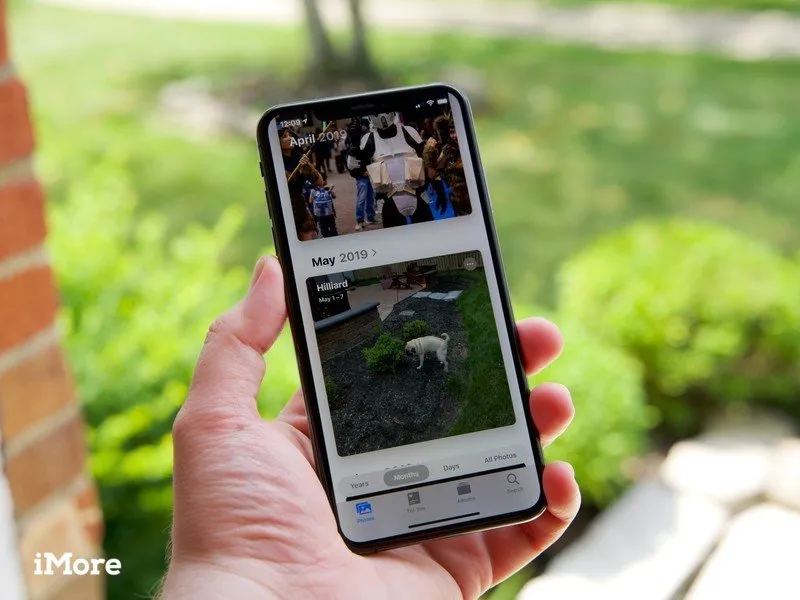
If you've enabled iCloud Photos on your iPhone or iPad, you may have noticed that some of your content isn't showing up. I first noticed this a few days ago while searching for a video I know I had taken on my iPhone a few days prior. For some reason, it wasn't showing up on my iPad, which also has iCloud Photos enabled. Digging deeper, some photos that I actually took on my iPhone were also missing. As it turns out, there are a few steps you can take to get content syncing properly to and from iCloud Photos.
What happened to my albums after turning on iCloud Photos?
After you turn on iCloud Photos in your iPhone's settings panel, you may notice that some albums seem to have disappeared and others just suddenly appear in the Photos app. Don't worry! Your photos and videos are still there, but iCloud Photos organizes them a little differently. For example, the photos that were in your My Photo Stream and Camera Roll albums can now be found in the All Photos album:
- Launch the Photos app on your iPhone or iPad.
- Tap Photos on the bottom left.
- Select the All Photos view.
- All of your photos and videos are organized here according to date.

If you think that some photos and videos are still missing, there are additional steps you can take to sync them properly.
How to check your Recently Deleted folder
The most common reason why some photos and videos disappear from iCloud Photos is that they were accidentally deleted. You can check this easily:
- Launch the Photos app on your iPhone or iPad.
- Tap Albums.
- Scroll down and tap Recently Deleted.

- If you find any photo or video that was unintentionally deleted, simply tap it and then tap Recover.
- Tap Recover one more time to confirm.

Any recovered images will be returned to the All Photos album.
How to sign in with the same Apple ID on all devices
If you have different devices that are synced with different Apple IDs, then your photos and videos will not sync on all devices with iCloud Photos. Make sure they are all signed on with the same Apple ID for content to sync properly between devices with iCloud Photos. To check Apple ID, do the following:
- Launch the Settings app on your iPhone or iPad.
- Tap Your name right at the top, where it also says Apple ID, iCloud, iTunes, and App Store.
- The name and email associated with your Apple ID will display at the top. Make sure this is the same on all devices.

If you have multiple devices signed in with different Apple IDs, you'll need to sign out and sign in with the same Apple ID across all devices:
- Launch the Settings app on your iPhone or iPad.
- Tap Your name right at the top, where it also says Apple ID, iCloud, iTunes, and App Store.
- Scroll all the way down and tap Sign Out.
- Confirm by tapping Sign Out again.

- Now scroll back up and tap Sign in to your iPhone.
- Enter the same Apple ID email and password you use on your other devices and tap Next.

Once all devices are signed in to the same Apple ID, the same iCloud Photos content will sync across each device. It may take a while for everything to sync, so be patient. Sometimes it's better to step away and check again the next day to make sure everything has synced properly.
How to check your iCloud storage limit
If your iCloud Storage limit has been exceeded, then photos and videos will stop syncing across devices, even if iCloud Photos is on. You can check if the storage limit has been reached:
- Launch the Settings app on your iPhone or iPad.
- Tap Your name right at the top, where it also says Apple ID, iCloud, iTunes, and App Store.

- Tap iCloud
- Here you can see how much iCloud storage has been used.

If your iCloud storage limit has been reached, your photos and videos will no longer sync properly. In this situation, you can either manage your storage usage to make more space, or upgrade your iCloud storage plan.
How to unhide photos and videos
If photos or videos get hidden from the All Photos view, you'll only be able to see them if you go to the Hidden folder, rather than iCloud Photos. Here's how:
- Launch the Photos app on your iPhone or iPad.
- Tap Albums
- Scroll down and tap Hidden under Other Albums.

- To unhide a photo or video, tap Select.
- Tap the Share icon in the bottom left.
- Scroll down and tap Unhide.

This will unhide photos and videos across all devices.
All fixed!
These steps should help resolve any issues you have with iCloud Photos. For more on the iCloud Photos system in general, consult our ultimate guide on everything iCloud Photo. Once you have it mastered, your entire photo management experience will be streamlined and secure.
Updated May 2022: These are still the accurate steps for troubleshooting iCloud Photo Library.

