
Which iPad cellular plan should you get?
Best answer: When it comes to picking an iPad cellular plan for your iPad Air 4, iPad mini 5, 8th-generation iPad, or iPad Pro model, you need to weigh your options carefully because the choices vary depending on where you live.
Wi-Fi only vs. Wi-Fi + Cellular
Since its humble beginnings, the best iPad has offered a Wi-Fi + Cellular option in its lineup. The extra price for a cellular option ranges from $130 for the three iPad models and $150 for the two current iPad Pro models. The newest iPad models have eSIM, but no included Apple SIM card. eSIM iPad models are as follows:
- 11-inch iPad Pro 2020
- 12.9-inch iPad Pro 2020
- iPad Air (4th-Gen)
- iPad (8th-Gen)
- iPad mini (5th-Gen)
iPad Pro models from 2016 - 2018 include an Apple SIM embedded but no eSIM support. Embedded Apple SIM iPad Pro models are as follows:

- 9.7-inch iPad Pro
- 10.5-inch iPad Pro
- 12.9-inch iPad Pro (2nd-Gen)
iPad models from 2014 - 2018 (excluding iPad Pro between 2016 and 2018) include an Apple SIM card, which would allow you to switch carriers, but wasn't supported by all carriers and wasn't as convenient as eSIM. iPad models that include an Apple SIM card are as follows:
- 12.9-inch iPad Pro (1st-Gen)
- iPad Air 2
- iPad (6th-Gen)
- iPad (5th-Gen)
- iPad mini 4
- iPad mini 3
Confused about what a SIM card is and how it works? Don't worry; we have some advice for you there too.
As with your iPhone, you'll have to pay a monthly charge for data on your cellular plan. Unlike your smartphone, however, these plans are often a la carte — you can buy data as you need and disable monthly subscriptions at any time without penalty. Additionally, if your smartphone plan allows data sharing, you may be able to add your iPad to your monthly plan directly.
If you're considering getting an iPad with cellular access, here's everything you need to know.
Ask yourself: Do you really need an iPad with Wi-Fi and Cellular?
While $130 or $150 may not be a huge price to pay for the option of LTE, not all users need it for their iPad — especially if you have an iPhone with tethering capabilities or plan to use your tablet largely in areas where there's Wi-Fi.
LTE service can be beneficial if you plan to use your iPad on the go and don't want to drain your iPhone's battery to tether. The Cellular model also sports a GPS antenna if you plan to use your iPad for navigation. If you have good coverage where you're traveling, it means never having to worry about finding a Wi-Fi hotspot or tethering to your iPhone to work.
Additionally, if you have a different carrier's data plan on your iPad than your iPhone, it can be useful for getting data in areas where your iPhone's cellular provider has dead spots (and vice versa).
iPad cellular plan: About Apple SIM and eSIM
Apple switched to eSIM on all of its iPad models in 2019. This means you can select your carrier right on your iPad, digitally, without having to wait for or select a specific SIM card. It's even more convenient than an Apple SIM card because there is no restriction on where you buy your iPad from. With Apple SIM, AT&T would lock down the card, and if you wanted Verizon as your carrier, you had to order your iPad directly from Verizon. These limitations are freed up with eSIM.
With eSIM, you can choose multiple carriers instead of being locked to a single provider. In the U.S., that includes AT&T, Verizon, T-Mobile, and the international data service GigSky.
For iPad models that use Apple SIM cards instead of eSIM, be aware that you will be able to switch carriers at will with your Apple SIM, but not every company has opted in. Auto-switching in the U.S. works if you pick a T-Mobile or GigSky plan. You can make accounts on these particular networks if you choose to and switch freely between these plans depending on which suits you based on your location. Pick AT&T, however, and your Apple SIM card will immediately lock down and become an AT&T-only SIM card. The AT&T option will also immediately disappear once you pick one of its competitors.
If you find yourself overseas or in a different country that doesn't support eSIM, the 2019-2020 iPad models do include a SIM tray. Still, you'll need to buy the nano-SIM card from your carrier of choice (the card is usually free or very low-cost, and you'll only be paying for the service). It's easy to set up once you've received your SIM card. You pop the card in and follow the instructions.
For iPad models with Apple SIM cards, you can swap out your included nano-SIM card with the international one. Don't worry, removing the SIM card in an iPhone or iPad is very easy and straightforward.
Before you buy an iPad cellular plan: Check your LTE data coverage and speeds
There are lots of great deals on tablet data available for your iPad — but it's not going to do you any good if you can't use that data in your local area. Before you choose a plan for your iPad, we recommend checking out your carrier's coverage maps. You'll also want to see what carriers have the most reliable coverage and speeds in your area — comprehensive coverage means nothing if that coverage is slow as molasses.
Where to buy your Wi-Fi + Cellular iPad
In the U.S., the best place to order your iPad is through Apple — either through the Apple Online Store, Apple Store app, or in a physical Apple Store.
However, there is no reason why you couldn't buy your iPad from your favorite carrier. The joy of eSIM is that you are not locked to a particular carrier anymore.
Choosing an iPad cellular data plan in 2021 from an iPad carrier
Once you've picked up your iPad and any appropriate SIM cards, it's time to choose your plan. The big U.S. carriers offer several data options for iPad users, either pre-paid or post-paid. A latter plan is ideal if, for whatever reason, you don't want to piggyback your tablet on your iPhone plan. For example, pre-paid plans are great when traveling. Post-paid plans typically offer a built-in customer discount, but not always.
For the latest rates, be sure to click on the links below.
Note: As of January 2021, there are no iPads that support 5G.
Verizon
Note: Verizon isn't available on Apple SIM. You'll have to order an iPad from the Apple Store and visit Verizon for a nano-SIM, or order directly from the Verizon store.
The nation's No.1 carrier offers four pre-paid and three post-paid tablet data options in 2021. The pre-paid options run from $30/month to $65/month, depending on the data amount. Through post-paid accounts, prices start at $10/month.

Verizon has some of the best coverage in the country. However, the prices are on the higher end of the scale.
AT&T
The second-largest carrier in the United States offers three pre-paid tablet plans ranging in price from $25 to $75 per month.
AT&T's current wireless plans for tablets start at $40/month with some options, including unlimited data.

AT&T is the second-largest carrier in the U.S. and has pretty great speeds where there is great coverage.
T-Mobile
Like other carriers, T-Mobile offers post- and pre-paid options. The pre-paid plans start at $10 per month and rise to $50/month depending on how much data you want. Post-paid plans start at $60/month.
Note: Sprint is now part of T-Mobile.

T-Mobile offers great speeds when you have good coverage. It's also much more affordable than Verizon and AT&T.
Alternative Carriers
GigSky is one of Apple's international travel options for an iPad cellular plan. This network is known as an "alternative carrier" — they piggyback on existing cellular networks across the world to help give you internet access wherever you go.
With GigSky, you get coverage in 189 countries, with slightly different pricing depending on where in the world you are.

GigSky offers international coverage in many countries all over the world. Double-check to see if it's available where you're going.
Which iPad cellular plan should you get?
Many factors weigh on your carrier choice and plan size, and everyone's going to have a different opinion on what best fits their lifestyle. But, if you want some advice, here's what I got.
You'll be happy with T-Mobile if there's decent coverage in your area: The network is speedy in its active locations, supports LTE Advanced, and gives you free lifetime data and ridiculously cheap a la carte and monthly options. T-Mobile can also be used without locking your iPad's Apple SIM.
You'll be happy with AT&T if you have an iPhone whose data plan you want to share, you don't need a ton of data, or you don't have great T-Mobile coverage. It would be best if you also didn't mind AT&T locking Apple SIM to that carrier or buying an iPad to get around the locking restriction.
You'll be happy with Verizon if you have an iPhone whose data plan you want to share, you don't need a ton of data, or you don't have great T-Mobile or AT&T coverage. It would help if you also didn't mind replacing your Apple SIM (or adding a new nano-SIM, in the case of iPad users) with a Verizon option.
You'll be happy with GigSky if you're planning on traveling internationally: this plan allows you to avoid picking up a local SIM in the country you're traveling to and still have internet access. Both can be used without locking your iPad's Apple SIM.
Finding a balance
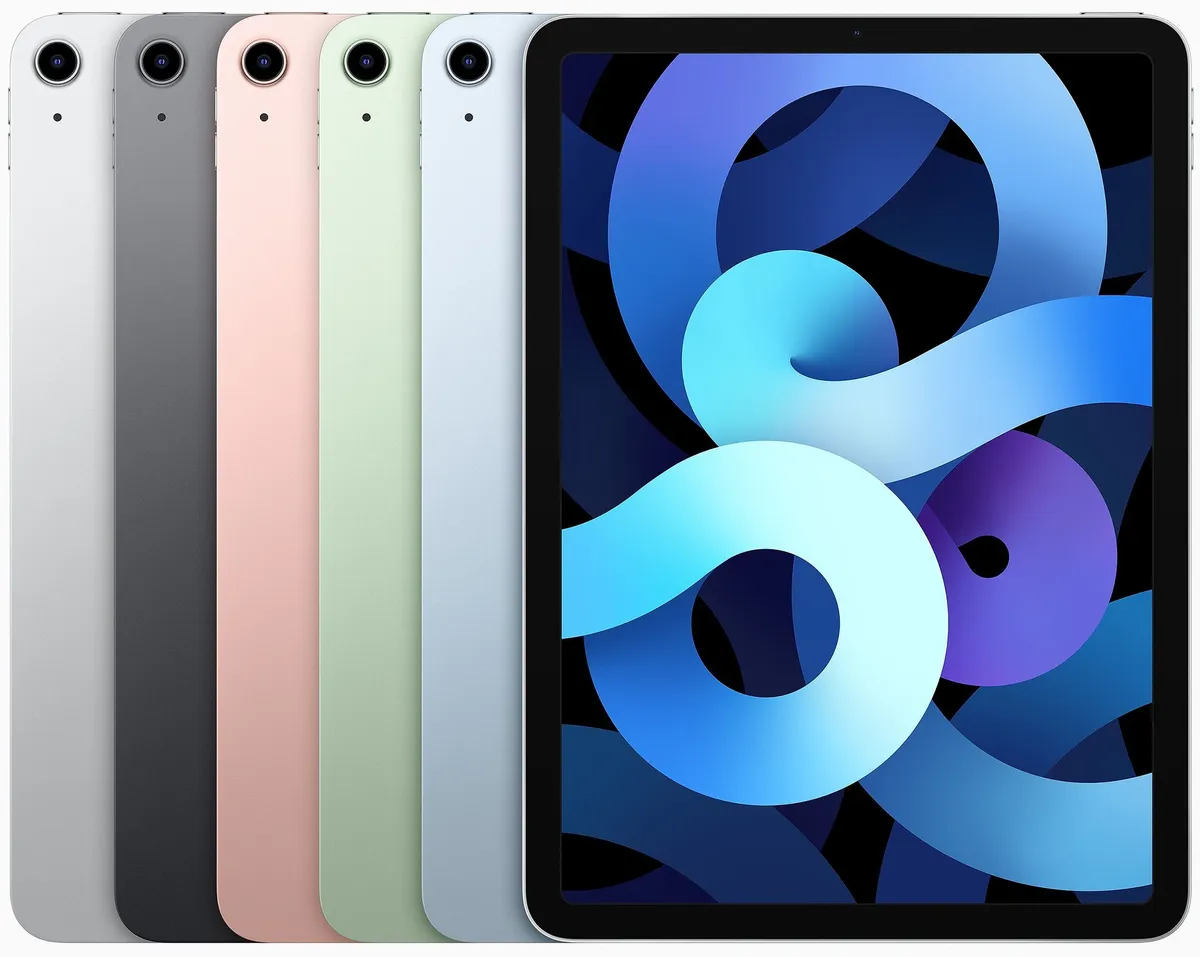
The iPad Air 4 strikes a great balance of price, power, and portability, complete with Pencil and Smart Keyboard support. We think it's the best iPad for most people.

A great budget tablet.
The 10.2-inch iPad is the best budget tablet that Apple has ever produced and a great accessible computer for anyone.

The best small tablet you can get.
The iPad mini 5 is the best small tablet you can buy. It is as powerful as the previous iPad Air 3, in a more portable package.

A power that comes at a price.
This powerful tablet, available in two sizes, is great for professionals, artists, and anyone looking for a powerful tablet or laptop alternative.

