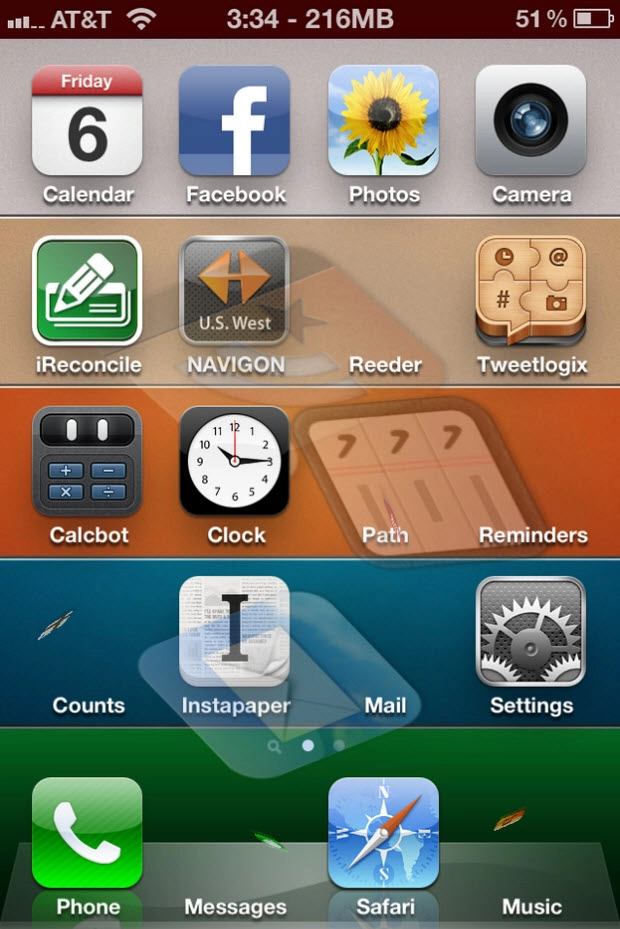
Motion is a new jailbreak utility available in Cydia that makes your iPhone homescreen just a bit more interesting. While Motion may not add a ton of functionality to your device, it's a fun tweak to play around with and show off to your friends. It basically adds transitions and effects to the movement to all of the icons on your springboard.
Motion is a tweak that makes your icons move. There are a whole bunch of settings you can use to liven up your home screen and make your icons dance around.

- Rotate: Make your icons rotate
- Scaling: Make your icons grow
- Skew: Make your icons tilt sideways
- Jump: Make your icons jump
- Transparency: Make your icons fade in and out
- Waves: Make your icons move in waves (vertical and horizontal)
You can use these settings alone, or in combinations.
Motion is already available in the Cydia store and will run on any iPhone, iPad, or iPod touch running iOS 4.x or higher. If you're looking for even more tweaks and utilities to install, check out our guide to the best jailbreak applications for iOS 5.
- $1.00 -- Cydia Store Link
More jailbreak resources:
