
Apple currently has three laptops in their product lineup — the ultralight MacBook, the previous, but now cheaper ultralight MacBook Air, and the powerful and brand-new MacBook Pro. Together, they cover a wide range of portability, performance, and yes, price points. So, which Apple laptop is perfect for you?
See our pick for the best Apple laptop.
Apple laptop lineup

Apple's MacBook line comprises three product categories: the MacBook, MacBook Air, and MacBook Pro. The systems are differentiated by their size, weight, and relative performance, as well as their price.
Note: Apple has also chosen to keep the previous-generation 15-inch MacBook Pro (with the full complement of ports, from USB 3 to HDMI to an SD card slot) on the market, which I'll refer to as MacBook Pro 2015, while calling the current generation MacBook Pro 2017. The older 13-inch MacBook Pro is no longer on sale, but you can still find some in Apple's Refurbished Mac store.
Still, it's useful to look at the current baselines.
Displays

The display is your window into apps and the internet. The bigger the display, the more you have to carry, but the more you can see.
MacBook is currently offered in one size, 12 inches diagonal. That houses a 2304x1440 16:10 aspect ratio display at 226 pixels-per-inch (ppi). That's what Apple terms a "Retina" display, meaning that at normal viewing distance, you can't really see the pixels anymore, and it appears like you're looking at a photo or out a window.
MacBook Air now only comes in 13 inches (the 11-inch model was discontinued in 2016). The 13-inch model has a 1440x900 16:10 display at 128 ppi. That's standard definition, not a high-definition Retina display like the MacBook and MacBook Pro. That means, from a normal viewing distance, you can still see the individual pixels on the screen, almost like you're looking through a screen door.
MacBook Pro comes in two sizes: The 13-inch model has a 2560x1600 16:10 display at 227 ppi, and the 15-inch model has a 2880x1800 16:10 display at 220 ppi. They're Retina, like the MacBook, so at normal viewing distance you shouldn't see any obvious pixels.
The current 2017 MacBook Pro (as well as the 2016 models) also supports DCI-P3 wide color gamut and other advanced technologies that provide brighter reds, deeper greens, and blacker blacks. It's like HDR for your display.
- If you want a Retina display, you want the MacBook or MacBook Pro.
- If you want a DCI-P3 wide gamut display, you want a new MacBook Pro, from 2016 or later.
- If you want the smallest possible display, you want the 12-inch MacBook.
- If you want the largest possible display, you want the 15-inch MacBook Pro.
External displays

Macs can also drive external displays — extra monitors you buy and connect. This is useful if you want a laptop on the go but more of a desktop-like setup when you're home or at the office.
MacBook can connect to USB-C displays or HDMI (with an adapter?tag=imoreb-20&ascsubtag=UUimUdUnU21613) up to 4096x2304 at 60Hz. This is a decent upgrade over last year's model, which didn't support external 4K displays.
MacBook Air can connect to a single 3840x2160 display at 60Hz over Thunderbolt.
The 15-inch MacBook Pro 2015 that Apple still sells can support up to two 3840x2160 external displays over Thunderbolt 2. It can also drive one 3840x2160 display over Thunderbolt and a second 1920x1080 display at up to 60Hz, 3840x2160 at 30Hz, or 4096x2160 at 24Hz.
The 13-inch MacBook Pro 2017 supports one 5120x2880 (5K) display along with the built-in display. If you prefer having two external displays, it supports up to two 4096x2304 (4K) displays at 60Hz with millions of colors — or two 3840x2160 displays at 60Hz with billions of colors.
The 15-inch MacBook Pro 2017 can drive up to two 5120x2880 (5K) displays, plus the built-in one of course. And since it sports four Thunderbolt 3 ports, you can get crazy and connect up to four external displays: 4096x2304 (4K) at 60Hz and millions of colors, or 3840x2160 at 60Hz and billions of colors.
- If you want to drive multiple external displays, you want a MacBook Pro.
- If you want to drive multiple 5K external displays, you want a 15-inch MacBook Pro.
Webcam
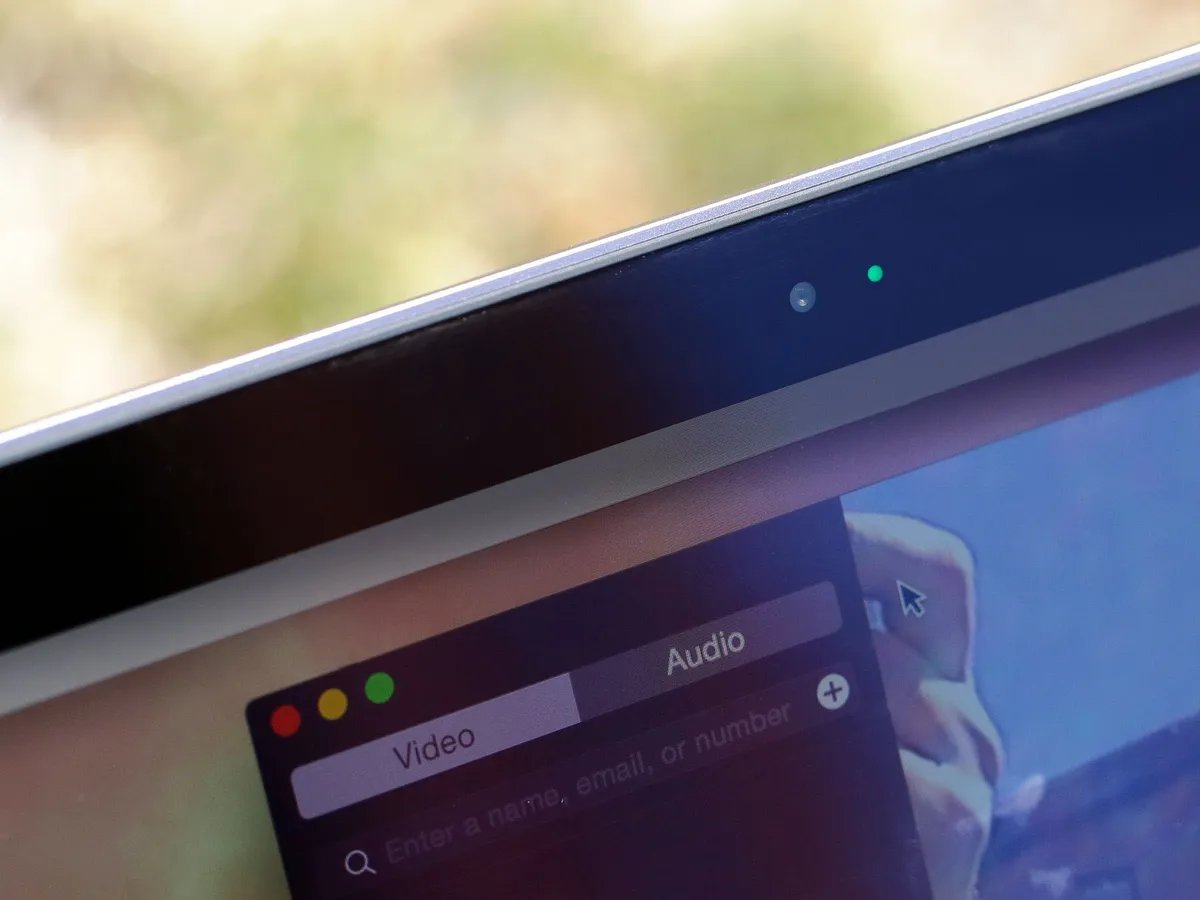
Apple's laptops have built-in web cameras called FaceTime, after Apple's app of the same name. They let you take selfies, engage in video calls, and even scan codes.
MacBook has a 480p iSight camera. It's... not great.
MacBook Air and MacBook Pro have 720p cameras.
None of them have 1080p cameras.
- If webcam quality is important to you, get a MacBook Air or MacBook Pro.
- If webcam quality is really important to you, you'll need to get an external camera and plug it in.
Processors

The central processing unit (CPU) is what drives the computer. The smaller and more power-efficient the processor, the less it can do but the quieter it is and the longer it can do it for. With a bigger and more powerful processor, the fan noise kicks in, but so does the pure speed. You can also have more processor cores, which lets you do more things at once.
MacBook uses Intel's low-power Y series of Kaby Lake processors, which let it run completely fanless and always whisper-quiet. The entry-level model sports a 1.2GHz dual-core Intel Core m3, while the stepped-up models have a 1.3GHz dual-core Intel Core i5. You can configure a MacBook with up to a 1.4 dual-core Intel Core i7, but keep in mind these Y-series of chips aren't as powerful as the dual-core Core i5 and Core i7 chips available for the 13-inch MacBook Pro, or the quad-core Core i7 chips in the 15-inch MacBook Pro. All the MacBook processors have 4MB L3 cache.
MacBook Air uses Intel Core processors of the Broadwell generation, currently two generations behind. They start with 1.8GHz dual-core Intel Core i5 with 3MB shared L3 cache, or you can step up to a 2.2GHz dual-core Intel Core i7 with 4MB shared L3 cache.
The 15-inch MacBook Pro 2015 had Broadwell processors. It starts with a 2.2GHz quad-core Intel Core i7 processor with 6MB shared L3 cache but goes up to 2.8GHz quad-core Intel Core i7 with 6MB shared L3 cache.
The brand-new 2017 MacBook Pro sports Intel's newest Kaby Lake processors. The 13-inch model without the Touch Bar sports a 2.3GHz dual-core Intel Core i5, or a 2.5GHz dual-core Intel Core i7, each with 64MB of eDRAM. The 13-inch MacBook Pro with the Touch Bar is even faster, with a 3.1GHz dual-core Intel Core i5, a 3.3GHz dual-core Intel Core i5, or a 3.5GHz Intel Core i7. They all have 64MB of eDRAM too.
The 15-inch MacBook Pro has quad-core Intel Core i7 processors. The 2.8GHz version has 6MB of shared L3 cache, while the 2.9GHz and 3.1GHz options have 8MB of L3 cache.
- If you want a MacBook with good performance, step up to the i5 or i7.
- If you want high performance, you want a MacBook Pro.
- If you want maximum performance for things like video editing, you want a quad-core 15-inch MacBook Pro 2017.
Graphics

The graphics processing unit (GPU) handles rendering and pushing the pixels. That includes everything from the macOS interface to photo and video editors to video games. The more powerful the GPU, the more pixels it can render and push, and the smoother and better the animations, apps, and 3D you'll get.
MacBook has Intel HD Graphics 615. It's enough to drive the built-in Retina display and a single 4K external display, but it's integrated graphics, so intensity isn't its thing.
MacBook Air has Intel HD Graphics 6000. Again, it's enough to drive the built-in standard resolution display and a single external display (not 4K, unfortunately), but it's integrated and that always has limits.
MacBook Pro 2015 has Intel Iris Pro Graphics. As built-in graphics go, it's better than previous generations, but it's still built-in. Apple no longer allows you to upgrade the graphics in this model, either.
The new 13-inch MacBook Pro has Intel Iris Plus Graphics 640 in the version without Touch Bar, and Intel Iris Plus Graphics 650 in the version with Touch Bar. The 15-inch version has both Intel HD Graphics 630 for low power and discreet graphics for high performance, and automatically switches between the two. There are options for Radeon Pro 555 with 2 GB of GDDR5 memory, and Radeon Pro 560 with 4 GB of GDDR5 memory.
- If you want a lot of graphical power, you want a new MacBook Pro.
- If you want the biggest graphics boost you can get, you want the 15-inch MacBook Pro with a Radeon Pro 560.
Battery Life
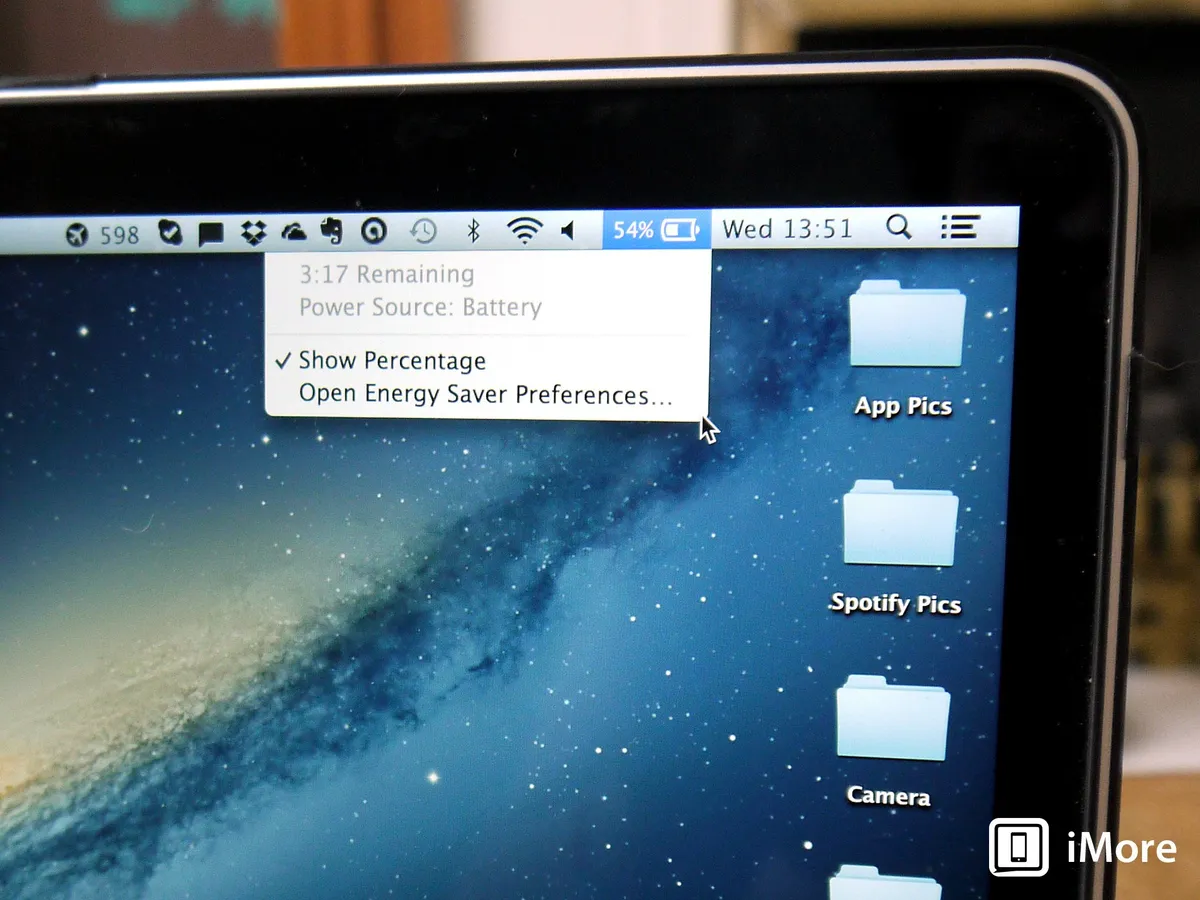
These days, the one thing more important than power is power efficiency. It doesn't matter how fast your laptop is if it runs out of juice. So, both Intel on the chipset side and Apple on the macOS side have been working on making everything last longer.
With a 41.4 watt-hour battery, MacBook is rated for up to 10 hours of web browsing, 12 hours of iTunes movie playback, and 30 days of standby.
The 13-inch MacBook Air's 54 watt-hour battery is rated for up 12 hours of web browsing, 12 hours of iTunes movie playback, and 30 days on standby.
The older 15-inch MacBook Pro 2015 is rated for up to 9 of web browsing and iTunes movie playback, and 30 days on standby.
All versions of the MacBook Pro 2017 are rated for 10-hours of web browsing or iTunes movie playback and 30 days on standby. The 13-inch model without the Touch Bar sports a 54.5 watt-hour battery, while the Touch Bar model's battery is 49.2 watt-hours. The 15-inch models have a 76 watt-hour battery.
(Keep in mind that iTunes movie playback is hardware accelerated, so playing YouTube videos in Chrome will consume way more power, for example.)
- If you want the longest battery life possible, and don't miss having a Retina display, get the 13-inch MacBook Air.
Memory
The amount of random access memory (RAM) in your Mac determines how many apps you can keep live at a time, how big your photo or video editing projects can be without having to swap data out back and forth on the drive, and otherwise keeps everything super fast.
MacBook comes standard with 8 GB of 1866MHz LPDDR3 RAM, and you can upgrade that to 16 GB at purchase time.
The older Macs don't let you choose how much RAM to get. The 13-inch MacBook Air only comes with 8 GB of 1600MHz LPDDR3 RAM, and the 15-inch MacBook Pro 2015 only comes with 16 GB of 1600MHz DDR3L memory.
The 13-inch MacBook Pro 2017 (with or without Touch Bar) starts with 8 GB of 2133MHz LPDDR3 memory and can go to 16 GB. The 15-inch MacBook Pro 2017 only comes with 16 GB of 2133MHz LPDDR3 memory.
- If RAM is important to you, you want the MacBook Pro.
Storage
Storage used to consist of big, noisy hard drive platters that spun around and didn't take well to bumps or power problems. Now they're solid state — flash chips with no moving parts. They don't hold as much as old-style hard drives and are still more expensive, but they're ultra-fast and far more resilient.
MacBook comes with 256 GB of PCIe storage but can be upgraded to 512 GB.
MacBook Air comes with 128 GB of PCIe storage but can be upgraded to 256 GB or 512 GB.
The 15-inch MacBook Pro 2015 comes with 256 GB of PCIe storage but can be upgraded to 512 GB or 1 TB.
The 13-inch MacBook Pro 2017 starts at 128 GB of PCIe storage on the model without the Touch Bar, and the Touch Bar model starts at 256 GB. You can upgrade any of those to 512 GB or 1 TB. The 15-inch MacBook Pro 2017 starts with 256 GB PCI Flash storage on the low-end model, 512 GB PCIe Flash storage on the high-end model, and both can go to 2 TB. Apple also upgraded the drives in its 2017 models to read and write faster, with up to 3.2 GB per second read speeds.
- If you want the fastest storage possible, you want a 2017 MacBook Pro.
- If you want the largest amount of storage possible, you want the 15-inch MacBook Pro 2017.
Connectivity
All of Apple's current laptops come with built-in Bluetooth 4.2 for pairing to headphones and other accessories (the MacBook Pro 2015 and MacBook Air have Bluetooth 4.0) and 802.11ac Wi-Fi for connecting to wireless routers and, through them, the internet.
None of Apple's current laptops include cellular radios, but you can easily tether them to your iPhone or iPad if you have one.
Ports
Wired connections like USB, Thunderbolt, and HDMI let you connect to high-performance accessories like external displays, drives, networks, and more.
MacBook has a single USB-C port that can connect to USB-C drives; standard USB, VGA, or HDMI with adapters; and to plug in and recharge with a USB or AC adapter. It also has a 3.5mm headphone jack.
The 13-inch MacBook Air has two USB 3 ports, one Thunderbolt 2 port, an SDXC card slot, and a 3.5mm headphone jack. Ethernet is available with an adapter. It charges via a MagSafe 2 port.
The MacBook Pro 2015 has the most ports: two USB 3, two Thunderbolt 2, HDMI, an SDXC card slot, and a 3.5mm headphone jack. Ethernet is available with an adapter.
The 13-inch MacBook Pro without the Touch Bar has two Thunderbolt 3 ports (USB-C), while both the 13- and 15-inch MacBook Pro with the Touch Bar have four Thunderbolt 3 ports (USB-C). However, the two ports on the right side of the 13-inch model aren't full speed.
- If you want the most ports available on an Apple laptop, you want the 2015 MacBook Pro.
- If you go with a newer laptop, USB-C hubs can help you connect peripherals to a MacBook Pro or MacBook
Force Touch trackpad
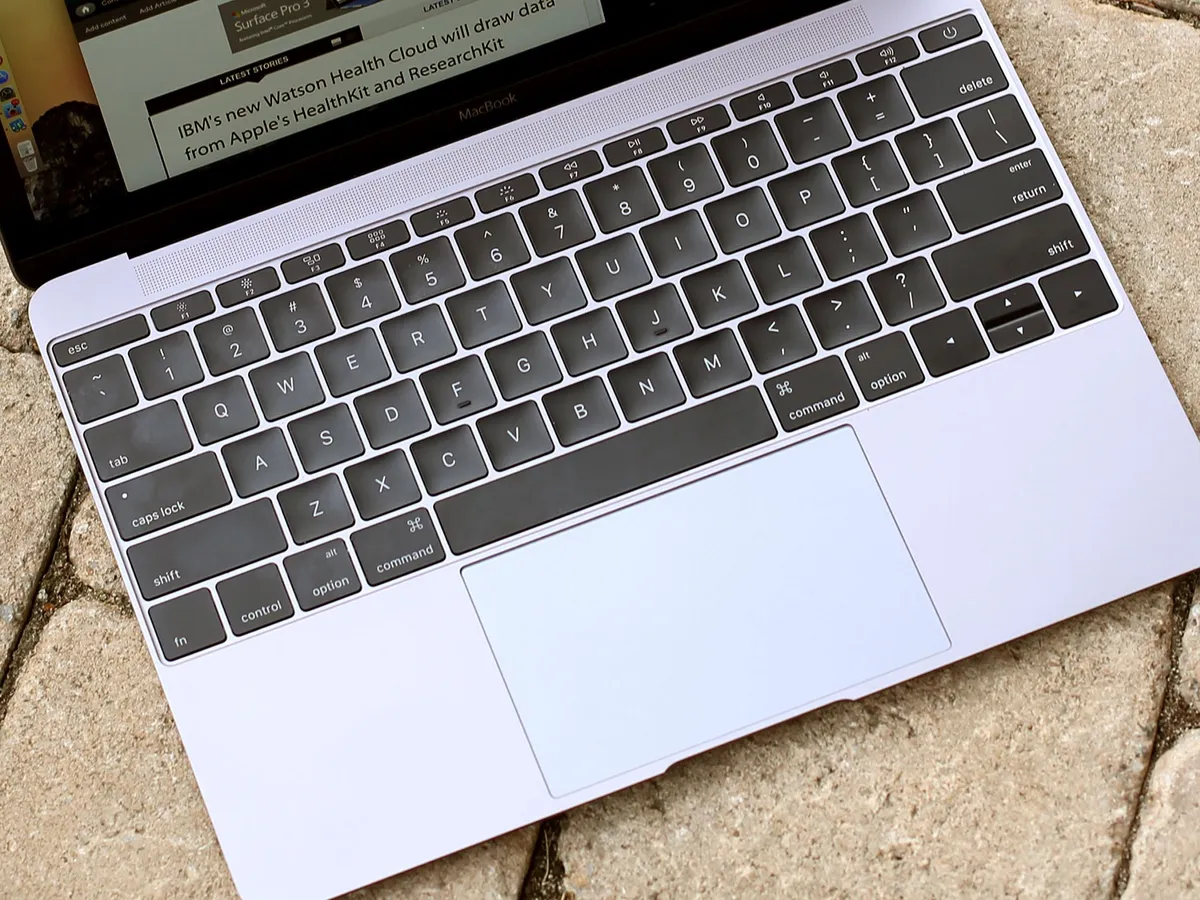
Apple now uses Force Touch technology for their trackpads. It uses a Taptic Engine to simulate the click feeling of a traditional trackpad, but over the entire surface, and without the actual mechanical switch. Some people don't like the feeling, but it adds pressure sensitivity, is less prone to breaking down, and can be used in ways far beyond a regular trackpad.
MacBook and MacBook Pro have the Force Touch trackpad.
MacBook Air has the traditional trackpad.
- If you want a standard trackpad, get the MacBook Air.
- If you want the Force Touch trackpad, get the MacBook or MacBook Pro.
Keyboards
MacBook Air and MacBook Pro 2015 use Apple's older scissor switch system that's a bit looser but also has much better travel.
MacBook and MacBook Pro 2017 use a second generation dome and butterfly switch system to achieve a flatter keyboard and keep the laptop thin. It's an improvement over the first butterfly-switch keyboard in the 2015 MacBook, but fundamentally a similarly stable typing experience.
- If you love the original12-inch MacBook keyboard, you'll love the improved version in the new MacBook and MacBook Pro.
- If you hate the 12-inch MacBook keyboard, you might want to stick to a MacBook Air or MacBook Pro 2015.
Touch Bar and Touch ID
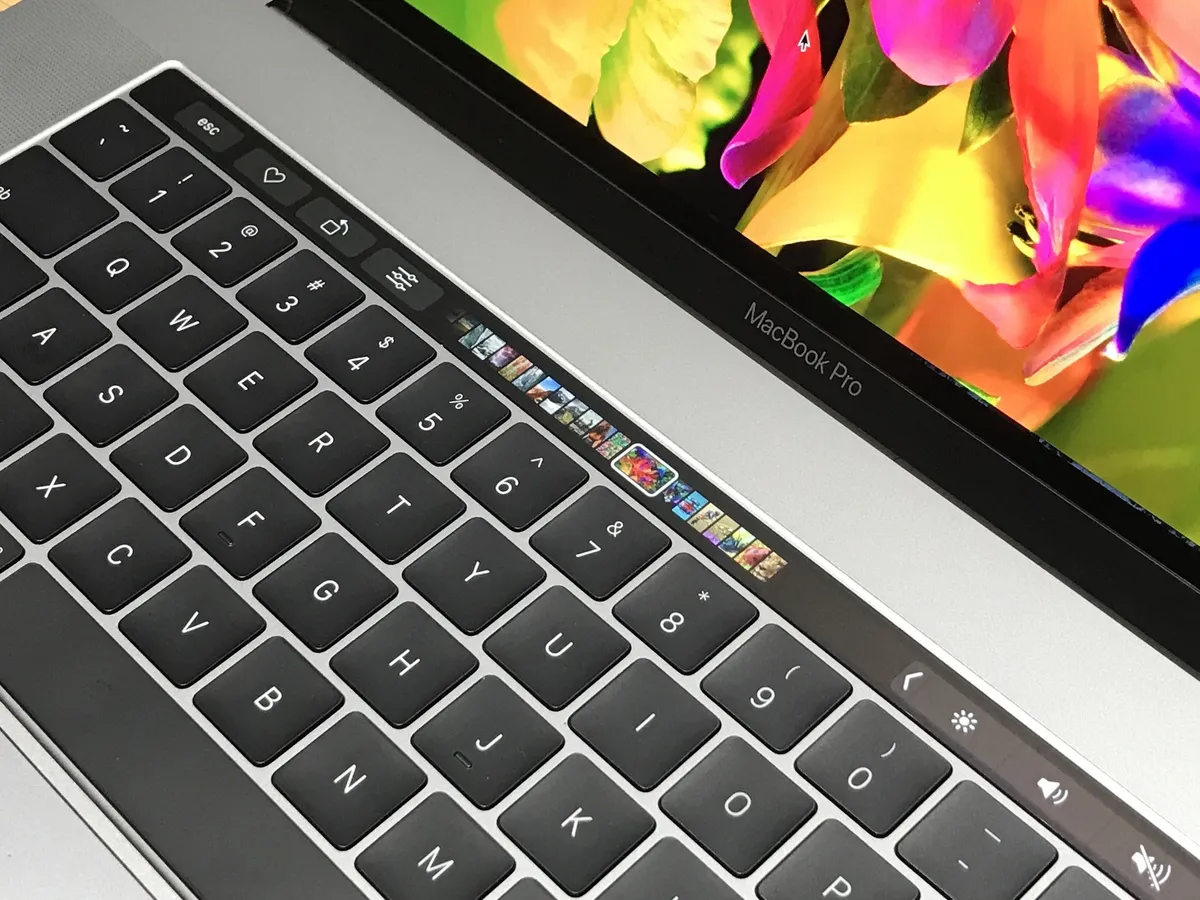
The higher-end 13-inch and every 15-inch MacBook Pro 2017 includes the Touch Bar. OLED with a matte finish that matches the feel of the keyboard keys, it can display Esc and function keys and system and media controls, just like the old function row. But it can also display curated, contextual shortcuts for whatever app you're working in at the time. That includes volume sliders, content scrubbers, color selectors, and anything else a developer can dream up.
To the right of the Touch Bar is Touch ID. Once exclusive to iPhone and iPad, now you can have it on the Mac. It works off an Apple T1 chip, which is like a tiny, integrated iOS device embedded right in the MacBook Pro. It handles the secure enclave and secure presentation of Apple Pay information, but that fusion is hidden away.
All you see is the sensor. Place your registered finger on it and you're authenticated! You can even use it for fast account switching, authorizing App Store purchases, and unlocking your 1Password vault.
- If you want a traditional function key row, stick with the lower-end 13-inch MacBook Pro, the MacBook, the MacBook Air, or the MacBook Pro 2015.
- If you want the new Touch Bar and Touch ID, you want a higher-end MacBook Pro 2017.
Colors
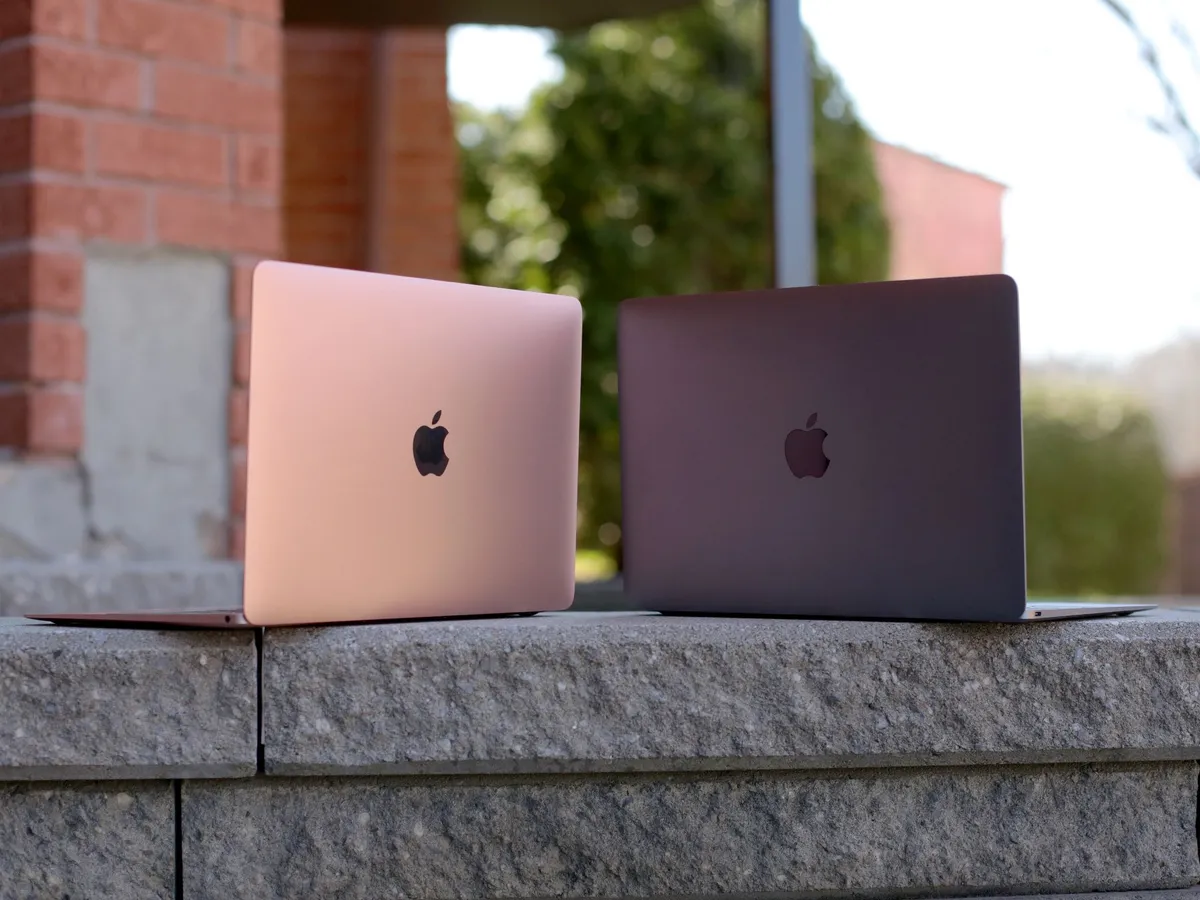
For a long time, Apple only made laptops with silver, bead-blasted aluminum finishes. The bead-blasted aluminum part is still true, but recently Apple has started adding some colors to the Mac lineup.
MacBook Air and MacBook Pro 2015 only come in silver aluminum.
MacBook comes in silver, space gray, gold, and rose gold.
MacBook Pro 2017 comes in silver or space gray.
- If you really want a color other than silver or space gray, you want the MacBook.
Who should get the MacBook?
MacBook is ideal for executives, managers, and travelers who want the absolute lightest Mac, but one that still has all the latest technologies.
If you want the closest thing to an iPad in Mac clothing that's incredibly light, ridiculously portable, with an incredible display, and you're not turned off by the poor camera and lower performance, then you want the MacBook.
Who should get a MacBook Air?
MacBook Air is ideal for those who want a Mac laptop at the lowest possible price and something that's still ultra-portable without sacrificing ports.
If you want an ultralight Mac that still has multiple USB ports and a Thunderbolt Port, and you're not turned off by the standard resolution display and mechanical trackpad, then you want the MacBook Air.
Who should get a MacBook Pro 2015?
The 2015 MacBook Pro still packs plenty of punch, at a lower price point, and with all the legacy ports you can throw a cable at. It's for professionals who need the most power, memory, and storage possible, bigger screen options, and for whom weight and price aren't issues.
If you want Retina but don't care about wide gamut color, if the Touch Bar and Touch ID hold no appeal, and Thunderbolt 3 and USB-C are a future you can't see yet amid USB Type A, HDMI, and Thunderbolt 2 accessories galore, save some cash and consider the 2015 MacBook Pro.
Who should get the new MacBook Pro 2017?
The newly updated MacBook Pro is cutting edge but also cuts some things out. Gone are the legacy ports and in their place the fastest I/O possible, inside and out. It's for those who want the bleeding edge and don't care what it costs.
If you want a DCI-P3 wide gamut display and the best screen tech in the business, a larger Force Touch trackpad, a lighter and denser chassis, the fastest Kaby Lake chips, discreet graphics on all 15-inch models, and Touch Bar and Touch ID on the higher end 13-inch and all 15-inch versions, you want a new MacBook Pro.
Still undecided?
If you're still having trouble choosing between the MacBook, MacBook Air and MacBook Pro, make sure to pay our Apple notebooks discussion forums a visit and become part of our awesome online community.

