
In today's world, it's always important to back up your important files, preferably in more than one place, to ensure that you never lose something permanently in case something happens to your iPhone, iPad, or Mac. Of course, most people also need to move around essential files between different devices, and that can get tricky. Luckily, Dropbox can help you with both tasks; here's everything you need to know.
What's new in Dropbox
July 30, 2018: You can now store even more stuff with a Dropbox Professional or Business Standard account!
Today, Dropbox announced in a blog post that it has officially increased storage space for customers using both the Professional and Business Standard subscription tiers, allowing you to host more important files than ever before. Starting today for new subscribers, Owners of Dropbox Professional accounts will get a whole 2 TB (2,000 GB) of space, while Business Standard teams will get a total of 3 TB (3,000 GB) of shared space — that's a lot of room for podcast episodes, client work, spreadsheets, and that one photo of a cute dog you haven't deleted yet for some reason.

Here are the greatest perks of more storage space, according to the company:
Work without limits. Combined with Dropbox Smart Sync, included in both plans, you can keep all your projects at your fingertips—without eating up your hard drive.Free up phone space. Upload photos and videos to Dropbox directly from your phone, then delete them off your phone to recover precious space.Present large files. Got giant videos or CADs to send over to a client for review? Share the files, and anyone can mark up previews from any web browser without downloading special software. And if you have a Professional plan, you can share files as tailor-made presentations with Dropbox Showcase.
If you've already got a Dropbox Professional or Dropbox Business Standard subscription, you should be seeing the change in storage within the coming weeks. For more details, you can check out Dropbox's post here. If you'd like to sign up for an account now that the company has sweetened the pot with more storage, you can check out and compare the different plans here.
May 22, 2018: Dropbox adds new features to help you work on projects collaboratively when you're out of the office.
People who use Dropbox Business or Dropbox Professional can now access, edit, and, share, files, photos, and documents on the go with the newly redesigned Dropbox mobile app.
" So we've recently added a centralized Home screen that brings you straight to your most important items, with starred files, and recent work in one place. And once you start browsing files, you can switch over to gallery view to see large thumbnails instead of a file list. "
The Dropbox blog also stated that drag-and-drop functionality will work in iOS 11.
"We're also making it easier to organize your files and work with other apps, with support for drag and drop in iOS 11. Within the Dropbox iOS app, you can now use drag and drop to organize your files and folders. And if you're using an iPad, you can drag files between Dropbox and other apps."
To see the entire update, head to the Dropbox blog to learn everything!
What is Dropbox?
Dropbox is a cloud storage and sync service available for the Mac, PC, and most mobile devices. It makes sure that anything in its particular folder is kept safe online and mirrored on any other device you install it on. What's more, Dropbox provides a robust API for developers that allow many other apps to tie into their service and use them for cloud storage and sync as well.
How much does it cost?
Dropbox is free to download and then has a free version and a paid version. The free version of Dropbox gives you up to 2GB of cloud storage, while the upgraded version known as Dropbox Plus, will give your 1TB of space.
There are a few other perks to upgrading to Dropbox Plus such as an automatical camera roll back up, so all the photos you take on your iPhone will be saved to your Dropbox immediately. Dropbox Plus costs $9.99 per month, or you can get a yearly subscription for $99.99.
How do I use Dropbox with the Files app?
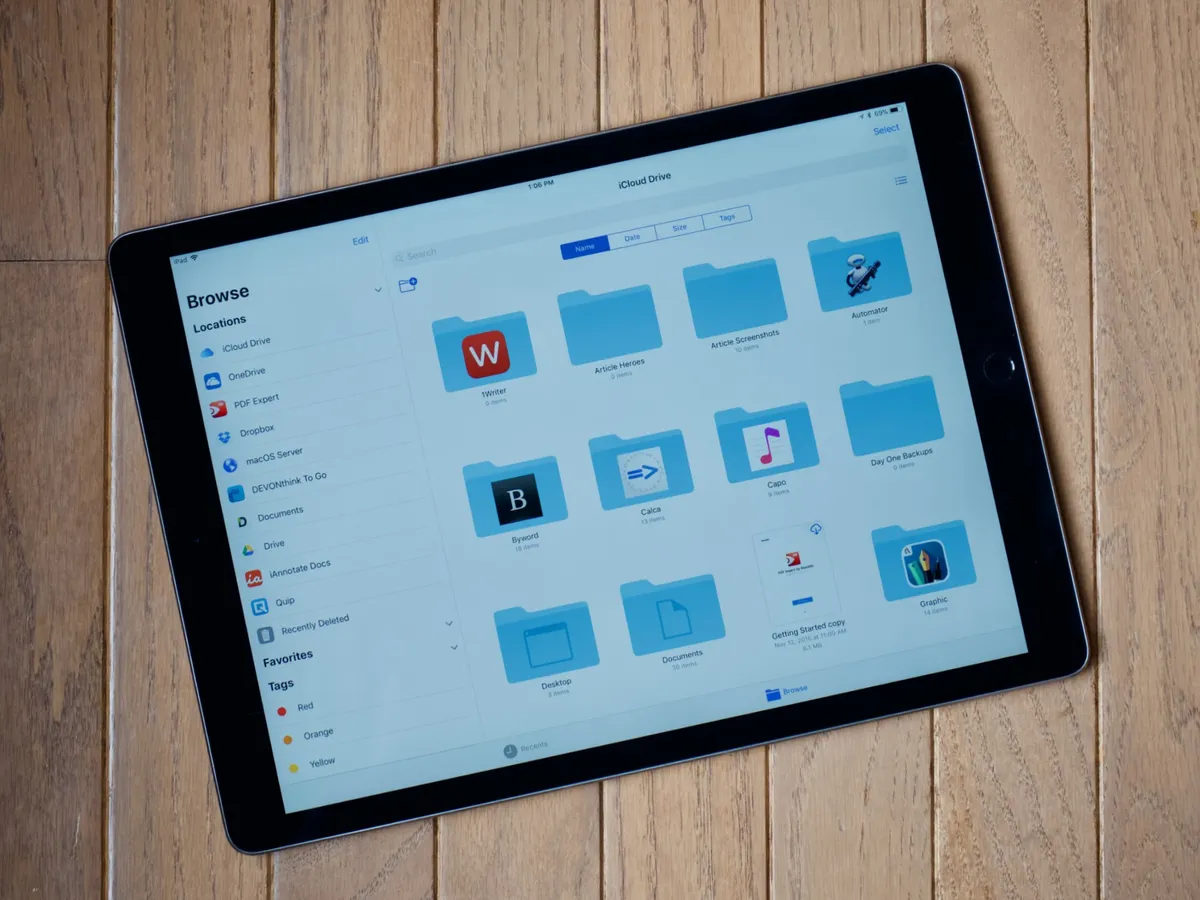
Files is to iOS what Finder is to macOS. Although not as full-featured as its macOS counterpart, the Files app lets you view, preview, organize, store, and share files from iCloud and other cloud-based providers. It's as simple as opening up Files in iOS, tapping on the Dropbox folder in Locations, and following the prompts to authenticate your account. Afterward, you'll be able to access all the files you've stored in Dropbox both within the Files app and in any app that supports iOS 11's new document picker.
Read: How to view and organize documents in the Files app in iOS 11
How do I transfer Photos with Dropbox?

If you're not interested in using iCloud Photo Library, iTunes, or quick fixes like AirDrop, you can still view and share pictures from your Mac or PC: Just use Dropbox.
Dropbox actually has a pretty good walkthrough and upload tool for adding images to your online storage space; alternatively, you can even drop your Photos library into Dropbox whole-hog and have those images show up in the Dropbox app — though I'd recommend doing that to a copy of your Photos Library, not the original, so as to prevent any potential sync errors.
Read:How to use Dropbox to transfer photos from your Mac to your iPhone or iPad

