MEMORIAL DAY SALE: Save 15% off ALL iPhone, iPad accessories with coupon code MEM12!

Join our iPhone, iPod touch, iPad and Apple TV community today! Register Here | Login

How To: Improve Photos on Your iPhone

By , Wednesday, Apr 22, 2009 at 6:16 am
1

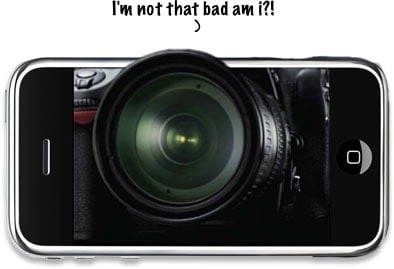
There have been a lot of rumors lately about the next generation of iPhone hardware having a 3.2 megapixel camera, but right now we have to deal with what has been given to us: a decent 2 megapixel camera with zero features.

That brings us to a great post that we noticed today on PCMAG.com, 22 Ways to Make Your iPhone a Better Camera. One of the most useful apps they list has to be Photogene. [iTunes Link] This app allows you to:

  • Enhance photos with multiple color adjustment options and a sharpen filter.
  • Crop and straighten.
  • Add fun effects like text balloons, frames or special filters

Be sure to check out PCMAG.com's article for a boatload of tips and apps to make the best with your iPhone's camera!

Jeremy Sikora

Forum administrator at iMore, writer, and all-around geek.

More Posts - Website

 Twitter

← Previously

More Details on AT&T Upgrading Network in Advance of Next Gen iPhone

Next up →

From the Forums: Drawbacks of the iPhone?, Should I Buy an iPhone 3G or Wait?, AT&T Reps Claiming No New iPhone Hardware?, iPhone OS 3.0
  1. Devin Briggs says:

    Where's a good place to submit pictures i've shot with my original iPhone?

Leave a Reply

Note: Comments must be civil, respectful, and on-topic. If a comment does not add to the conversation, if it contains spam advertising, or inappropriate language or content, it will be removed. Insulting the topic, author, staff, site, network, or other commenters will result in the comment being marked as spam and potential prevent future comments from appearing on the site. Do not post as a business or your comment will likely be confused with spam. Comments containing links may be held for moderation. Relax, enjoy, and share in the discussion.
