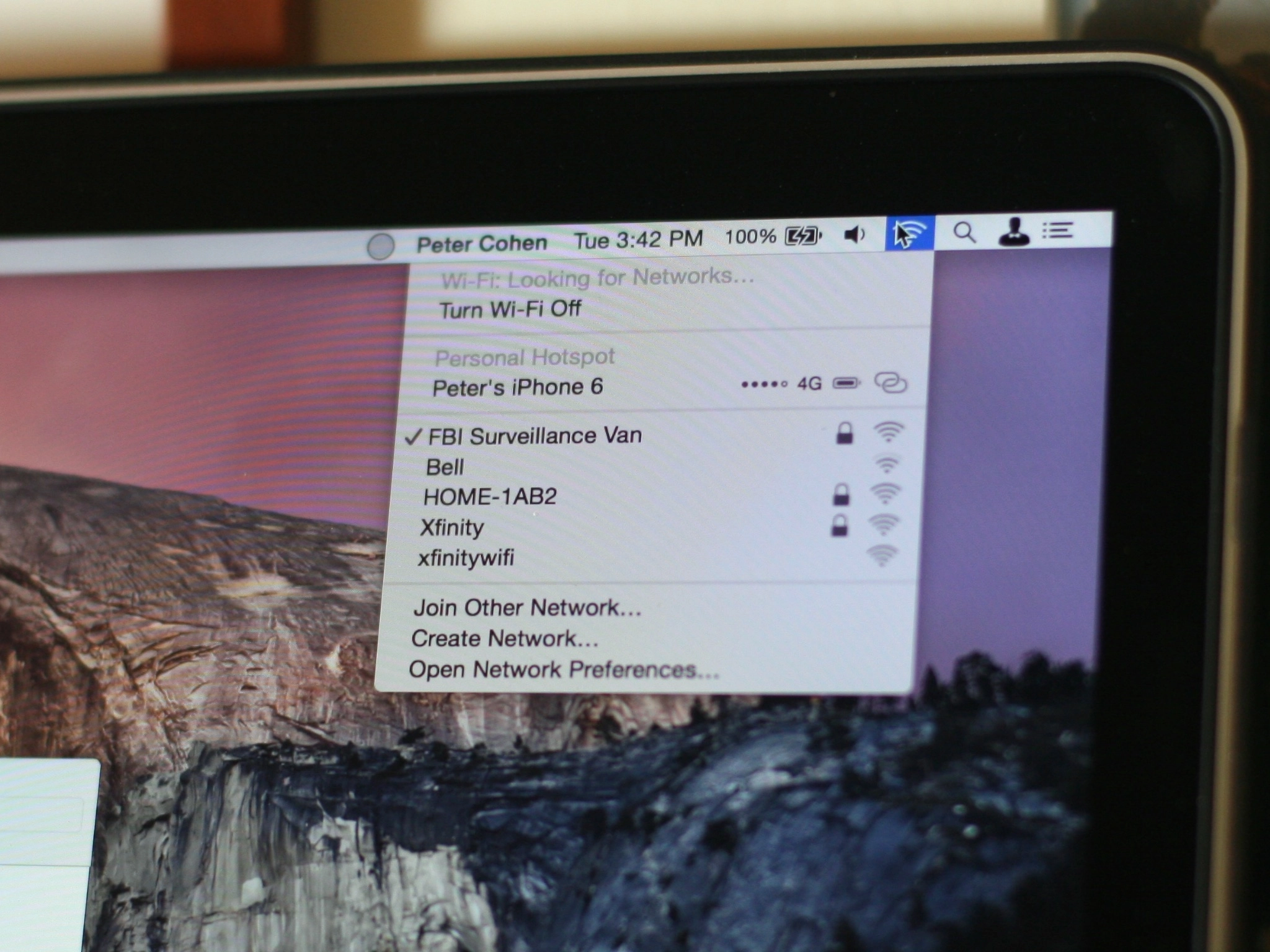
Wi-Fi is almost ubiquitous now but that doesn't mean it always comes cheap. Hotels especially love to nickel and dime people for Wi-Fi, sometimes offering different prices for slightly different speeds and often restricting or charging extra for multiple devices. If you're traveling internationally and want to avoid roaming costs on your mobile devices it can be especially aggravating. Luckily Apple makes it simple to share the Wi-Fi connection on your Mac with your iPhone, iPad, or even other Macs.
How to share your Mac's internet connection with your iPhone or iPad
Before beginning, be aware that Internet Sharing works for any computer running OS X Lion (10.6) or later.
- Click on the icon in the top menu bar and select System Preferences.
- Now click on Sharing.
- Click on Internet Sharing and then tick the checkmark next to Wi-Fi.
- Now turn on Internet Sharing by clicking the tick mark next to Internet Sharing in the sidebar.
- Click Start on the menu that pops up in order to turn Internet Sharing on.


Your Mac should now show up as a Wi-Fi hotspot for your iPhone, iPad, and similar devices. Simply connect to it like you would any other Wi-Fi network. You can even change the name of your Mac in the same Internet Sharing menu to make it easier to find if you'd like.
Have you used Internet Sharing to turn your Mac into a WiFi hotspot? Where were you that you had to resort to Internet Sharing? Let me know in the comments!
Reader comments
How to turn your Mac's internet connection into a Wi-Fi hotspot with Internet Sharing
Your tips are really great Ally. Keep 'em coming!
100% agreed.
Great tip!
Sent from the iMore App
Does this work only if you're hard-wired or does it work when the mac, too, is using wifi?
Wouldn't that mean you wouldn't need a hotspot? No doesn't work on WiFi though
You pointed out how hotels and such charge for multiple devices. So even if the Mac was on wifi, I would have been curious if it could share the wireless connection to avoid additional charges for your phone.
Sent from the iMore App
I think it only works when the Mac is hardwired. I did this on a trip one time when the hotel wifi was bad. Plugged the Mac into the room ethernet port and created the hotspot so our iPhones and iPad would have a wifi signal to use.
Thanks for the tip Ally. I was just at a conference with coworkers and the hotel we were staying at did some weird restriction: one someone logged in the wifi it bumped the previous user off. I had my Mac with me and didn't think to share it's internet. Question: Would the Mac be a stronger hotspot than an iPad or iPhone because it's a bigger device and I'm assuming has a larger wifi chip? If anyone knows please chime in.
I wouldn't worry about the size of the chip. Either way, you will be within a few feet of the source, and you will have good internet.
My iMac is actually a very good router. It is better than many I have had in the past.
Thank you for the article. I have been using my iMac as a wifi hot spot for a few months now in my apartment. I have noticed that I can no longer connect to my Apple TV using Airplay. If I am using the internet sharing feature, does this limit other functions?
Thanks for the tip! You just never know when you may need these. Great job!
Sent from the iMore App
I've wondered about how to do this for a while, thank you for sharing! great as usual Ally :)
Sent from the iMore App
Your tips "just works"! Thanks.
I know you know this, just must have mistyped: OSX Lion is 10.7, Snow Leopard is 10.6
Great info, but how do you add a password please?
Fixed, you go into WiFi before ticking the internet sharing.
After you select Wi-Fi, click on Wi-Fi Options, select Security as WPA2 Personal, give the Wi-Fi Password and confirm the same. Click on OK. You now have a password for accessing the Wi-Fi.
After choosing internet sharing, my apple doesn't show WIFI option on ports
Brilliant - thanks!
Great tip!
I have done this several times on trips etc. with my Macbook Pro, going to several family devices.
When I do it, I always just go to the wifi in the menu bar and click on "Create Network." Is there any advantage to going through all of the steps listed above? Or do you still have to go into turn on internet sharing everytime as well.
This no longer works as of Mac OS 10.9.2, referred to as "Mavericks".
I got an iPhone the other day and went to setup my trusty ol' 24" iMac as a Wi-Fi hotspot for it, and was having issues getting it to work, even after following the instructions here. Well, after a phone call to Apple about another non-related issue, I asked before hanging up if they could tell me what I was doing wrong with the hotspot issue, and they somewhat surprisingly offered to help me set my iMac up as a hotspot for my iPhone. While giving the Apple rep info on what I was running/using, we quickly determined that it was not possible for me to do this because it's no longer supported in OS X Mavericks, 10.9.2.
Actually, it was never supported in previous versions of the OS, According to Apple. They said they weren't sure exactly how or why turning your Mac into a Wi-Fi hotspot was possible, but recognized that one could indeed do it, and they have now made sure it is no longer possible to do this under 10.9.2. So, either don't upgrade, or buy a wireless router!
False. It works perfectly. I'm running mavericks and it works fine.
Those screenshots above are from my own computer running mavericks. And whoever you spoke with at apple was ill-educated. Sharing internet connections is a feature, not a mistake. Nor does apple have any desire to "take it away"
Don't know what to tell you. I'm happy it works for you and anyone else that can get it to work. However, it just would not work for me running 10.9.2, and then it worked no problem once I downgraded back to 10.8. It's entirely possible the person I spoke with at Apple wasn't very knowledgable, but she was knowledgable about the other issues we were discussing, her title was "senior engineer", so she seemed credible, but who knows.
And yes, internet sharing has been a long time feature, it's just sharing your wired internet connection via rebroadcasting it wirelessly through the Airport card that allegedly wasn't intended to be a supported method of sharing, according to the engineer. Just to clear that up, wasn't saying that entire feature was a mistake.
Perhaps it could be a hardware issue, that the Airport card in my iMac doesn't support this while running Mavericks, and yours does. Or maybe it's just flakey and works for some machines and not others due to some other unknown third factor. I'd say that just because it didn't work for me and an Apple engineer claimed it's not supposed to, and it clearly works for you, doesn't really prove it definitively either way. Maybe it will work for some and maybe not for others - I find that to be more likely than I'm the only person it doesn't work for, or that you're the only person it does work for.
As far as whether or not Apple intends to remove or has already tried to remove support for this particular form of internet sharing, I can only say what I was told by an Apple rep. Might not be true, but unless you have some other information to the contrary, I don't think you can honestly say they don't have any desire to remove it. It's just your opinion unless you have some source to back it up - such as you're an Apple employee yourself, or you've been told by an actual Apple employee.
You've clearly proved that it can work, but I think we need some more information to know definitively what Apple's stance is on the subject - the word of one Apple engineer isn't proof enough, nor is the case of it working for you. To anyone trying to make this work, don't be surprised if it doesn't is all I can say. It may or may not and I don't have any idea why!
Great tip!!! I have the os x 10.9.3 and in seconds was able to connect to an iphone and a Toshiba laptop.
Hey! I just tried all of this and I'm at the point where my phone connects to it and even has 3 bars. But the internet is just not working. Seems as if it cant connect all of the way. Help please?!?!
Using iMac with mobile broadband USB dongle to give internet connection to IPad without 3G ability. Working well. Question tho; connection didn't require a password, so can anyone pirate my wifi?
Great Article! Now... Is there a way that I can use my IMac to filter out ads to any device that connects to it? Hardware based adblock?
Just was stuck in japan Kurashiki - hotel free internet but wifi only in lobby .
Tried your suggestion - worked well Thanks It made things very simple
Hi,
I've been using this method to share internet from an internet dongle without problems and it has suddenly stopped working. I click on 'Start' when it asks me to share the internet, but the little internet sharing icon no longer turns up. Any ideas?
hi, this doesn't seem to work as i have no tab for wifi in right hand bar?
is this because my mac is connected to internet through wifi?
I was hoping to boost the wifi so i can use in the garden? my mac picks up a great wifi signal inside and is not far from the garden, but i cannot connect to wifi from iPad/iphone so wanted to use the mac as a hotspot… please help?
Please reconsider using your MacBook as a WiFi Hotspot.
The amount of MICROWAVE radiation emitted from your computer/iphone increases dramatically. WiFi operates at 2.45 GHz which is the same as a microwave oven.
FCC standards are inadequate and set dangerously high as they were made in the 1960's to protect soldiers from the heat emitted by RADAR electromagnetic equipment.
Biological effects occur at very low levels of microwave radiation...sleep disturbances, headaches, fatigue, skin rashes, ringing in the ears, heart palpitations, anxiety, depression, etc.
Hahahahahahaha, that's hilarious!
Agree. Pulsed microwave radiation is very funny. It hilariously causes sleep problems, headaches, fatigue, heart palpitations, memory loss, high blood pressure, difficulty concentrating, nausea, depression, dizziness, irritability, ringing in the ears, skin rashes, numbness and tingling, chest pain etc.
Sources: US Defense Intelligence Agency - Biological Effects of Electromagnetic Radiation (Radiowaves and Microwaves) – Eurasian Communist Countries (1976)
NASA - Electromagnetic Field Interactions With the Human Body: Observed Effects and Theories (1981)
U.S. Army - Controlled Offensive Behavior - USSR (1972)
EPA - Evaluation of the Potential Carcinogenicity of Electromagnetic Fields (1990) - Draft was pulled and never published...for $ome reason
A Brief Survey of Literature Relating to the Influence of Low Intensity Microwaves (1970)
Has anyone had success sharing their Mac's primary wifi internet connection over a USB wifi adapter? I want to be able to connect my MacBook to hotel wifi and then have other devices share the WiFi hotspot I create. This enables me to bypass device limits or to use something like an AppleTV which cannot access the Hotel's web login page. I purchased a Panda Wireless adapter which was recommend in another article, but Maverick's 10.9 doesn't seem to support it very well. If you've got this working on Maverick's, would like to know the adapter you bought. Thanks!
Thanks a ton Ally , was struggling since my Belkin wifi router broke but no I am on again .
Works great, thanks! With Comcast and their lousy router/modem Arris junk, the wifi would constantly kick devices off or just not give them internet access. Since my Mac mini is always on and connected directly to the Arris via ethernet, and since it is always a strong, stable connection, I figured I'd just use the Mac for the rest of the house. Thanks for the step-by-step.
is macbook air is possible to connect wifi with any other phones and it may have a facility to freedownload????
When I get to the third picture I only have to option to share to computers using Bluetooth PAN or Thunderbolt Bridge. Can anyone help me with this?
Someone knows how to get this to work on Yosemite (10.10.2)?! Doesn't work for me so far... thanks!
I have a very similar issue. I follow the instructions exactly but my Mac Mini does not make any hotspot that can be found from any of my devices (iphone, ipads, Apple TV, MacBook Pro etc.).
This is exactly what I needed! I use a Macbook Air wired because the WiFi signal is very weak in my room (wireless router isn't great) and this saves me from buying a separate wireless router just to use the internet on my mobile devices. Thank you very much for this guide!
I was just Googling this very thing and up came the iMore tip. I should've just started with iMore. I'll know next time!
i Just did the above steps to turn your Mac's internet connection into a Wi-Fi hotspot with Internet Sharing. But the tethering symbol just blinks and then goes off. I cant able to access the internet connection. Could you please help?
Great Help!!! There is always something new to learn with MAC ... Thanks For sharing :)
So I just tried this as I Have an iPhone 4 with a dodgy wifi antenna. As my Mac is closer than my router I can pick up the signal no problem. However the options I have are different to those in the screen shots because my iMac is connected to the internet via Wi-Fi the options I have are for sharing via USB cable connected to my mac. I assume if the mac was connected to the internet via an ethernet cable then the option to share the connection via Wi-Fi would be available as in the description above but I haven't tried as yet. I am running on a mid 2010 27'iMac OS X El Capitan 10.11.4 and the sharing options are all there. I guess if your iMac is using Wi-Fi to connect to the Internet it can't use Wi-Fi to create a hotspot at the same time. So the solutions are either use Ethernet cable to connect Mac to web and then Wi-Fi is available as hotspot connection or use Wi-Fi for Mac to connect to web and then use a USB or firewire connection to your IOS device to use the hotspot. Hope that helps and makes sense. K
Edit - As a side note my iPhone 4 when connected to my Mac via USB does show a Wi-Fi signal connection which is strange considering it has to be connected via USB to work.

