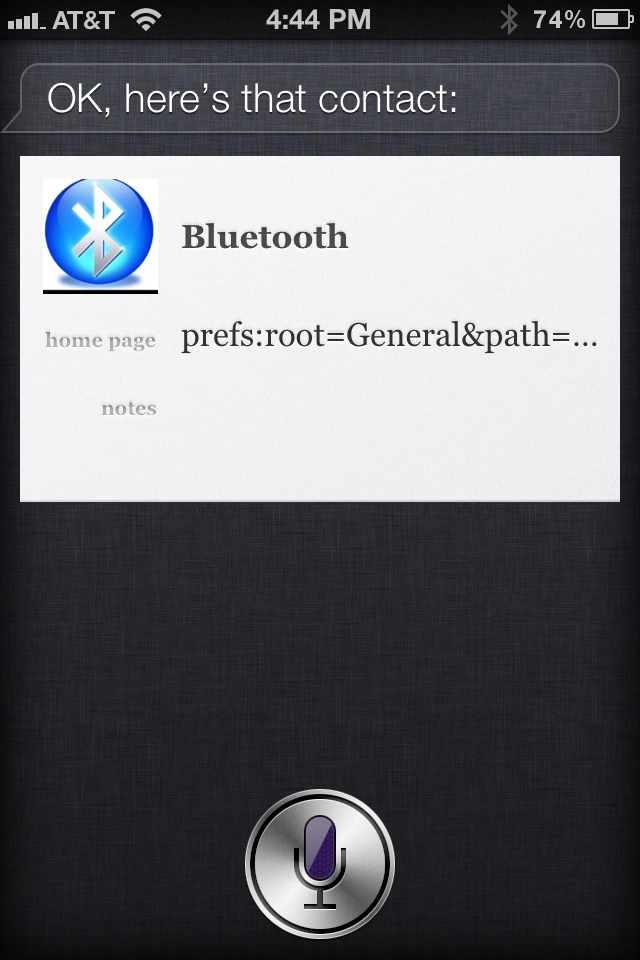
How to use Siri access Bluetooth and other Settings (kind of)

bamf-hacker in our iPhone 4S Forum wrote up a quick but smart tip on how to use Siri to access Bluetooth and other Setting with only... the power of your voice.
All you need to do is create a contact and in the Web site field put the code for the system preference. for example.
Contact name is Bluetooth and the Web address is prefs:root=General&path=Bluetooth
Then activate Siri and say "Bluetooth" the contact card will open with a clickable link right to the Bluetooth settings.
It's not the much-sought-after "Siri, turn off Bluetooth" feature we've all been hoping for, but it's better than the nothing we have now.
bamf-hacker has also posted the URL schemes for other popular Settings, so hit the link below and get the details!
Source: bamf-hacker from the TiPb iPhone 4S Forums





There are 14 comments. Add yours.
Did she take the plunge???
Is anyone able to find the code for Mail Push? That would really save time!
Steve Jobs Nominated For Time Magazine’s “Person Of The Year” : http://j.mp/vTiUgg
One extra use I found. Combine this code with the app aHomeIcon (free in the app store) and I was able to make a homepage icon that takes me right to each setting (BT, for example). Only thing is, it takes a second, as the icons are actually web links to their server, but it works good for me.
THANK YOU! I have been looking for a non-jailbreak BT shortcut for ages
I was looking for the aHomelcon app and i was wondering what the app pic looks like because im not sure which one to get
What's so weird about it? She thought the tip was worth sharing from the forums.
This is AWESOME! I can use this in conjunction with the Touch Icon App and now I have a one touch right into my Bluetooth settings!
prefs:root=Wi_Fi works for Wi-Fi
Thanks!
So we don't put tips on unless they save YOU time? I see it not necessarily as a timesaver, but as a way to easily launch apps while driving, if needed.
Sweet tinkhs . I just needed to know how to titen ing the screws and take off the back the stoopid gigawer dock I got messes up the bottom of phone wen not careful docking it
Awesome tip! Amazing that Siri doesn't do this since my old Nokia E71 had that capability.