How to quickly access draft emails on the iPhone and iPad

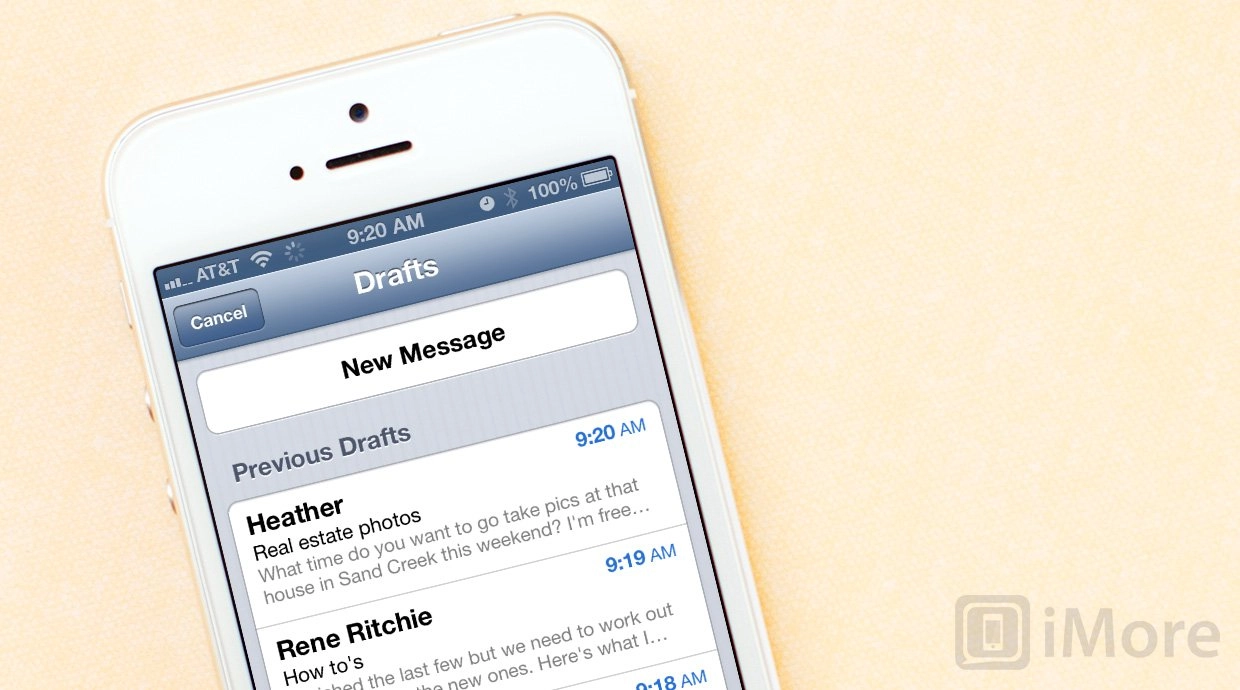
If you're writing an email on your iPhone, iPod touch, or iPad and you don't have time to finish, or you're simply not sure you're ready to send it yet, you can always save it as a draft and come back to it later. However, it can take a lot of hunting and tapping to actually get back to it. Luckily, iOS contains a gesture shortcut that can make tracking down all your draft emails a little bit faster.
How to quickly access draft emails on the iPhone and iPad
- Launch the Mail app from the Home screen of your iPhone or iPad.
- In the lower right hand corner, hold down on the Compose button.
- Instead of launching a brand new email, your iPhone or iPad will bring up all the drafts you have previously saved, regardless what account they were created from.
- Simply tap on the draft you'd like to finish writing and you can fire away the email as soon as you're done. That's all there is to it.


There are 10 comments. Add yours.
Wow! I never knew that. Thank you for sharing this tip. :)
Great tip! I didn't know about this.
Thanks imore..!
Another little hidden option. Love it.
This is a good trick to know if you are a MailShot user, as saving the email to drafts then bringing it back like this expands the group out into its constituent contacts, and you can easily check the group or edit who is included on the email this way.
just thought I'd mention it.
Great tip that I can't believe I didn't already know! I use 3 email accounts between personal work and youth coaching. Switching between mailboxes to find drafts was a real pain - this will be a very helpful time saver.
Thank you, that's a brilliant tip. I can't believe I've been retrieving my drafts the long way for all this time.
No problem! I've got 9 inboxes so finding drafts was a pain until I found this little gem a while back.
What a great tip! I can't believe it's been hiding there this whole time.
thats great thanks for the tip!
although i have been looking at email apps that can do a bit more than the default Mail app
altamail seems a good one and lets you do custom notifications?
