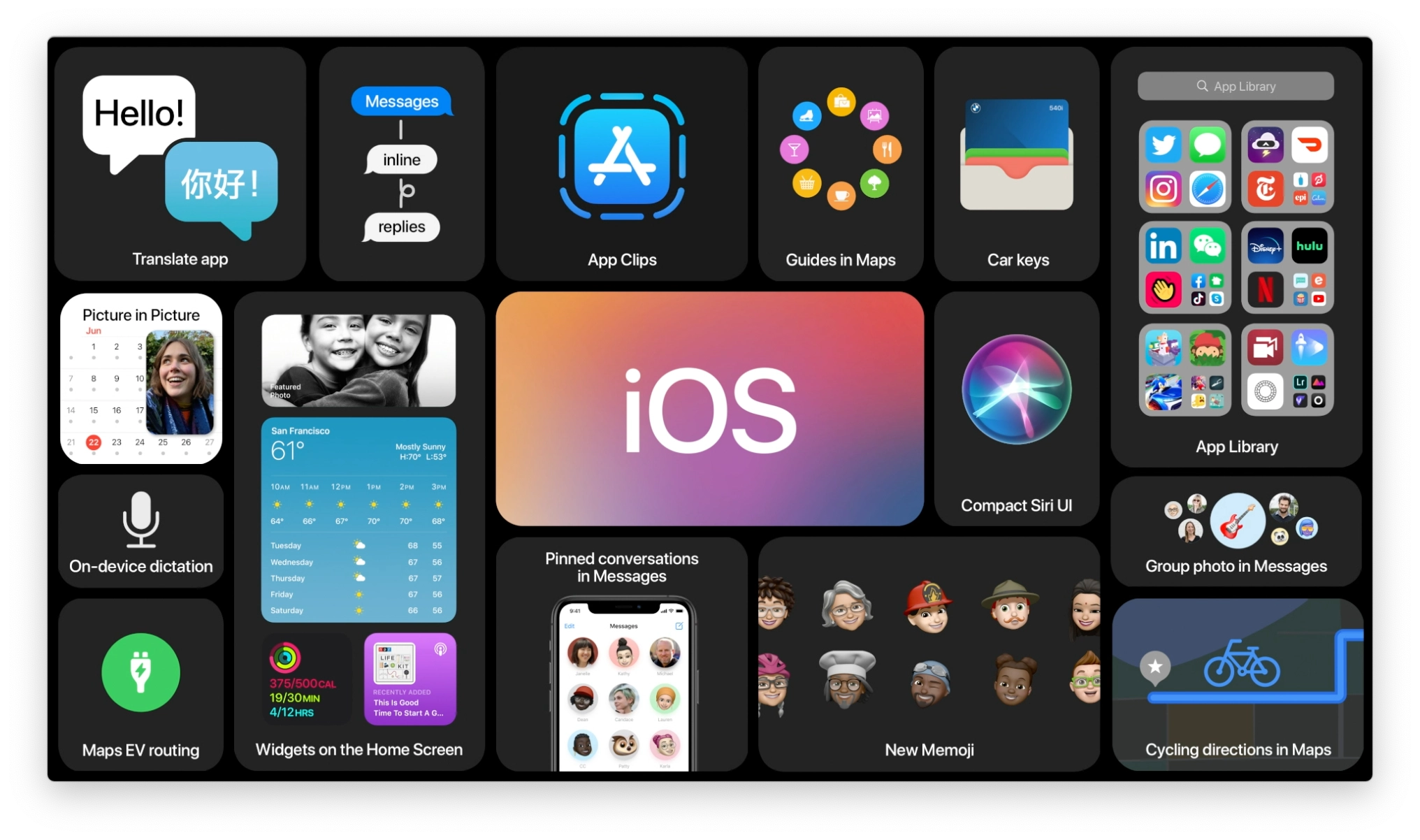
With iOS 10, iPhone and iPad get a bigger, bolder, and more brilliant makeover — in more ways than one.
iOS 7 was a redesign, wiping away rich textures and putting physics-based interactions in their place. iOS 8 was a re-architecture, decoupling actions from apps and letting them extend into other interfaces and continue across devices. iOS 9 was a rewiring, setting up intelligence and proactivity, but in a way that respected privacy and security.
Now, iOS 10 takes all those things and pushes them forward. The design is getting cleaner and more consistent. The architecture is becoming more open and convenient. The wiring, much smarter and even more secure. It's taken time — and pain — getting the physics, extensibility, and intelligence to this point. Now Apple gets to — and has to — pay it all off.
That starts with new app integrations for Messages, Maps, and Siri. Messages has also become much more interactive, emotive, and filled with laser slamming sticker fun. There's a new, bigger, bolder, more brilliant interface for Music and News, and for the new Home app, which, finally, collects all your connected accessories in one place. There's also a new Control Center with multiple cards, including new ones for Now Playing and Home. There's a new widget space and Notification Center look, and 3D Touch is more prevalent and powerful. Artificial intelligence and machine learning are significantly amped-up on-device and obscured by differential privacy when sent to the cloud. That includes face and object recognition for Photos.
Some of the new interactions might cause confusion or become the subjects of strongly differing options. That's nothing new. Balancing an operating system that's meant to be both convenient and secure, accessible to the mainstream yet productive enough for power users, is a problem that only gets harder every year.
So, how well does Apple solve for that in iOS 10?
iOS 10 Video review
Song by Jonathan Mann, video by Mikah Sargent, concept by Serenity Caldwell.
iOS 10 evolution
![]() |
![]() |
![]() |
![]() |
![]() |
![]() |
![]() |
![]() |
![]() |
|
|---|---|---|---|---|---|---|---|---|---|
| Version | iPhone OS 2 | iPhone OS 3 | iOS 4 | iOS 5 | iOS 6 | iOS 7 | iOS 8 | iOS 9 | iOS 10 |
| Year | 2008 | 2009 | 2010 | 2011 | 2012 | 2013 | 2014 | 2015 | 2016 |
| Name | Big Bear | Kirkwood | Apex | Telluride | Sundance | Innsbruck | Okemo | Monarch | Whitetail |
| Features | App Store Enterprise enhancements iPhone SDK Microsoft Exchange |
Accessories access Calendar enhancements Cut, copy, and paste Embedded Maps In app purchase Landscape MMS Peer-to-peer connectivity Push notifications (redux) Spotlight search Stocks enhancements Voice Memos |
Enterprise enhancements Folders Game Center iAd iBooks for iPhone Mail enhancements Multitasking |
Camera enhancements Game Center iCloud iMessage Newsstand Notification Center PC free Photo enhancements Reminders Safari enhancements Twitter integration |
Accessibility enhancements Apple maps Chinese enhancements Facebook integration FaceTime over cellular Mail enhancements Passbook Phone enhancements Safari enhancements Shared Photo Streams Siri enhancements |
Airdrop Camera enhancements Control Center iOS in the Car iTunes Radio iWork for iCloud Multitasking enhancements Notification Center enhancements Photos enhancements Safari enhancements Siri enhancements |
Continuity Extensibility Family Sharing Health HomeKit iCloud Drive Interactive Notifications Messages enhancements Photos enhancements QuickType Spotlight enhancements |
Siri intelligence Search (new) Apple Pay enhancements Notes (new) Maps (transit) News Multi-app (iPad) |
New Lock/Home experience Siri enhancements Intelligence enhancements Photos enhancements Maps enhancements Music enhancements News enhancements Home app Phone enhancements iMessage enhancements |
| Extras | Contact search Languages Mail enhancements MobileMe Parental controls Quick look enhancements Scientific calculator |
Open GL ES 2.0 Video Recording Voice Control |
720p FaceTime |
1080p Siri |
Panorama mode | 120fps Slow motion Burst mode FaceTime Audio Open GL ES 3.0 Touch ID |
240fps Slow motion Adaptive UI Apple Pay |
3D Touch Live Photos 4K video |
Camera zoom AirPods/W1 integration |
Each new version of iOS expands upon, refines, and ultimately advances all the versions that have come before. For details on existing features, please see my previous reviews:
iOS 10 Compatibility
Apple didn't go so far as to exclude all 32-bit devices from iOS 10 compatibility, but they did drop several older models from the list, including all non-Retina display devices. Still, you can download and install iOS 10 on any iPhone or iPad going back to the fall of 2012.
- iPhone 7
- iPhone 7 Plus
- iPhone SE
- iPhone 6s
- iPhone 6s Plus
- iPhone 6
- iPhone 6 Plus
- iPhone 5s
- iPhone 5c
- iPhone 5
- iPad Pro 9.7-inches
- iPad Pro 12.9-inches
- iPad Air 2
- iPad Air
- iPad 4
- iPad mini 4
- iPad mini 3
- iPad mini 2
- iPod touch 6
iOS 10 Lock screen
When Steve Jobs first showed off the Lock screen in 2007, it had wallpaper, the date and time, and let you "Slide to unlock" your iPhone. Over the years, Apple added notifications and Notification Center, Control Center, fast camera access, Siri, suggested apps, fast Apple Pay access, and more.

Already a system divided against itself — designed to keep your stuff safe from others but rapidly accessible to you — it began to get, if not overloaded, then certainly fussy.
With iOS 10, Apple is cleaning things up and making them simpler and more coherent. At least in theory...
How to use Lock Screen on iOS 10: The ultimate guide
Raise to wake (iPhone only)
You can now "raise to wake" your iPhone simply by picking it up. It's identical to the raise-to-wake feature Apple Watch launched with over a year ago, using the accelerometer to switch on the screen when you lift it into the normal viewing position. It works really well, especially to glance at the date or time or to check Lock screen notifications. It's so convenient, I wish Apple had implemented it years ago.
It was done now, though, to solve the "problem" of the second generation Touch ID sensor. It's so fast people would click the home button to glance at Lock screen notifications and end up blowing right past them and onto the Home screen.
Some re-habituated themselves to only wake up the phone with the power button or with a finger not registered with Touch ID. But not everyone.
You could argue that on a device with only two main buttons, it's inefficient for them both to be used to wake the device. You could also argue that, on a device that sleeps, the first act of any button should be to wake it.
Apple's solving that knot by cutting it — it's inefficient for any button to have to wake the device, so wake it immediately on raise. And once you get used to it, any device that doesn't do it seems broken.

If you hate the idea of raise to wake, you can disable it in Settings > Display & Brightness.
There's still one area where Apple Watch is ahead, though: You can also tap the screen to wake it. I wish that worked on iPhone as well. Tapping my iPhone as it sits on a table, so I can quickly glance at notifications without even having to raise it would be perfect.
Lock screen layout
The basic layout of the Lock screen has gotten simpler in iOS 10. The main Lock screen is still front and center, and you can still swipe down Notification Center from the top and swipe up Control Center from the bottom. Gone from the left, though, is Passcode, and in its place, Today view widgets. (Passcode now takes over the main screen when and if it has to). New to the right is fast camera access. (It was previously an icon, bottom right.)

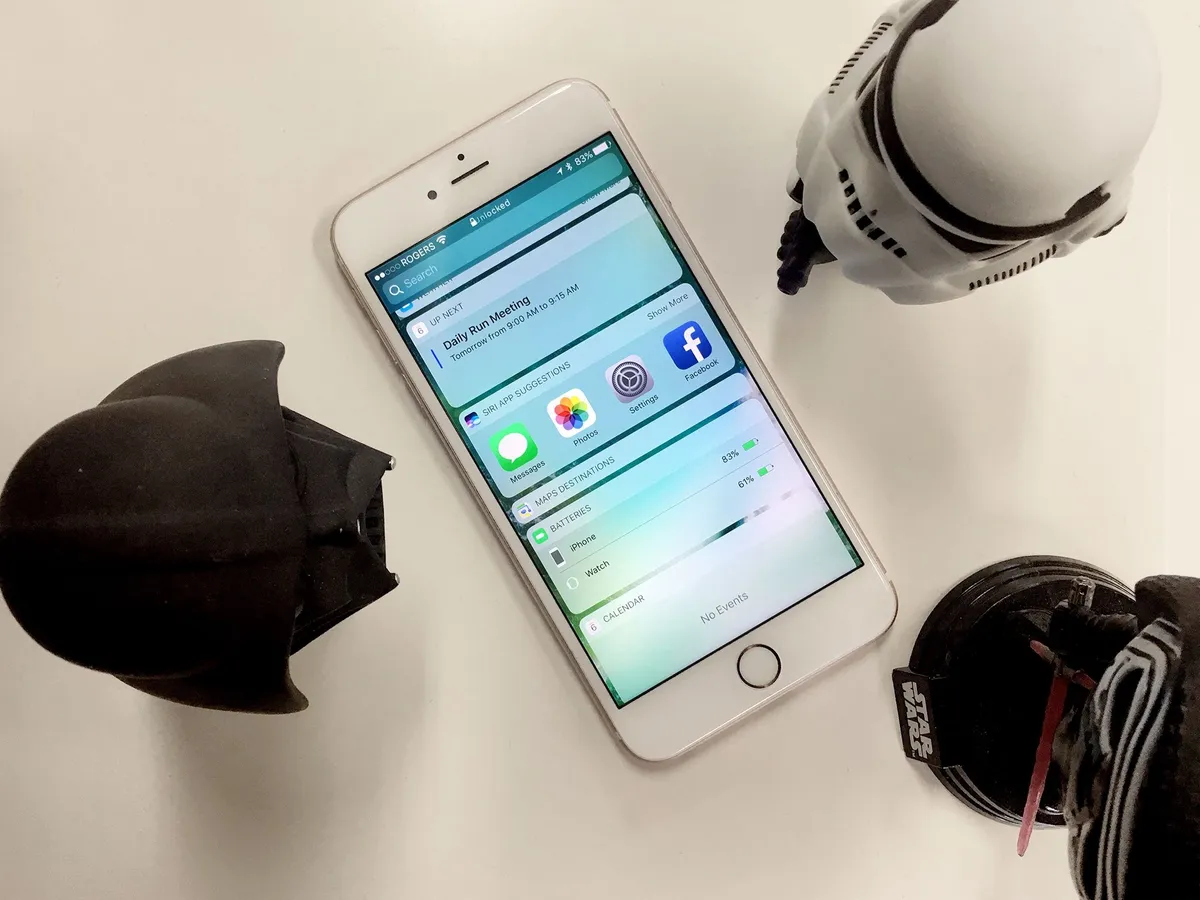
Today view replaces the "minus one" Home screen, to the left of the main Home screen as well (previously occupied by Siri suggestions). It's also still accessible to the left of Notification Center. That makes getting to it much more convenient and consistent. Well, almost. If you go to the minus one Today view, then pull down Notification Center, then try to go left into Today view again, you can't. Allowing it would be a silly loop, but since people won't always remember how they got somewhere, consistency should beat logic.
Having fast camera access take up the full right swipe is much more reliable and robust. Grabbing a tiny icon was sometimes hit and miss. This new layout is touch and shoot.
Today view
Today view hasn't just taken over the "minus one" screen; it's been redesigned. Information density has gone down, but legibility has gone up. I'm still mixed on it. I think tighter corners and a little more density would have been a better compromise.
As it is, the aggressive corner radius combined with the background no longer dimming behind the widgets and notifications makes things distracting for me when I scroll. The wallpaper ends up creating a flicker or strobe effect, and I really wish it wouldn't.
You can customize which Today view widgets you want to see, just like before. Tap one, and you go to straight to its app. Tap on "Show More", though, and you get an expanded widget view. That includes animation and even live video, right in the widget, which is outstanding.
I'm not sure why both of those things aren't handled by 3D Touch, though, given how well peek and pop are handled through the rest of the system. As it is, I find myself pressing firmly all the time anyway, expecting something to happen and getting only the silent laughter of the widget in response.

Where widgets do use 3D Touch is on the Home screen. Press an app firmly and, if it has a widget, it'll pop right up atop the Home screen shortcuts. It fits beautifully with the overall theme of 3D Touch being a time saver — if you just need a little bit of data, there's no need to pop into the app – simply peek at the widget.
Notification Center
Notification Center and notification space has gotten a similar redesign. It's also become persistent. So, now, you can carry on a short conversation without having to bounce back and forth between what you're doing and what you're saying or jump to another app and then have to jump back.

I wish I could toss notifications away when I'm done, because their card-like shape and position on top of the screen makes you feel like you should be able to, but there's an X to close them or, like watchOS, you can swipe down to dismiss.
A longstanding pain point has also been addressed in iOS 10: You can 3D Touch the clear button to delete all notifications, just like Apple Watch.

Hallelujah.
How to use 3D Touch on iOS 10: The ultimate guide
Control Center
Control Center has gotten one of the most significant redesigns in iOS 10. It too sacrifices density for legibility. In this case, though, the tradeoff takes some getting used to. Instead of a single card there are now three cards: one for control, one for now playing, and one for Home.

I'm still not settled on the new design. I love the new functionality, but I'm not yet sold on the implementation. Control Center's strength was that you could swipe it up from anywhere, do what you needed to do, then swipe it away. Now with three cards, there's often at least one additional swipe needed to get to where you want to go, maybe two. (For example, if you land in control but want home, or vice versa.
If Apple let the Control Center cards wrap around so that you could keep swiping either way and continue to cycle through the cards, it'd be perceptibly faster — and you wouldn't have to carry the cognitive load of remembering which card lived in which direction.
Also, because there are gaps between cards, switching between the cards looks slow. Notification Center, which lets you swipe between Today view and Notification view but does it in place, looks much faster, at least to my eyes.
The cards also introduce gesture collision. I can't count the number of times I've wanted to change brightness on the control card and ended up on the now playing card or wanted to change volume on the now playing card and ended up on control or home. The touch targets have gotten better over time and might get better still, but there's only so much space and so many gestures, and layering swipes is never going to be ideal.
The same goes for Control Center in the new results card in the Maps app. Swipe up hastily and you're just as likely to get one as the other, which means half the time it's not what you want. And touch interfaces need to be way, way less fussy than that.
On the positive side, the addition of 3D Touch shortcuts really expands the functionality. You still can't swap out the settings or change the tools, which would be nice, but you can get to specific and additional functions faster, like different intensities for the flashlight or common timer lengths. It's useful enough; I hope Apple builds it out further in the future.

Last year some insisted on calling 3D Touch a "gimmick". It was really an experiment. Flat, single column multitouch interfaces impose very real interface constraints. 3D Touch sought to literally add a trans-dimensional tunnel through them: press your way from one view or app into another.
Since 3D Touch isn't ubiquitous across devices, though, it can't be mandatory and so it's harder to make it a habit. That's why I'm not sure iOS 10 will change many hearts, even if the new functionality does make it even more attractive to try.
How to use Control Center on iOS 10: The ultimate guide
Press home to unlock
One of the biggest changes to the Lock screen in iOS 10 is how you open it — "Slide to unlock", a gesture that helped define the original iPhone experience, is gone.
In its place is "Press home to unlock" — or "Press home to open" if you've authenticated with Touch ID. You can actually put your finger on the sensor and not press down and see a wonderful little glyph-by-glyph animation of the lock indicator at the top of the screen opening and the words "unlocked" sliding into place.
That you touch to unlock and then press to open, instead of pressing to open and then keeping your finger in place to unlock, is a little confusing at first. If you don't nail the timing, get frustrated, and start pressing wildly, you can end up bouncing between passcode, Apple Pay, and even Siri screens. You can always switch on "rest finger to open" in Settings > General > Accessibility if you want or need to. If you give it a chance, though, once you do nail it, it makes a lot of sense.
Pressing home has always taken you home, and now it does just that from the Lock screen as well.
iOS 10 Siri
Since Siri was first introduced in 2011, developers and customers alike have been clamoring for a way to use Apple's natural language, sequential inference-driven virtual assistant to control all the apps on iPhone and iPad. Hey Siri, call me an Uber! Hey Siri, Skype Serenity! Hey Siri, send Lory $10 for dinner! It was nothing more than a beautiful dream — until now.

With iOS 10, Apple has introduced Siri apps. It's not a fully open API, at least not yet, but it will let six types of apps integrate with Siri in a fully fleshed out way:
- Ride booking
- Messaging
- Photo and video
- Payment apps
- VoIP calling
- Workouts
CarPlay will also be getting Siri integration for VoIP and Messaging apps.
So, no, Siri won't be able to catch Pokémon for you, but the reason for the limitation, according to Apple, is a desire for quality over quantity. Apple wants to make really robust integrations that don't force you to speak in a certain way, construct sentences in a specific order, or constrain yourself to highly specific words. They want you to speak the way you naturally speak.
- "Skype Georgia I'll be there in ten minutes."
- "Message Georgia via Skype that I'll be there in ten minutes."
- "Tell Georgia I'll be there in ten minutes with Skype."
To get that to work, Apple had to build out complex vocabularies — called domains — for each type of integration and cover every potential way of addressing them imaginable. Siri app integration also works with the idea of intents. Apps that fit in one of the applicable categories can describe a set of "intents", or things that they can do, and Siri takes care of the rest. So, developers neither have to re-invent the wheel nor introduce inconsistent implementations that make the system harder to use.
Because of the overhead, Apple was only able to get those six and CarPlay done and polished for iOS 10.0 but says more will be coming with future updates.
The best part? So long as you're using one of the six types of apps mentioned above, they'll reply to Siri with the same kind of information-rich cards as the built-in features enjoy. That means you can ask any question and issue any command right in the Siri interface, just like you're used to.
I didn't have access to Siri apps during the beta, so I couldn't test them for this review. I'll be doing that soon and updating this section accordingly. In the meantime, Apple provided some examples from developers who had early access to the functionality:
- Pinterest: Find specific ideas you've saved: "Hey Siri, find women's fashion Pins on Pinterest."
- Vogue Runway: Find collections from past runway debuts: "Hey Siri, ask Vogue Runway to show me photos of the Hermès 2016 collection."
- Looklive: Find a "look" you've been crushing on: "Siri, show me photos of what Drake was wearing at the MTV Music Awards in Looklive."
- Pikazo Pull up your favorite creations: "Hey Siri, show me a photo of my godson in the style of Monet on Pikazo."
- The Roll: Find photos organized by artificial intelligence into keywords: "Hey Siri, show me my best photos of idyllic sunsets taken last summer using The Roll."
- Square Cash Send money to a friend, to split the dinner bill or pay the rent: "Hey Siri, send Lauren $20 with Square Cash."
- Monzo: Send payments you can authenticate with Touch ID: "Hey Siri, send Andy $10 for lunch."
- WhatsApp Send messages to family and friends with the power of your voice: "Hey Siri, using WhatsApp, send a message to Georgia saying I'll be there in 15 minutes."
- LinkedIn: Message to anyone in your network: "Hey Siri, send a LinkedIn message to Phil that says, 'Great meeting today.'"
As with the rest of iOS, Siri apps are private and secure. That means app developers get to handle the questions you ask, but they don't get your personal data or any other data along with it. Apple does all the parsing and passes the intents on to the apps.
It's a huge step forward for Siri, especially given the competition on the market. Apple already handles multi-region and multi-language as well, if not better than anyone. Siri also goes with you everywhere; it's not bound to a single multi-mic system in your house: Oh, damn, I'm going to be late getting home but that order's coming...! I better yell really loud!
You don't really notice how important that is until you leave your home, switch from phone to tablet, travel internationally, or simply speak without having to worry about putting the right word in the right place. Then it's everything.
If Apple can nail the integrations — if they work and they work well — then the combination of ubiquity, convenience, and extensibility will be killer.
iOS 10 QuickType
Data detection and prediction have both been taken to the next level in the updated QuickType keyboard. Apple's branding it as "Siri intelligence", the way they did Spotlight last year. I equate Siri with the personality-driven assistant, not the inference engine, so it doesn't quite jibe for me, but either way it works.
In order to be able to make better predictions, in wider contexts, over longer periods of time, Apple is using an aspect of neural networking called long short-term memory (LSTM). With it, everything from location, to calendar, to contact information, to the latest buzzwords are offered right up, so you can enter them without having to hunt them down and copy them out from other apps.
For prediction, it can figure out the difference when you're typing about a movie playing and your pets playing and provide the proper suggestions for each. For responses, if you're asked for a mutual friend's phone number, it can offer it right up. All told, the current implementation supports:

- Intelligent suggestions
- Intelligent scheduling
- Calendar availability
- Current location
- Contact information
- Recent addresses
- Point of interest lookup
- Multilingual typing
The latter especially has been on a lot of wish lists.
In most cases it's sublime, but it's got one major drawback — just like with location sharing in the details screen, it's too easy to share where you are. Absent a confirmation dialog, you're always only one missed touch away from sending your location to someone you're trying to brush off, actively avoid, or are in some disagreement or distress with.
Location, and perhaps all personal information sharing, should require confirmation always. I hope Apple adds that option soon.
Where Apple continues to get it absolutely right is in keeping local information local and private. Anything that's from your device stays on your device. Anything from the cloud comes down and gets analyzed on your device. Apple's not harvesting any personal data in exchange for these conveniences.
Apple is striving to prove we don't need to make that exchange. And they're taking it a step further in iOS 10 as well. Using something called "differential privacy", Apple is adding a level of noise to any data it does want to pick up — like new words to add to the dictionary — and then filtering it out, so it's completely anonymous on the other end.
For example, if it wanted to know whether to suggest "Wars" or "Trek" more often as an auto-complete for "Star", Apple could use differential privacy to ensure no one ever found out which individual preferred which series, thus preventing family and friendship feuds.
When collecting the data, Apple could flip a virtual coin and then have a percentage of the people "lie" about their answer. That way it would be impossible to know if any individual told the truth or lied, and thus impossible to know what their real answer was. By collecting enough responses from enough people, and using statistical analysis to figure out how many lies there were, Apple could get really close to the proper answer, again, without ever knowing exactly which individuals answered which way.
Less noise could be added for areas of less popularity and frequency, more noise for areas with higher popularity and frequency, and the system could automatically opt-out anyone who was contributing too much data and overriding the privacy system.
In the same way, if millions of people started typing "shway" for "cool", Apple could quickly add it to autocomplete, without ever needing, or caring, to know whether you typed it or not.
How to use the QuickType keyboard in iOS 10: The ultimate guide
iOS 10 Photos
Photos was the app that really showed off the "wow" factor of multitouch on the original iPhone. Since then, it's had its ups and downs. Now, though, it feels like Apple is getting Photos for iPhone and iPad back on track. This year cracks "finally!" territory with the addition of Places — which feels like it's come and gone a few times over the years — and Faces, and introduces competition in the hyperbolic "artificial intelligence" and "machine learning" space with a much more advanced, object- and scene-filled search.

It's not just about finding what you want, though. Photos in iOS 10 is also about surfacing what you forgot you had. It does this through next-generation slide shows that pull from time and place for your viewing, and reminiscing, pleasure.
Advanced machine vision
Available on the Mac forever, Faces and Places helps you quickly find the locations and people that mean the most to you. Faces in specific uses "advanced machine vision" to scan your library and incoming photos and tries to figure out who's who. In keeping with Apple's stance on privacy, this is all done locally, right on your device, instead of being uploaded to some search engine or social server cloud, where the service is performed only in exchange for the data you provide.
Apple's gambling their significant lead in silicon — the chipsets inside the iPhone and iPad — will let them analyze and organize photos fast and well enough that we won't need or want to use online services anymore. And it's a big gamble.

Many people don't care about privacy. Unlike the cash you see coming out of your wallet or account, or the time you see clicking off the clock, data feels like it's free. We never have to look at the contents of our personal messages, emails, financial information, health data, and photos as leaving our control and being sucked up onto someone else's server. We just see free stuff with killer convenience, and the actual cost is abstracted away completely.
Still, Apple has to provide a compelling alternative in order to get a significant group of people to stop using the easy, powerful services of Google, Facebook, and Amazon, and use the on-device apps of iPhone and iPad instead.
In my tests so far, Faces has been okay but not outstanding. Lots of the same people have been split out into separate sets of photos, and I have to tap to merge them. And to label them. It's more work than I'd like. I feel like some of it should work better, for example, comparing Faces to profile pictures in contacts to guess who's who before I label them. I'm a writer, not a neural network or privacy architect, so I don't know the complexity, I just know how I want it to work.
Faces and Places are also surfaced right in the main photo view as well. Pick a photo, scroll down, and you see the people in it, the place it was taken, and related photo clusters. (See Memories, below.)
Apple isn't stopping with faces, either. Even without sucking up our data, they managed to figure out what rivers and mountains, coffee and steaks, cars and bicycles, and thousands of other objects look like, and Photos search can quickly pull them, and thousands of categories like them, out for you now as well.

This part has worked for me far better than Faces. Well enough that I haven't even considered switching to an online service since, even though I expect Google's especially would be better. A little less functionality for a lot more privacy is a price I'm not only willing but eager to pay.
I wanted to find a specific car I'd seen the other day, so I typed in "cars" and "Cupertino" — you can do hybrid searches, no problem — and it popped right up. That's indistinguishable from magic.
How to use Photos on iOS 10: The ultimate guide
Memories
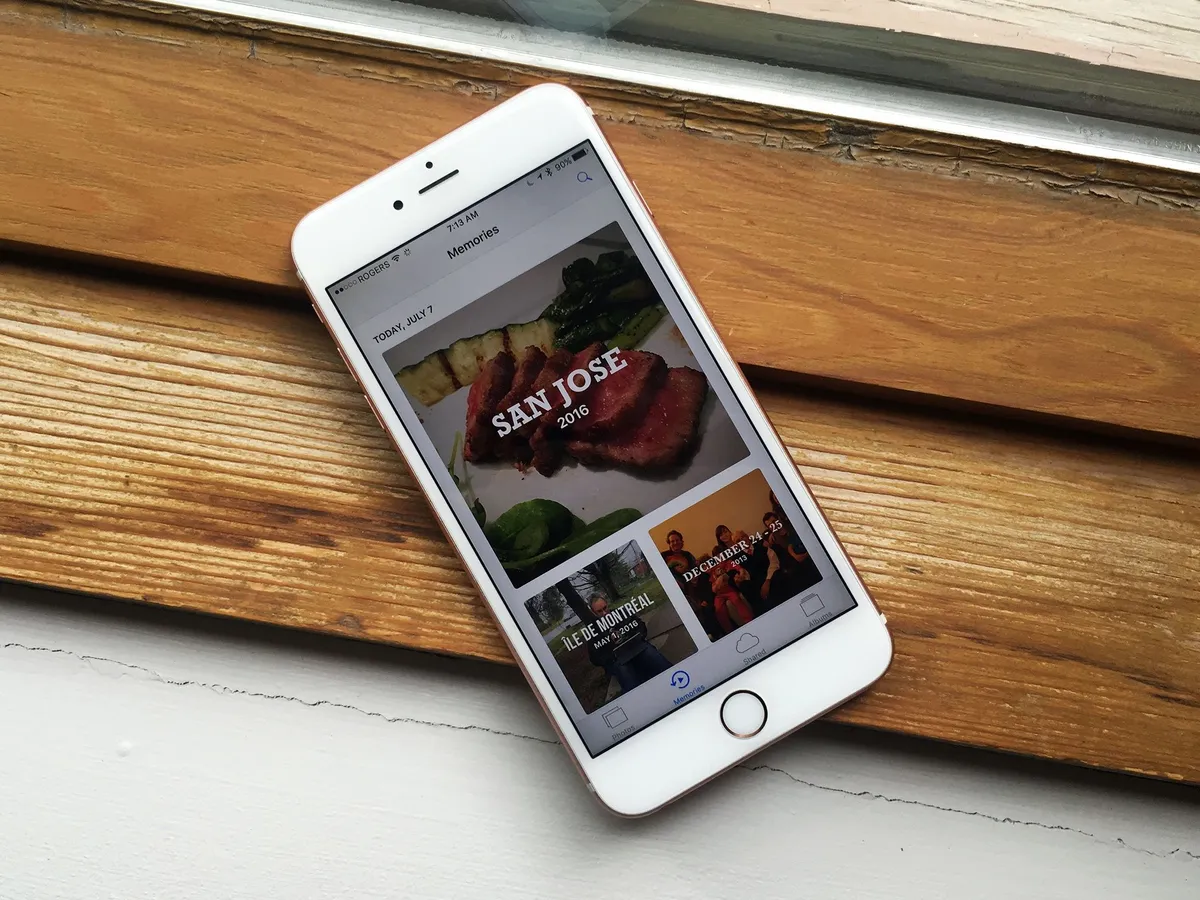
Search lets you find what you're looking for. Memories hopes to show you what you've forgotten. Using the same time of machine vision, Memories clusters together events like trips, times like last weekend or year, and other major confluences of people, places, and themes, and then edits them into slideshow-style presentations, set to music, and intended to help you relive cherished moments.

Tap the new Memories tab at the bottom of the Photos app and you'll get a set of custom-generated shows, both for today and those generated in the past. You can play the Memory immediately or scroll down to see all the photos, as well as sections on the people and places contained within them. Related Memories are at the bottom, in case you want more from where they came.
When you play a Memory, it has to download any photos that aren't already on your iPhone or iPad from iCloud, which can take a while. Once it starts, it plays through, though you can pause it and edit the photos, as well as the duration from short to medium to long, and the mood. Each one comes with its own typeface for the titles and music.
- Happy
- Uplifting
- Epic
- Club
- Extreme
- Dreamy
- Sentimental
- Gentle
- Chill
You can also tap the edit button and separately tweak the titles, music, duration, and included photos. You can save the videos that delight you and expunge any photos that bring back any pain or embarrassment.

I seldom remember to go to the Memories tab in Photos, but I stumble upon them all the time in the related content section of photos — once you can scroll, I can't help but scroll! Almost every time I'm reminded of something that brings at least a small smile to my face. Sometimes, a massive smile.
I don't know if Memories will have any longevity, but photo and video pins lost in album and storage haystacks are very real problems of the digital age. Previously, Apple offered slideshows in iPhoto, and systematically made iMovie and Final Cut Pro more intuitive for quick video cuts. But the first wasn't smart enough and the second still not fast enough.
Memories is both smarter and faster; what remains to be seen is whether it clicks with customers or gets forgotten about just like the photos it's meant to surface.
How to use Memories in Photos for iOS 10
Markup
Crossing off another wish list item, Apple has added support for their markup extension to Photos. Previously, and vexingly, only available in Mail, markup lets you quickly and easily add text, callouts, and sketches and otherwise add visualizations — or vandalization — to your Photos.

It's a great way to add quick captions to personal photos, feedback to design comps, explanations to interface bug reports, or wackiness to any image you want to send or return.
How to use Markup in Photos for iOS 10
iOS 10 Camera
Yin to the Photos app's yang, Camera is Apple's simple, elegant capture app for pictures and video. In that regard, Camera hasn't changed much from last year, but there is one welcome change, some amazing under-the-hood improvements, and a few new features... for iPhone 7.

The camera switch button — A.K.A. the selfie switch — has moved from the top to the bottom and kicked the filters button up top to make room. Since I, and I suspect most people, take selfies more often than live filtered photos, it means the more common task is now easier to reach, even on the bigger phones.
In a welcome fix, launching the Camera doesn't kill audio anymore. So, you can pause on your run to take a photo without killing your podcast or playlist. Thanks, Apple.
On iPad, the Camera app redesign is even more extensive, with controls placed where they make more sense for the bigger screen. It's iPhone 7, though, that gets most of the new magic.
How to use Camera for iOS 10: The ultimate guide
DCI-P3
Last fall Apple upgraded the iMac with 5K Retina display to DCI-P3, which is a cinematic standard for wide gamut color. It technically means more accurate, lifelike representation of magentas, reds, oranges, and the like. It effectively means photos POP more than ever before. Last spring Apple brought DCI-P3 to the 9.7-inch iPad Pro and this fall, to iPhone 7.
Bigger news, though, is that Apple has added full support for DCI-P3 — and the next-generation standard, 2020 — to iOS. That means, on devices like iPhone 7 that support it, you can capture and display wide gamut images. Better still, Apple is managing that color across their entire product line, so what you shoot on iPhone 7 will look exactly as its supposed to on iPad Pro and iMac.
It's a step towards the magnificent future of deep, high-dynamic color, but an important one.
RAW
JPG, the photo format typically captured and stored by Apple products, is "lossy". It's designed to throw away data your eye doesn't really notice in order to save massive amounts of storage space. Higher end cameras, including DLSRs, can also capture RAW, which keeps as much data off the sensor as possible, at the cost of much higher file sizes.
With iOS 10, Apple is opening up RAW support to App Store apps. Just like with manual mode a couple of years ago, Apple's own Camera app is avoiding RAW in the name of simplicity. That's their vision for everyday photography. Other apps, and photographers who want much more control in post, will be all over it.
Zoom
iPhone 7 Plus includes a dual-lens system, one wide-angle, one telephoto, that allows for up to 2x optical and 10x digital zoom. The feature is controlled by a new zoom interface designed for easy one-handed use. Tap the 1x button and you jump to 2x. Hold it down and move your finger around, and you arc through the other magnifications until you hit 10.
I only got to spend a short time trying it, but in my limited experience, it worked very well.
Portrait mode
Coming later in October, iPhone 7 will also introduce a new camera mode: Bokeh. Swipe to it, just like you would Pano or Time-Lapse, and the dual-lens camera system will build a depth map, isolate the main subject, and apply a blur effect to the background.
It's meant to simulate the shallow depth of field you get with a DSLR camera and a fast lens. I'll try it out as soon as Apple releases it and update this section accordingly.
iOS 10 Maps
Someone, somewhere in Apple's services division had the grand idea to redesign their core apps, including Maps, to be bigger, bolder, and brilliant. I liked it at first sight, but not at first use. There's a simple but profound reversal to the way Maps works that confused me for a while. I've become accustomed to it now, though. I still don't find it intuitive, but I'm slowly starting to think it's a better fit overall.

The previous version of Maps had become muscle memory for me, and I was used to tapping locations, getting popups right at the locations, and sliding between screens to get more generic or more specific information, depending on what I needed. Now, all of that has changed. You don't move between screens any more. Instead, you stay centered, and everything you need slides up to you in a brand new, all-containing card.
New Maps design
The centerpiece in the new Maps design is the card that slides up from the bottom of the screen. It holds everything, from search suggestions to nearby location information. And it manages to be both the best and most vexing part of the new Maps. The card has three states:
- A tab at the very bottom that obstructs the map as little as possible.
- A short, Control Center-like card that gives you the most pertinent options or information.
- An almost full-screen view, complete with keyboard and nearby filters.

You can swipe it up or down between those states, most of the time without triggering Control Center from the bottom or Notification Center from the top. But not always. There are, after all, only so many gestures you can layer without getting collisions.
That's my biggest gripe about the gesture overloading iOS is beginning to adopt: It forces precision where, previously, the lack of need for precision was a competitive advantage.
Proactive suggestions
The default state for the card is a search box and proactive suggestions. They include places you go to frequently, have been to recently, are on your calendar, or Apple's data detectors and machine learning algorithms otherwise think you'll find valuable.
Additional information, like traffic conditions and estimated time to destination, are also provided for your convenience.

If you want to find a place, simply type it into the search box. That used to be hit-and-miss in Maps, with little or no local prioritization, nearest neighbor, or search widening present. Now it's working well. Well enough, at least, that I can incorrectly spell the name of a Montreal bar while browsing San Francisco, and still get the correct local result. Cheers, Maps team!
Tapping into the search box will also bring up the nearby points of interest filters for your current location. If you want to see nearby points of interest for other locations, search first, get results, then clear the search box, tap into it, and you'll be good to filter.
Better still, there's now a sliding filter at the bottom as well. So, if you chose popular restaurants and want to narrow down the type of cuisine, you don't have to go back and tap the extra filter, you can simply dial it in.
Navigation
Navigation gets a similar bigger, cleaner, and easier to follow design. The most welcome change, though, is that it will not only automatically zoom in and out to fit the scale of your current route, but let you pan around as well to see whatever it is you need to see.

There's also traffic en route and, when navigating, the card fills with arrival time, remaining time and distance, and can expand to show nearby points of interest for the route, including gas stations and restaurants, as well as options for an overview, detail view, and audio controls.
It's a much better, more usable interface while driving, especially for people who mount their iPhones on their dashboards in place of a built-in navigation system or Apple's CarPlay system
Maps apps
The biggest news for Maps this year, though, is apps. Just like Siri, apps can live right within the maps app. The value of app integration in Maps might not be obvious at first. Once you book a ride or reservation from within Maps, without having to jump around between apps, it becomes absolutely clear.
The human brain is horrible at context changes. Switch apps and, more often than not, you forget why. "Oh, new tweet from @settern? Let me just—whoa, I can't believe the New York times wrote this! Wait, what was I doing? Right, @settern... I'll just launch Tweebot again and—Wow, new Star Wars trailer...!"
If you stay where you are, though, and the functionality comes to you, then you never lose context. With Maps extensions, you can be traveling, see where you are, find a nearby restaurant, book a table, arrange for a car, pay for the ride, and never switch apps once. It's more efficient, more convenient, and just plain better.
Like with Siri apps, I'll have to wait until Maps extensions hit the App Store and I get a few days and weeks use out of them to see how they really perform. At that point, I'll update this section of the review.
I'm guessing it'll be a slam dunk, though. It's the same principal that made sharing and action extensions so powerful in the Share Sheet, and editing and effects extensions so convenient in the Photos app. It's as simple and profound as the transition from pull to push interface, and I want it everywhere.
iOS 10 Music
My Apple Music workflow remains incredibly simple: I ask Siri to play me whatever I want to listen to, whenever I want to listen to it, and then I spend a moment realizing the future is now. Then, when I don't know what I want to listen to, I tune into Beats 1 and occasionally poke around For You.
All this to say I have no business reviewing Apple Music as a service. I'll leave that for my colleague, Serenity Caldwell, and her follow-up Apple Music review.

Purely from the design-side, though, the Music app in iOS 10 is lightyears head of where it was before. It's simpler now and more coherent. It's still trying to do to much and cater to too many workflows, I think, but music is the one area where Apple enjoys an almost Microsoft Windows-level of legacy debt. So, baby steps.
The language is in the same bigger, bolder, more brilliant style as the rest of the services apps, and it fits Music well. Everything is easier to see and interact with. Even the "more" buttons, which were everywhere in the previous version, have been minimized as much as possible. On recent iPhones, 3D Touch picks up the task of bringing up all the options. And it's a much better fit.
In terms of organization, Library — your library, your music — is right up front now, and makes it easy to get to all your stuff. There are big, bold sections to make specific content easier to find, and a download tab so you always no what's available on your device, should you go offline.

When you find what you want and start to listen to it, now playing comes up using a card interface almost identical to the one in Maps. It suffers from the same gesture collisions as the Maps card as well — I often pull down notification center when I mean to pull down now playing.
It's cleaner, though, and introduces Apple's new buttons for like and dislike: a heart and a slashed out heart.
Built-in is lyrics, if available, which let you sing along with what you're listening to. It feels like Apple's been toying with lyrics — and our collective emotions along with them — for years, so hopefully they stick.

For You now houses the My New Music Mix, which includes personal song recommendations just "for you" and new daily playlists to help get you going. Connect has also been relegated here.
It feels like for Connect to have ever been successful, Apple would have to have hired hundreds of marketing assistants to literally walk behind artists posting on their behalf. Absent that, the old tab was a ghost town. The new section, a partially inhabited dwelling. In either case, it's hard to see Connect going much further, even in its update form.

Browse lets you see what's hot and happening in the Apple Music world, with top songs, featured albums and events, the new music for the week, and the current chart toppers.

Radio houses Beats 1, including what's live, upcoming shows, and featured shows. As well as all of the other, genre-specific radio stations.

It's hard to frame how much of an improvement the new Music app is. Last year I wrote that the then-new Music had been given an impossible job — to support new, modern use cases without being allowed to abandon the old ones. Now the new-new Music app does the impossible by balancing out those use cases in an almost elegant way.
I still think Apple will eventually need to make some hard choices about the past and future of music, but I no longer think they have to be made today.
Apple News
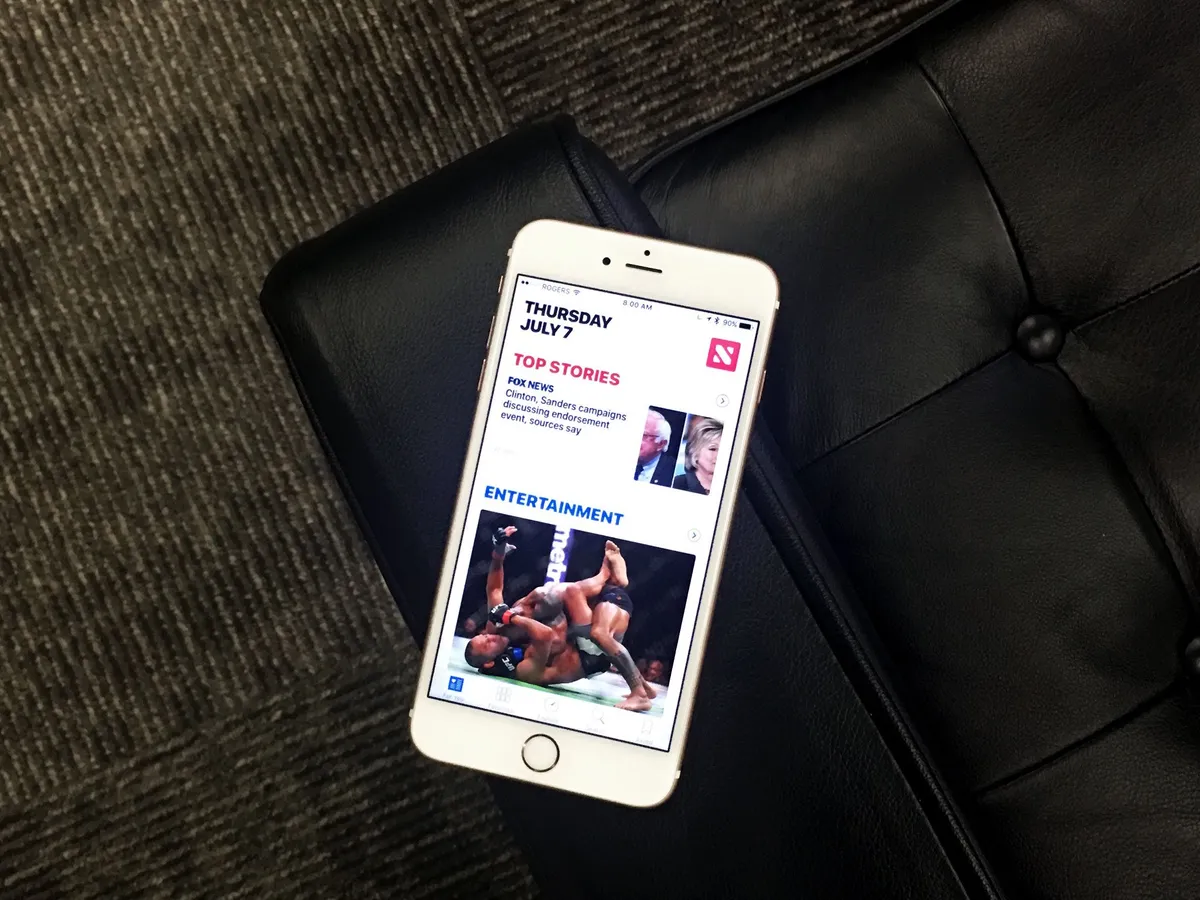
Apple News debuted at the same time as the new Music app and now, a year later, it's getting the same big, bold, brilliant redesign. News wasn't anywhere nearly as controversial as Music at launch, nor as complex, but it still benefits greatly from the new look and structure.

How to use Apple News: The ultimate guide
The new News
Notably, For You is now broken up into clean, clear sections. There's top stories, trending, topical stories based on what you follow, and featured stories curated by the News team. Individual stories pick up the same heart/slashed-heart icons as Apple Music for like and dislike, which is great for consistency. There are also action buttons – tiny on list pages, full size on article pages – that let you access the Share Sheet from just about everywhere. Super convenient.
Sadly, News is still region-limited to the U.S., U.K., and Australia, which is an incredibly small segment of Apple's customer base, never mind the world. There are signs that this may be changing, but a year out, there's no way to spin the lack of growth as anything other than disappointing, especially when contrasted with Apple Music's 100-country launch.

On the bright side, News has gotten closer to the system-level service I've been dreaming up. Last year, internal secrecy led to News being launched as an app, but an entirely separate and nowhere nearly as personalized news feed getting included in the "minus one" Home screen's Siri suggestions.
Now that everything is all nice and public, those two hands have shaken, and the widget for News proper is properly on that page. All that's left is for Safari Reading List and Shared Links to get integrated...
Meanwhile, News has added a couple of new features. The first is notifications, so you can get alerted to breaking stories from the publications you follow. The second is...
Subscriptions
With iOS 10, Apple has given publications the ability to charge for subscriptions right inside News. It was something that was previously available to apps as part of the old Newsstand category and something that's now available to all app categories, but in News, you don't need to have or maintain an app.
It's Apple's hope that subscriptions make it viable for magazines and newspapers to fully commit to News and for customers to get all their periodicals, all in one place.
That Apple keeps trying to do for News what iTunes has done for media is noble, and I really hope this helps them succeed. I didn't have access to News subscriptions in time to test them for this review, nor do I suspect they'll be available where I live for a while still. But we'll get someone on the team to test them as soon as possible.
iOS 10 Home and HomeKit
When Apple's HomeKit home automation framework first shipped, it did so without an app. Imagine HealthKit absent the Health app, and you get the idea. It created a fragmentary experience where different accessory vendors tried to handle setup and management on their own, often less than exemplary, apps. Well, they had their chance, and now Apple is doing it the way only Apple can, with a slick interface and deep integration.

Home uses the new big, bright, and beautiful design language seen in Music and News, but in a way that's specific to where you live. You can add wallpapers to make your rooms immediately and personally identifiable. You can see all your favorite accessories in your home at a glance. You can dive into individual rooms. You can even quickly and easily set up automations based on location change, time of day, the state of other accessories changing, or sensors detecting activity of some kind.
It's not perfect, of course. What looks like the tracking button in Maps is used in Home to open in-app settings. The button is actually labeled "Show Locations", but the similarity is visually confusing (to me at least). Accessories on the Home screen also start drooped two-thirds of the way down, which is nice for showing off your wallpaper, should you choose to customize it, but requires an extra swipe before you can access most of your devices.

If you have an Apple TV or an iPad you leave around the house, you can also use Home remotely. Being able to make sure the lights are off, even when you're about to board an airplane, is terrific. So is tracking the thermostat, locks, room sensors, and more — including, new for iOS 10, air conditioners, cameras, doorbells, air purifiers, and humidifiers.
There's even a new home card in control center. So, you don't have to go to the app to get to your favorite accessories. You can swipe up, toggle them, and change things like lighting intensity and color, for example, from anywhere, at any time.

That includes from the Lock screen — with one major exception. You need to authenticate with Touch ID or Passcode before you can control any lock, garage door, or similar accessory. Again, if you drop your phone and someone can turn your fan on or off, it's annoying. If you drop your phone and someone can use it to get into your house, it's dangerous. HomeKit, no matter its many new conveniences, remains security-first.
What's next is even more exciting. Builders are starting to integrate HomeKit into new construction projects. Just like wiring the home for ethernet or fiber used to be the cutting edge of construction, now that HomeKit compatibility badge is being seen as a competitive advantage. If you're looking for a new place to buy or to rent, why not look for one that's designed to work with the phone in your pocket or the tablet on your table?
It's just part of what makes it feel like the future is here for us today.
iOS 10 iMessage
Messages, the most popular app for iOS, has been significantly updated for iOS 10. Quick selfies have moved from a touch-and-hold button to a live view in the photo picker. Digital Touch — sketches, heartbeats, and taps — has been brought over from the Apple Watch, and you can layer them on top of images and videos now as well. It makes Digital Touch available to an exponentially larger potential user base, but I'm not sure how many people will actually use it beyond some initial experimentation.

Not so with the new emoji. They're going to be big. Literally. So are bubble effects and maybe screen effects as well. Biggest of all, though, will be iMessage apps. They'll let you do everything from making payments to slapping down stickers. Yeah, stickers.
The only thing missing is iMessage Stories. For now.
Emojification
Up to three emoji will now be displayed at three-times normal size, which sounds silly but looks great. Texting is tough. Facial expressions and body language are as vital to communication as words. Absent emotional content, a quick reply can seem curt and a question can be read as a critique. Tell someone you're running late and they may be upset. Send a silly emoji indicating the same thing, and they may chuckle instead.

For longer messages, emoji will be suggested alongside words. And, if you tap the emoji button, iOS will highlight any words that can be converted into emoji — emojified — and you can tap your way through to make the conversions.
There are even "tapback" emoji reactions now as well, so if you don't need to write out a reply, you can touch-and-hold and then drop down a heart, thumbs up or down, question or exclamation marks, and even a haha.
I love all of it. It's humanizing, which is something all messaging and social networking could use more of.
How to use emoji in iMessage for iOS 10
Digital touch
Digital touch debuted as part of the friends hub in watchOS 1 and proved so popular that Apple has made it almost impossible to find in watchOS 3. Confession: I loved being able to quickly send doodles, but I seldom, if ever, got any in return. The novelty of sending heartbeats, in my experience, wore out even faster.

If Apple had made digital touch available as part of iOS 9 on iPhone and iPad, maybe it would have subsisted slightly longer. Slightly. Instead, just as Apple buried Digital touch inside the messaging app on watchOS, they also surfaced it in Messages for iOS 10.
And it's a clever implementation. Tap the show more button, tap the Digital touch button, and you have access to a canvas where you can sketch, send taps, or send heartbeats. You can expand the canvas to make it full screen, and do tricks like swiping down to break the heartbeat you send. So. Tragic.
Even better, you can take a selfie or shoot a video and add digital touch to it, sketching or dropping mad heartbeats before you send. It's snap-chatty but in a good, fun way.
How to use digital touch in iMessage for iOS 10
Handwriting

Although not strictly part of digital touch, handwriting also allows for new and more expressive messaging. It's frustrating to find if you don't know where to look — you need to rotate to landscape, invoke the keyboard, then tap the compose handwritten message key at the bottom right — but fun to use.
Write what you want to say with your finger, iOS does some magic to make it look like ink, and then you can send it as though it were an image. Unlike the new scribble feature in watchOS 3, though, you can't use it to recognize handwriting and convert it to text. I really wish you could.
There are a few handwritten snippets included when you first launch the handwriting feature, and it'll store what you write as well in case you want to reuse some of your classics.
I like that this feature exists and the concept behind it far, far more than the current, awkward implementation. It's one of those things that you just know will get better with time and updates.
How to use handwriting in iMessage for iOS 10
Bubble and screen effects
iMessage was born in the age of text and picture messaging, where grossly abridged phrasing and or sexting were about as extreme as it got. Now we're in the age of Snapchat where, sure, nudies are still a thing, but so are lenses and filters that add motion-tracked crowns to your head and geo-located labels to your shots. In other words, the attention getting has gone to 11.
To bring iMessage into this world, or at least to try to, Apple is adding message effects, both bubble and screen.
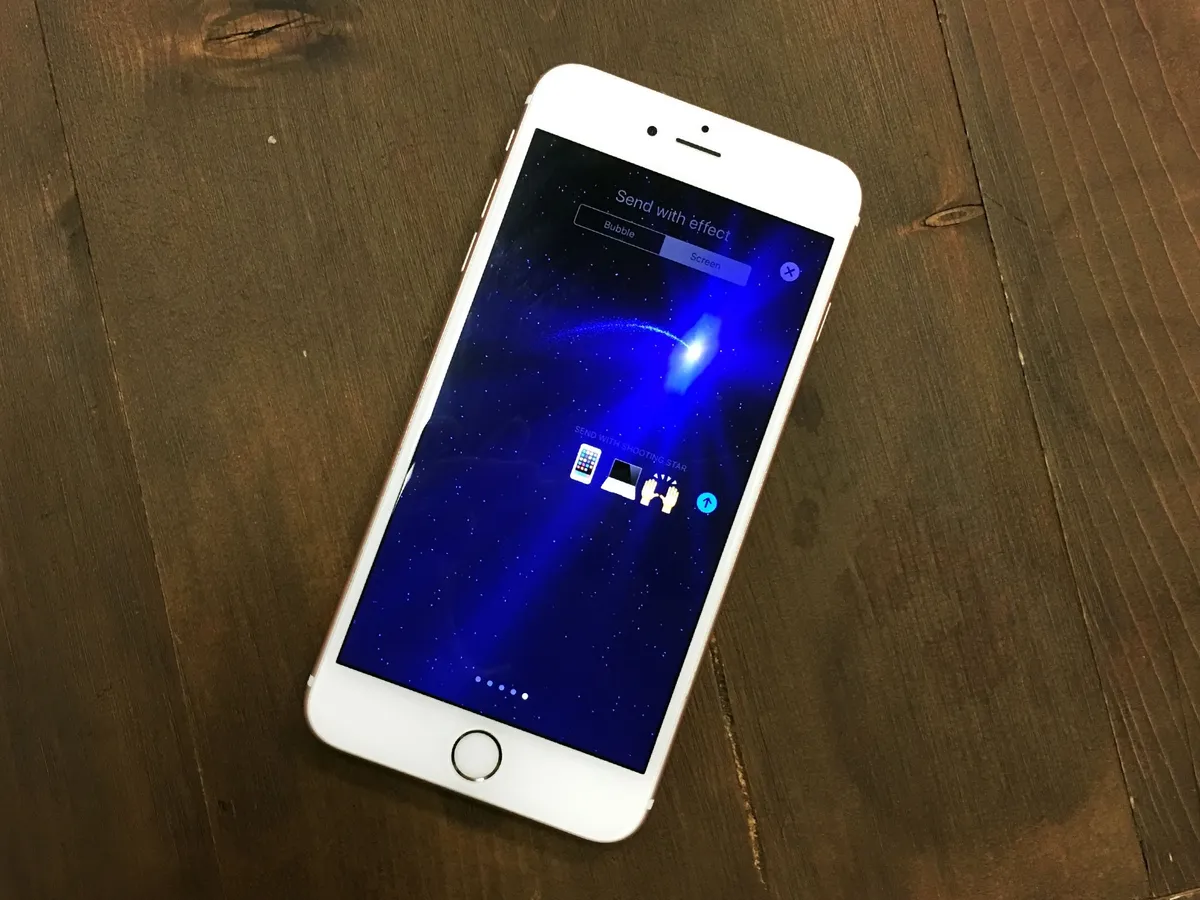
Bubble effects add a physical animation to the word bubbles containing the iMessage. Slam smashes down and ripples the screen; Loud bubbles up over everything, Gentle creeps into place, and the outlier, Invisible Ink, hides the message under noise until you wipe it clear.
Note: Since bubble effects use motion effects, turning off motion in the accessibility settings also turns off bubbles.

Screen effects fill the background with balloons, confetti, unce-unce-unce lasers, fireworks, or a the-more-you-know shooting star. Some of them are automatic: Text "happy birthday" and balloons just happen, likewise, confetti for "congratulations" and fireworks for "happy new year".

I love the bubble effects and like some of the screen effects, but like digital touch scribbles on the Apple Watch, I fear I'll be in the minority. Send someone lasers once and they laugh. Third or fourth time and, in my experience, they want to end you.
It's possible effects are meant for occasional use only, but that's not how things work in the age of Snapchat. Those effects get used a lot, but what keeps them from getting overly annoying is that they change up a lot. Weekly, at least.
I could well be proven wrong on this, but I don't think Apple will be cycling out lasers and cycling in waterfalls on a weekly basis, or giving LOUD a rest while introducing SpLaSh. And they really should.
To be fun you have to be fun. To be more like Snapchat you have to be more like Snapchat. And that includes the pace of refresh.
How to use bubble and screen effects in iOS 10
iMessage apps
Like Siri and Maps, Apple is opening iMessage to apps. They're taking it even one step further, though, and embedding an App Store right inside messages. That way you can get apps without having to leave iMessage, which is not only more convenient, but more conducive to the viral way things spread in the messaging and social worlds.

To access apps, you tap the app icon next to the camera and digital touch icons, beside the text field. Then you can swipe your way through tabs containing all of the apps you have installed, or call up the app drawer to see them at a glance.
I'm not sure how well this interface will scale, though. I tested a fair number of apps over the last few weeks, and after a dozen the tabs started to get onerous. After two dozen or three dozen, I think I'll start heading straight for the app drawer. There is a recents tab that helps, but not enough — especially not with stickers (see below).
The types of iMessage apps available include:
- Payments
- Image search and insertion
- Food ordering
- Encrypted messaging
- Games
- Stickers
And much, much more. The dynamism is amazing. You can not only customize what you do, but often collaborate with others as well. So, you can stick your friend's head on a dancing gnome, or place a group order for pizza, with everyone's favorite toppings specified and tallied.
Messaging apps have evolved enormously since the days of SMS/MMS, IRC, and ICQ. They're now platforms in their own rights, and the major players command and consume enormous amounts of our attention. Making iMessage both more fun and more flexible was imperative not just for Apple, but for the people like myself who use it day in and day out.
It's going to be huge, and we're going to follow along as more apps get released. So, check back here soon.
How to use apps in iMessage for iOS 10
Stickers
Stickers are a special kind of iMessage app. They're also a huge deal in messaging. Line, Facebook Messenger, and other monstrously popular apps have been offering them for a long time already. That's because they're even more fun than emoji, and in some cases can be immensely profitable as well. Studios and artists can release promotional packs around hot new releases to drive viral marketing and awareness, and famous brands can charge a buck or several for famous character packs they know fans will gobble up.
For that reason, Apple could have done stickers as a partnership play, where only a carefully negotiated few got into iMessage. Instead, Apple has made stickers open to everyone. (Which, by the way, completely sidesteps the staleness problem I anticipate screen effects will suffer from.)
You still need to be a registered App Store developer to create a sticker pack but, unlike full iMessage apps, you don't need to know how to code. Instead, you create your static or animated stickers, package them in Xcode, and upload them to your iTunes Connect account along with all the promotional assets and metadata, and that's it.
Apple has had a few of their own, including the animated emoji faces, hands, and hearts that shipped with the original Apple Watch, as well as a set of classic Mac stickers, in the store since WWDC as a way to test the new features with, and they work well.

To use a sticker, you buy or download the sticker pack from the built-in iMessage App Store and it shows up in the apps section of iMessage. Then, you go to the sticker pack you want, find the sticker you want, and touch and drag it to where you want it in the iMessage timeline.
The only rough spot here is scaling. The iMessage app interface works great at first. It shows a single sample app or sticker so it's fast and structurally sound. Then you get to a half dozen sticker packs... a dozen sticker packs... two dozen... And it starts to look like maybe the interface needs to be built to scale better. Given how popular sticker packs will be, no doubt that'll happen quickly. :
You can send stickers as their own messages, or you can attach them to previous messages — yours or anyone else's in the timeline. Stickers can even be made collaborative, where everyone in the timeline can add to or change the sticker creations.

One bit of mischief I stumbled on early: Because you can slap stickers down on top of other people's iMessages, you can slap emoji stickers down on top of other people's emoji messages. That means you can effectively hijack their emotional state. It's especially true with Apple's 3x emoji and Apple's animated emoji packs because they're exactly the same size. They send you a smiley face, you slap a sad face down on top of it, or vice versa.
Depending on the person, they either laugh or become upset, which is something both the interface designers at Apple and anyone using stickers should keep in mind.
That aside, iMessage stickers are fantastic and really breathe new life into Apple's messaging system.
How to use stickers in iMessage for iOS 10
iOS 10 Miscellany
Apple calls iOS 10 the biggest update ever. Some would argue the advent of the App Store or extensibility better deserves that moniker, but there's no denying that making Siri, Maps, and Messages accessible to apps is a big deal.

There are a lot of smaller improvements in iOS 10 as well. Things that don't warrant a keynote slide or review header but combine together to make iPhone and iPad significantly more usable and enjoyable.
Home screen
You can now hide many of Apple's built-in iOS apps. You can't really delete them, because they take up very little space and are inexorably intertwined with the underpinnings of the operating system, but hiding them is the next best thing.
In order to make it easier to understand and manage, Apple uses the same dynamic to hide built-in apps as it does to delete App Store apps. Hold down until the app jiggles, then tap the X button to send it back to the bit-hell from which it came. If you decided you acted hastily and want a built-in app back, just go to the App Store and search for it. Un-hiding, you see, is disguised as re-downloading.

The Home screen has also gotten improved 3D Touch support. Now, when you press firmly on an app, you'll also get any widget that's bundled with it. Also, when you press firmly on a folder, you'll see actions associated with the apps inside, including unread message counts. Apps, meanwhile, all get a handy "Share" action so you can tell your friends about them.
Some no doubt find the Home screen boring and wish Apple would do something to make it exciting again. The Home screen has never been a destination, though. It's always been a portal. Its job is to help you find and launch apps, and with 3D Touch, actions. That's it.
My guess is Home screen will change by the process of abandonment: As iOS navigation, inter-app operability, and voice control improves, we'll need to go there less and less, until we forget it's even there.
How to use Home screen: The ultimate guide
Accessibility
New to iOS accessibility is a magnifier tool that lets you use the camera to zoom in on objects in the real world. You can alter the color profile of the magnifier, if you want to, for white/blue, yellow/blue, grayscale, yellow/black, or red/black, and invert any of those options.
You can also control the level of magnification, turn on the flashlight, lock the screen, and freeze the frame (by taking a photo).
For iPhone 7, you can also adjust the amount of feedback for the new Force Touch home button from light to medium to heavy.
Apple's commitment to accessibility remains second to none, and this is my yearly thanks for that.
Universal clipboard
New to iOS 10 and macOS Sierra is a continuity-based cut and paste feature called universal clipboard. Continuity is Apple's framework for seamlessly transitioning activities from one device to another using a combination of Bluetooth LE, peer-to-peer Wi-Fi, and iCloud authentication. With universal clipboard, it lets you copy text from your iPhone or iPad and paste it on your Mac, or vice-versa.
It's a tricky problem to solve, since iPhones, iPads, and Macs all have their own pasteboards and you don't want to override them at the wrong time. So, Apple applies — wait for it! — science!
When you copy something on one device, in very close proximity to another device, it temporarily overrides the clipboard for a few seconds so you can paste the copied text into the other device. After a few seconds, the clipboard reverts to back to the local copy.
It does take a few seconds for the data to transfer, especially if big blobs like images are included in the pasteboard, but once you get used to it, it works great.
Split screen in Safari
iPad doesn't fare as well in iOS 10 as it did in iOS 9. It gets almost all the same updates as iPhone, but it doesn't get much in the way of iPad-specific updates. What we did get is Split View for Safari tabs.
You enter Split View via long press or dragging a tab to the edge of the screen. Once in split view, you can switch tabs from side to side, or merge them all back into a single window. You can still go into multi-app Split View from Safari Split View. It'll collapse Safari back down to a single window but come right back to where you left it when you return.
You can also quickly close all tabs now by long pressing on the tabs button — which is good because you can accumulate way more tabs than ever before as well.
It works great and is incredibly useful; I wrote a lot of this review in Split View on the 9.7-inch iPad Pro.
Whether the lack of new features, like the much lusted-after drag and drop between views, aren't on the current agenda, or are simply pushed out to a point release later down the line, we'll have to wait and see.
Apple has recently begun marketing iPad Pro as a computer, and while it should never lose its incredible approachability, a computer is what iPad Pro is. To worry about it becoming too much like the Mac misses the point — it needs to be the best computer it can be, as though the Mac doesn't exist.
How to use iPad multitasking: The ultimate guide
How to use Safari: The ultimate guide
Playgrounds
There is one other new iPad-specific feature times with the release of iOS 10 that is absolutely monumental: the new Swift Playground app, available from the App Store. The potential for both the app and the ecosystem is so tremendous, my guess is its announcement will go down as one of the most important moments in programming for the next generation.
Phone
iPhone brought computers to the pocket and demoted actual phone calls to an app. Some of us may barely, if ever, use the old-fashioned phone anymore, but for others it's still critically important. That's why Apple is not only improving the app, but opening up the phone screen to other apps.
First, visual voice mail will now offer transcriptions. The service is launching in beta, but with iOS 10 you'll not only be able to replay your missed messages, you'll be able to read them. Since the text also serves as a preview, you can use it as a way to decide if you even need to replay it. Very nice.
Apple's also adding extensions, so third party services can help flag spam voicemail. It's a huge problem in countries like China, and Tencent and others are working to help prevent it.
The biggest news, though, is the new VoIP application programming interface. With the new API, apps that offer calling services can effectively take over the iPhone's phone screen. That means Skype, Slack, WhatsApp, and a host of other services can look and act just like the native Phone app, offering a much better experience than a simple notification and custom call screens can provide.
They also get access to favorites and recents, and iOS will remember which specific apps you use to contact which specific people, so you can easily Skype mom, Slack your club-mate, or WhatsApp that new friend with just a tap. You can also use office phone systems in a fully integrated way, making iPhone even better for enterprise.
It's the kind of carrier disintermediation we haven't seen from Apple since iMessage, and hopefully one more push towards the dumb-pipe future we've all been dreaming of.
Clock
The Clock app has a new dark theme — would that that had shipped for all of iOS! It also has a new Bedtime tab.
There are several keys to a good life: Breathe, eat right, exercise, and sleep. Apple introduced Activity last year to help with exercise, and this year they're bringing Breathe to watchOS to help with centering and relaxation. Now Bedtime in Clock is here to address sleep.

With it, you answer some questions about your sleep hygiene — or lack thereof — and then Bedtime will both remind you to go to sleep consistently, and set an alarm to wake you up at the same time every day.
You might be tempted to ignore it at first, but once you build healthy sleep habits, you'll be telling everyone to use it.
How to use Bedtime in Clock for iOS 10
Mail gets a great new threaded view that makes it easier to see the context surrounding your conversation. There's also a filter button at the bottom so you can quickly switch to seeing unread messages only. Since my inbox currently contains over 12,000 unread messages — blame all the fall reviews — it doesn't help me much. I imagine it'll be a boom to those far more responsible about their email than I, though.
There are also smart suggestions for moving email between folders, so if you always file those letters from the Legion of Doom under null, that's what iOS will offer you when next you select one of their emails. Or, if you prefer to simply unsubscribe, iOS data detectors will now find and surface that option right at the top of the message. Then you can just tap your annoyances away.
The 12.9-inch iPad Pro even gets a unique, 3-column layout to better take advantage of its screen size. I run Mail on the Mac in three column mode, and I like it just as much on the Pro.
Bottom line
iOS 10 will no doubt be called iterative. Whether that's intended as a compliment or not, it should be taken as one. Iteration is important, critical even, to improving experience and functionality both. By pushing design, architecture, and intelligence forward, Apple is taking an almost decade-old operating system and making it fresh, fun, and futuristic again.

There are still silos — I yearn for universal VIP. There are still gaps — handoff for media can't come fast enough. There's still stability that has to be proven and proven again with every update.
Yet iOS 10 is a more consistent, coherent, clever experience that's making not just my day-to-day, but moment-to-moment interactions more efficient and more enjoyable. I like the direction it's going, even and especially where it's been opened up in new and surprising ways.
As new apps and updates hit, iOS 10 will evolve along with them. So, keep this review bookmarked and check back soon. The story of iOS 10 has just begun.
Rene Ritchie has been covering Apple and the personal technology industry for almost a decade. Editorial director for Mobile Nations, analyst for iMore, video and podcast host, you can follow him on Snapchat, Instagram, or Twitter @reneritchie.


Reader comments
iOS 10 review: Cleaner, cleverer, and more convenient
What about the new iPhone 7 reviews? I see reviews popping up today.
can you change the keyboard and lock screen sounds in ios 10? i do not like the change.
I agree the sound of the lock just doesn't work for me
Anyone get the official update today?
Sent from the iMore App
Yes, I got the update here in the UK over WiFi without any issues.
Lots of goodness and the only function I've changed is the "rest finger" as per the article. I prefer this to pressing the home key.
Have you updated yet? Seems a backup is recommended, which I didn't do :)
Nope, not yet. I'm in Texas.
In texas as well... Downloading now.
Yes in Australia, but there are still issues with bubble iMessages
What issues? Some people aren't getting the animations because they have "Reduce motion" turned on in the Accessibility settings
Can you please let us know what phones are getting what? i have a 6+ and my phone will not be getting raise to wake or any of the messaging features that require 3d touch.
Same here. I want to know what features work with what older model phone.
Great review Rene. Must have taken a ton of time and it shows.
Hate to say it but I am a long time Apple fan and I can sum up iOS 10 in one word. Meh.
I read this entire review and the only thing that appeals to me is being able to take a picture while streaming audio. That is pretty sad.
Every other feature I actually don't want, so no "upgrade" for me. Maybe it is finally time to start looking at Android devices.
LOL
You'll get downvoted for mentioning Android but I have to say I too will be looking at the Pixel phones. I'm on a iphone 6 now and i'm not changing anytime soon. Just ordered a new battery so it's got a while till i need a new phone. But it's been a long time since iphones have had any changes, let alone non hardware changes, that have made me think I just have to have an iphone. From the lackluster music app, the removal of the headphone jack, to meh additions to software that i don't use) it's all been well, meh, on the Apple side in the last few cycles. I'll keep my 6 for a while because i don't care at all about having the latest thing but Android will likely be considered when it comes time to purchase my new phone.
Can see this as the most downloaded iOS version ever - thanks to so many goodies within it such as those Apple Pay on web, sending iMessages within 3rd party apps, keyboard option of having 2 different languages and the list goes on...come on iOS 10!
Sent from the iMore App
That's such an overlooked and underrated feature that I've wanted for so long! Having two languages recognised from one keyboard without changing dictionaries is something I miss from BlackBerry.. I was very pleased to find it in the beta..
Sent from the iMore App
It's definitely overlooked and underrated, it's a pain to keep switching the keyboard every time you switch languages, I speak two languages and I can imagine the frustration is augmented with the more languages you speak. It's a very, very welcome addition
I tried it and will stick to how I was doing it before. Having to enable extra keyboards is kind of clunky, and it adds more system languages to your phone which may throw some people off.
Love this review. Not a ton of words [hurts brain]. Lots of pictures. Very tasty.
;)
What's with the bad music, we can do without it.
Apple collaborated with him as well. It's Jonathan Man, the guy who made Steve Jobs dance. You should check out his story where Apple started a presentation using his music video:
http://www.macintosh.fm/episodes/7
I like 10 but there are things that are the exact opposite of "cleaner and more convenient" like the new multi-pane Control Center, notifications that cannot be grouped by app and Notification Center that doesn't remember what pane you left it on.
Notification Center always goes to notifications. This is intended. It's Notification Center not Today.
I find the widgets are worthless and nothing more than pinnacle 3D Touch actions. Most make no sense if used outside of a 3D Touch context.
That Jonathan Mann song is so awful I just cant watch the video. I wanted a quick iOS 10 video - I guess I'll head to the verge.
It looks really interesting and I'll definitely download it. But one feature I wish it had, which seems obvious, is the ability to turn off cell data from the control centre. I know you can turn off wifi with it, but I have to go into the phone settings to turn off the cell data. And I turn that off way more than I do the wifi trying to save on my cell data plan.
Ditto for Personal Hotspot.
Sorry but I struggle to take a review seriously if the 'word' 'cleverer' is used in the headline.
The writing here is notoriously bad (some of the worst I've seen in "journalism.") I have stopped reading and go straight to the comments, these days.
Remove that stick. You'll probably be more comfortable when you sit.
I sit fine.
The writing here is still terrible.
Anyone can read it. You can only fail to be funny while making bad jokes about people having things stuck in their ****.
"With it, you answer some questions about your sleep hygiene — or lack thereof — and then Bedtime will both remind you to go to sleep consistently, and set an alarm to wake you up at the same time every day."
Can a run-on get any more obvious?
"With it, you answer questions about your sleep hygiene. Bedtime will then [consistently] remind you when to go to sleep, while setting an alarm to wake you up at a set time."
Do you really mean to say "hygiene" and not "routine?"
Consistently place there for emphasis, because it can then be used to infer that both the sleep and wake times will be "consistent," which eliminates wordiness in the sentence.
You're being sour and defensive. This writing is bad and not only is it blatantly incorrect; it's also difficult to read and follow, particularly for many people who are not native English speakers. This isn't just about me trying to act smarter than the writers here, it's about trying to get them to increase the quality of the writing so that the content is more accessible.
The term "cleverer", I'm sure, wasn't used in seriousness. It was author humor and play. My point stands, you have sticks up your backsides thus causing you to cry and complain about his choice of words when its obvious to anyone reading that those weren't meant to be taken serious.
You know, there are other reviews out there. If the writing is something you dislike here...why not go elsewhere? Otherwise, remove the stick and enjoy the article. I'll take this over the 100 Poke articles they were publishing.
Read my edited post. The writing is full of grammatical, style, and word choice errors.
It's terrible.
I'm not going to argue with you about this, because there is nothing about what I say that is incorrect, and you getting defensive and bigoted about it doesn't really lead itself to any manner of discussion. Have a nice day.
I've commented multiple times of how hard some of these articles are to read because of the run on sentences, superfluous (and overuse of) punctuations and idiomatic language which can be opaque to some people who come from different areas. This is not an issue that is unique to Renee or any other writer. It's endemic to the writing on this site, in general.
Get your head out of your bum. Learn something.
They don't seem to use any type of grammar checker, either.
Just leave the site dude.
No?
Then shut the **** up. You're choosing to come back and read the content. Stop complaining.
@Quis89 Dude, just quit trolling a relevant, rational comment.
The article reads like it was written by someone who is having a challenging time with the English language, or by some kind of writing "bot" (they have those now) considering the poor choice of word substitutions.
I'm guessing you are either a kid (under the age of 17) with nothing intelligent to offer in a valuable response (than a low-brow offensive reference), or you are a "professional" troll attacking any and every comment that is slightly not worshipping Apple's a$$.
If you are a kid, please spend more of your time educating yourself through research and observation, and less time on commenting until you have something of value to say.
If you are a troll, go sit on a stick.
Trolling? You think it's trolling when someone tells you all to lighten up? I'd bet the majority of readers had zero issue reading and comprehending this article. It's quite simple though. If the writing bothers you....don't read it.
Trust me, I don't worship apple or this site. If you've seen other comments I've made you'd know that. I'm just not going to nitpick. Over the summer I was a huge complainer about all the Pokémon articles. Now that we've got decent articles again, you want to complain about tongue in cheek grammar? Get over yourself. Or write your own articles. Either way, this isn't trolling.
I was referring specifically to the comment by n8ter#AC and the inappropriate response (IMO) to it, NOT the tongue 'n cheek grammar which wdowell replied about at the comment head.
I research A LOT of reviews and articles and have little-to-no patience for the uneducated "outsourced" or "bot" written content that are either click-bait, or pathetic SEO tactics. The dumbing down of web content seems rampant, and I may have been trigger happy in my comment due to my extreme dislike of this trend.
Perhaps the thread nesting here is a little unclear also, but I stand corrected – you do not sound like a troll.
However, I stand by my objection to the negative, low value response to n8ter#AC's first comment in this reply ("The writing here is notoriously bad...").
If I come upon what appears to be a poor value article or review, I too go straight to the comments section to read what the "people" really think, or try to ascertain this from the noise.
Peace
"You think it's trolling when someone tells you all to lighten up?"
Your way of telling people to lighten up:
"Remove that stick. You'll probably be more comfortable when you sit."
is definitely Trolling.
The issue is the poor writing here. I don't really care what you have to say outside of that, since my comment was specifically about the writing. You made it personal, and you used language specifically intended to turn it into a flame war. That's trolling, you know what you're doing, and we aren't dummies.
You didn't tell anyone to lighten up. You said something quite different.
And when someone tries to brush off your trolling and keep it on the subject you actually replied to, they get told to "shut the **** up" or words to that effect?
You cannot be serious.
Either you're stupid, or you're doing it simply for the up votes and in an attempt to spark a flame.
Lastly: I don't really read the content. I read the comments because the community discussion actually *is* interesting. I don't think I ask people in the forums to use high register grammar and vocabulary, flawless spelling, etc. (Quote me if I've ever done this). I'm well aware of how language is used in certain situations.
I just think it's incredibly messy to run a blog and have these types of errors. This blog really should be written in Standard English, and if the writers here are unsure of what that is; perhaps a refresher course is in order.
The writing is - OBJECTIVELY - bad, so I'm dumbfounded that you would take issue with me commenting on that, when this is supposed to be a (at least semi) professional publication.
You have no idea what trolling is. Not to mention it's the most overused word in the entire existence of the internet. Furthermore this conversation is 3 weeks old. I think we can all move on now.
Those of us who have spent our lives writing and publishing could not (I suspect) agree with you more. I'm sorry that your critique evoked ad hominem responses.
I am downloading it at this very moment!
Sent from the iMore App
Update bricked my phone. Trying to fix in Recovery mode.
Me too. And I'm at work. No access to my iTunes restore. Hoping reinstalling 9.3.5 will work. Well done Apple.
Same boat here. UGH. Not too happy about this bricking. Doing a restore via iTunes at work but the real backup is at home. This isn't the fresh start I was looking for.
Yup same here
Went to update, and it requires the latest iTunes version. Try to update iTunes and nothing happens. The iTunes update is probably clunking the servers as opposed to the iOS update!
Wound up going to the itunes site itself and got it, no problems there. Updated that, and now updating to 10
I would wait a day or two this update is bricking some phones, I got the "connect to iTunes" message and it want's to factory reset to iOS 9.3 whatever.
Over on Reddit multiple people with different devices are reporting the same thing.
This is the first issue that I've ever had on day 1 of an iOS release. UGH is all I can say. Well that and "stupid me had to be first with the update and look what it did...it broke my phone".
I'm on the same boat. Never had a release day issue before, but it took down both my iPhone 6s and my iPad Pro 9.7". Currently have my phone updating via iTunes to hopefully fix the issue.
I think it's the current gen devices like the 6s and iPad pro models only
I did notice the iTunes download shows as version 10.0.1. Possible sign of initial OTA file issue?
Not sure my wife and son's iPad Mini 2s updated find OTA.
Don't worry. One day everyone will stop updating on day one. Then they will all wait until the following week. Then the reports of bricked devices will happen a week after release instead of day one.
Apple should release these updates in waves. Even if it's by model. It shouldn't be up to the masses to have to "wait" for the updates to work. If everyone waited, nobody would get updated. Apple should manage the updates. Not customers.
No, no no no no. I've seen so many companies release updates in "waves", all it does it mean that certain people are prioritised over others and then everyone's using completely different versions, some people can't get the update whilst others can, it causes complete confusion and if Apple class the update as ready then I want to be able to have it. I don't want some sort of Android situation where everyone has different versions and you have to wait even longer to get it. The beauty of iOS is the fact that you can update it as soon as the update is ready. Apple just needs to do better testing, but a wave system is completely the wrong answer and will never happen
In good news, updating through iTunes fixed my 6s. It did update to 10.0.1 there. I'll update on the version my iPad shows when it completes.
iPad also fixed via iTunes. Also shows as 10.0.1.
I didn't even read the review yet, but that Jonathan Mann Song Collaboration was AmAzing.
I can't wait to delete News, Stocks, Tips, Find My Friends. I wish I could eliminate Game Center.
PS to Georgia! UNION! TEAM! GRACIE! MURGEL! (given the background in those photos, you know who and what I am talking about!)
It's a shame Apple doesn't let us designate alternative defaults. Don't use the Mail app and prefer your own third party client? Great, delete Mail app. But then, the moment you tap on an email link in Safari and Messages, it asks you to reinstall the stocl Mail app again. What's the point?!
Well, it only took me about 10 seconds to find that the ^ and down arrows for flipping through emails in iOS Mail are gone. BOO!!! Bad move!! Bring them back!!!!
They turned them on their sides, and are now left and right arrows.
I must be blind. I see them now on my iPhone 6. Thanks. I don't see them on either my iPad Air or iPad Pro 9.7. First noticed it on the Air since that was the first device I updated. Reading Mail with each email taking full screen.
Swift Playgrounds hasn't downloaded to my iPad Pro in iOS 10. Why?
Sent from the iMore App
Great reviews and great graphics. Thanks1
(UPDATE) I'm an *****. Just realised that you have to download it from the App Store.
Sent from the iMore App
After recovering from my bricking incident, the biggest issue I'm having is that wifi downloads in the app store are PAINFULLY slow. LTE downloads are fine. I tested my Fios wifi with the Speedtest app, it's fine. But app store downloads are at a crawl.
Great article Rene!!
Sent from the iMore App
Thanks! I've been using the beta and I plan to wait a week before I uninstall and use the gold master.
iPhone 6. iOS 10 SUCKS!!!
Sent from the iMore App
no one is making you download it, or install it. stay on iOS 8 that came with the phone.
I assume you're saying iOS 10 specifically on the iPhone 6 sucks. I'm not sure why, apart from benefits to 3D touch you still get plenty of new stuff. You shouldn't be having any performance issues, it's still really smooth on my friend's iPhone 5
Can anyone who wasn't on the developer beta or public beta see the voicemail transcriptions? I was on the public beta, I can see the transcriptions, my wife wasn't and after installing iOS 10 she isn't able to see the voicemail transcriptions.
Looks like voicemail transcriptions are a feature that was dropped from final release?
Regarding new Music app, still a lot to be desired.. I also don't like the bold fonts.
Great article though!
I somehow managed to get rid of the 3rd column in the mail app, and can't figure out how to get it back... Help!!
Memories tab not showing up for me in Photos... surely not because my phone is a 5??
It's ok, but I was expecting something more "delightful" and "revolutionary". It doesn't hold up to the hype but any update and bug fixes from the last iOS is an improvement. My grade is a B-.
what made you think it would be anything More than what the keynote from 2+ months ago told you it would be?
Hello I am using 6s and bubble effect in imessage is not working for me, Please advise if any settings i need to do?
Took me a bit to figure this out as well. Go to settings-general-accessibility and turn reduce motion off.
Sent from the iMore App
I'm in Texas and got it around 12:40pm
Cleaner my a$$! This is atrocious! Bubble effects what? Where? It looks like a steaming pile of poo!!! I'll probably my roll back to iOS 9 ASAP!
Sent from the iMore App
Make sure you have Reduce Motion turned off in Settings > General > Accessibility
In Lockscreen, under Map destinations, I can see how far away my car is parked! Apparently, when I turn off the car engine and the Bluetooth connection to the car is terminated, iOS knows I parked and marks the gps position. Simple and ingenious!
For anyone having a bubble effect issue, go to settings> accessibility> turn reduce motion* to off. Hope that helps.
Sent from the iMore App
I have noticed that after a successful update the music quality has either changed or deteriorated.
The music sounds as if it's been dropped down a notch or two and the bass is now an echo boom rather than the previous tight bouncy bass.
The overall sound is now dull and the mids and highs have lost their sparkle.
Sorry, I'm not musically technical in my description but this flat, boomy bass overrides and ruins my music experience.
Anyone else with this experience?
I'm using the standard out of the box headphones - I bought a another pair, one for the car and one left at home as these originally gave me the best sound experience to date on supplied headphones with the device ever. In fact the sound was perfect.
If this is a new algorithm for iOS10 then I want to revert back to iOS9 - can this be done?
Sad Face....
Anyone noticing that their phone seems to be running slower than before? I'm using a 6s. Used to feel really nippy before,now that's gone. Other than this,I'm very happy with all the improvements,overall.
Sent from the iMore App
I recommend power-cycling after any iOS update. Just hold the power button until the "slide to turn-off" screen appears, turn it off then hold the power button to power it back on. Also, check for app updates, there were 5 pending for me immediately after the upgrade.
It is sharper. Apps quick to respond on the iPhone. No jerky, or hesitating. The battery life seems slightly better. I have the 6s, and charge nightly. Have not see how apps respond on the iPad yet. I have an iPad Air 2. Will check it out today. The downloads went smoothly. Overall I like this version.
Sent from the iMore App
I don't think it's cleaner at all. Maybe in some areas. But I think the new notifications are much more intrusive when the banner appears at the top of the screen. In addition control center is horrible. Why does nightshift need a giant button? There is no reason for it to have more than one pane. I will say it does seem over all much snappier and animations are even more fluid and polished than before.
I have been using the iPhone since the beginning and I think that iOS 10 is the best version yet. I was beginning to lose faith in Apple and this reignited my interest and belief that they can still wow me with a good OS release. My 6s feels new again. I have only been using it for a day so I am not sure what is the best thing about it and I have yet to figure out something I don't like but time will tell.
Took over an hour to install iOS 10 last night on my iPhone 6, download kept bouncing around with its download estimate. With the brief time I've spent with it, the unlock/press for home is going to take some getting used to. I'm going to stick with it for at least a week or two to see if I like it more than the press to wake/unlock for Home. The HomeKit accessibility in the unlock screen is handy and works much faster than opening individual apps to control stuff. It was near-instant controlling an iHome Smart Plug with it. The only other thing I spent some time with was hiding built-in apps, removed about half of them, this functionality should have been in iOS since version 1.
Great job iMore, per usual. I am going through the guide one step at a time and have an immediate issue. No "raise to wake" and no setting for it. Maybe not supported on 6 Plus?
For those of us that have Mail set to not load images it used to be you had scroll all the way to the bottom of the email and then load them. No it's on top, like it is on a Mac. Thank you Apple! Also the keyboard seems quieter and rhe delete key makes a different sound..
The unlock noise is different too
I have noticed a slight glitch (I think) using apps with iMessage. I installed the IMDB app, and then deleted it. I went back to reinstall the app and found that in the store it still thinks installed, and not giving me the download arrow to redownload. Trying quitting the app, and even restarting, but the issue persists. Anyone know a work around or fix? Has this happened to anyone else?
I'm not sure if it's the same problem or not, but when I went from iOS 10 Beta to the new release 27 of my apps have a dark blur over them and they will not do anything. I have tried deleting them and restarting my iPhone 5s multiple times, nothing seems to work! Any ideas???
I am in PA and I was able to download yesterday @ 1 PM. So far I like what they did with the Photo app with the People album. The only problem was I have over 7,000 photos to be scanned. I also like in the collections you can automatically create a memories clip of photos.
Sent from the iMore App
I read this article for info on one app: Music (so far, the rest that I'm interested in I have been able to figure out myself). Where are the ratings in Music? like/dislike is insufficient. I have live playlists designed around the five star rating system. I use them to differentiate music that should always be on the device from music that rotates on and off according to last-played date, and never on the device. It's quick, simple and efficient.
But now, I cannot find the ratings in the Music app to adjust the star ratings.
i literally went into an Apple store to use it just to see how it worked. it's hard to get a feel in just pictures. It's still no longer an app for managing and playing music and 99% just a way to sell apple music to people.
Is there a way to disable the People and Places in the Photos app?
The idea of my photos being scanned for people and tagged to places feels just so wrong. I want my photos to be just my photos (simple, anonymous and with as little data attached to them as possible) - I know where and with whom I've taken them. Not allowing the camera to use my location was the first thing I did, and since I don't have any pictures for my list of contacts, hopefully nothing will be matched. Even so - I now have two useless empty albums (People and Places) which cannot be deleted or at least moved away. This is so very frustrating.
I stand corrected - the People still went through all my photos and filled the People folder... The results were extremely poor (even if I wanted this feature - which I don't - it works very badly indeed).
The so called "Advanced Machine Vision" produced several subfolders or whatever you could call them for the same person which then needed to be manually merged and even those contained only photos where the person is photographed in a certain way.
So - if I wanted this feature to help me locate all photos with the same person - it can't really do that and does a bad job of it. If I didn't want this feature - I can't disable it.
For me it looks like a - loose, loose situation (no matter what you want - you can't get it).
I hope there soon is an update which allows to disable this "Advanced Machine Vision" for good.
At least Apple fixed a few bugs in iBooks and improved the iCloud Drive slightly.
This is the best geek song since AlpineKat's LHC Rap (2008): https://www.youtube.com/watch?v=j50ZssEojtM .
You learn stuff in both videos the third or fourth time through. Bravo, team.
The new iOS removed the ability to make a genius playlist on the music app! WTF!!
I used all the time!!
Sent from the iMore App
EXCELLENT article!!! I found it very informative! I especially liked having the link to each individual area at the end of the section. That way if I needed more information it was right at my fingertips! Thanks for all the great information!!!
Hardly "cleaner" and "more consistent". Actually the exact opposite. iOS 10 is more cluttered, confusing, and ignores some basic usability heuristics. Apple has jumped the shark with iOS 10.
I like the shorter review much better, especially because each section gives you a link to learn more. Very creative way of presenting the review. I only went in-depth in three areas.
Hi, after upgrading to IOS10 both my iPhone 6 and iPad pro 9.7: I like most of the changes. I miss (very much so) the possibility to delete the mail inbox all at once. (Not one mail after the other) It used to work, and now it got lost. I also don't like the appearance of the notifications. That's a matter of personal taste. I agree that most of the new features in i Message are cute, certainly not for every day use. Thank you for the review I used it a lot!!!
I was excited to read that opening the camera app no longer killed background audio. Great for music and Overcast. It still kills my Audible books though : (
Great job on the song and the review!
Also, I think it's the current gen devices like the 6s and iPad pro models.
Otherwise, for travel Miami beach
Wahooa offers the best deals on watersports in Miami, Miami Beach and Florida Keys - Jet Ski Rentals, Parasailing, Boat Charters, Snorkeling and more.
http://wahooa.com
Seems a bit bloated to me, especially the music app.
"My Apple Music workflow remains incredibly simple...All this to say I have no business reviewing Apple Music as a service."
Thank you!!! I don't quote that as a bad thing. Thank you for recognizing your limitations in a review.
I'm a bit of a power user of local content (actual files) and for us the Music app has become a bit of a problem, interfacewise. Music app used to be a great music manager and player. But it's become a delivery system for apple music at the expense of playing any content on the phone. It is improved but still not great. It's cluttered with eye candy and there is no way to hide most of what you don't use. For example, in ios 7 you could edit the icons at the bottom so they were the ones you use most of the time (example: artist, genre, song). Now those are permanant. Why remove choice from the user? Worse, me personally, I don't use "for you" or "search" or "browse" or "radio." So they are all wasted where as before they buttons were useful. The user should be able to add, alter or remove those to buttons they use most often like prior to ios 8. Not ones size fits all.
Recently added is just a waste of screen space. showing this should be optional and it wastes half the screen on something that's not very useful for my needs.
Album art in lists should be optional. Again it wastes space.
Font size should be changable to allow more entries onto a single page.
Lists are a good thing for those who have 64gbs plus of mp3 on their phone. Searching through album art in a time when many people don't buy albums is short sighted. Again there should be options to alter the view. Because if you're like Rene and simply poke around and don't have a ton of music i think it's fine but for many others that have a lifetime of music accumulation and a fraction of it (but a still large amount) on their phone navigating giant pictures is just cumbersome.
I literally still have a phone on ios 7 entirely because the music app is streamlined and far less cluttered. If i had the time i'd actually learn to code, make a clone of the older app (with more customization features) and release it to the store. I did download Xcode but I'm not holding my breath to become a coder anytime soon.
I think the biggest problem with the music app is the streaming app and the music player app should be completely separate and if not you should be able to hide all the aspects you're never going to use that make the app feel like it's utterly bloated. the app seems to be made by people that don't listen to a ton of music or like Rene, no offense, don't know what they want to hear so have to go find music. That's not me. I have an enormous music library compiled over 35 years. That's in addition to a family music library that literally fills a walk in closet. I need to play music far more than find music and i find tons from word of mouth/live shows I just don't use an app.
I've no idea why Apple with the music app insists of a one size, one view fits all approach; why they like to remove features lots of people use (remember when they removed the itunes sidebar?); i don't know why a company and owner in Jobs who wanted a great music manager has decided to make it so unpleasant to manage my large music library.
The music app is improved but only marginally in my opinion.
Does anyone happen to know if you can (once again, it seems missing in iOS 9) download music via home-sharing (in addition to streaming). If it's still there in iOS 9, it's well hidden, or something isn't working.
We've got our whole music library on a central Mac, and home sharing worked quite well until the ability to download stuff to the local library went away. Without that, it looks like I'm going to be looking for some other way to store and use my music library, just like I've had to do for photos and video. Pretty soon, I'll be free of Apple's eco-system, which will make the move to some other platform easier (looking on the bright side).
wacky photos Rene :)
I see that delving deeper into the How To sections you specifically mention which phones get what updates. Boo that only the 6s and up ge the raise to wake; even though many others have the motion sensor tech
iOS 10 has more features, yes. It isn't the biggest release ever. Probably the worst. Let's focus on making the Messages app into a "fun house". Let's make iOS 10 more bubbly, more fun.. more clevererererer... oh and hey it's 2016, but let's redesign emojis like it's 2000. The new emojis look like msn emoticons. A step backwards Apple.
iOS 9 is something I'll continue to run on my 6s.
Still haven't updated my 6s what do you guys/gals think?...update or not to update?
I cannot find the grayscale switch in my iPhone with iOS 10.0.2.. It use to be under general/accessibility. Where did it go?