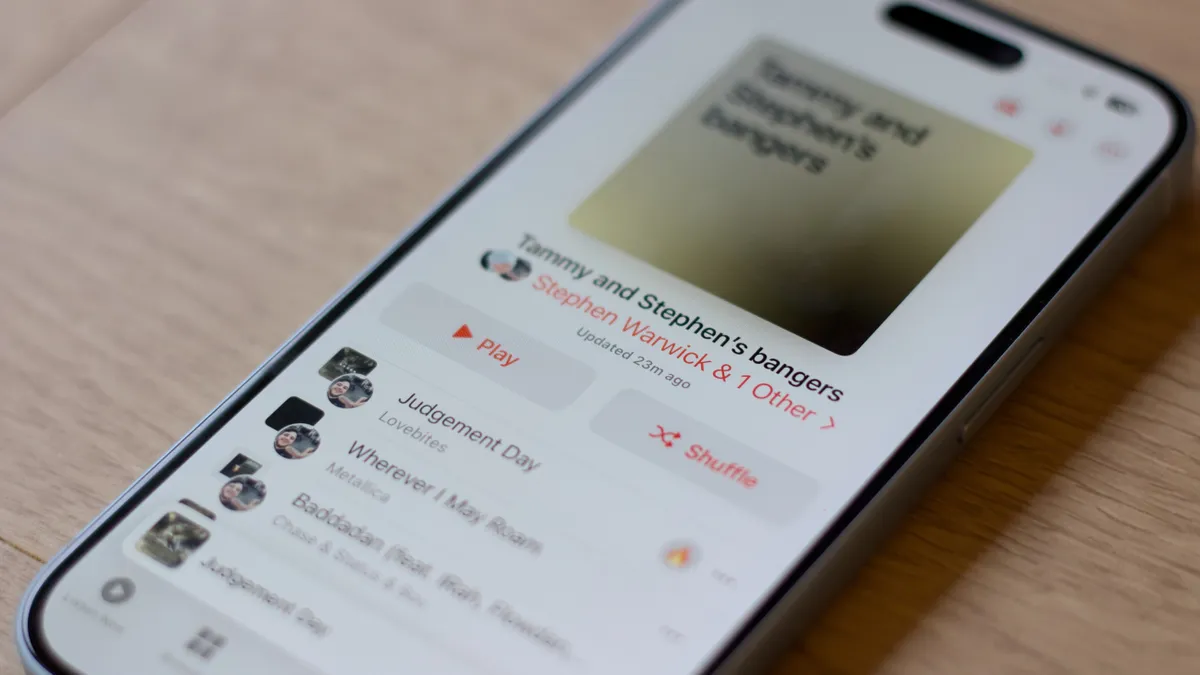
Feel like Family Sharing is more like family mayhem? Here's how to go about setting it all up.
Next to iTunes Match, Apple Music's Family plan seems to be the big point of confusion surrounding the Apple Music launch. How do you set it up? What log ins do you need? What do families share?
After digging through Reddit threads, Twitter, and Apple's support documentation, here's what you need to know.
How Apple Music and Family Sharing works
Apple Music's family plan is hooked into iOS and OS X's Family Sharing feature, which lets different Apple IDs share calendars, photos, movies, TV, and music. Previous to Family Sharing, families had to use one Apple ID for all their purchases—a pain on a number of levels.
When you sign up for an Apple Music Family plan, which supports simultaneous listening for up to six devices or accounts, all the infrastructure is being taken care of by Family Sharing. In theory, getting your family on board is as simple as signing up for Family Sharing, purchasing a Family subscription, and having your other family members log in.
Unfortunately, a few bugs floating in Apple Music's and Family Sharing's infrastructure have kept this process from working as smoothly as it should.
How to sign up for Apple Music's family plan (in theory)
If you (blessedly) don't run into any strange bugs, here's how you should be able to sign up for Apple Music.
Note: If your family members have already signed up for an Apple Music free trial, this won't work; you'll have to wait until after their free trial period is over to sign them up as part of your Family plan.
- Set up a Family Sharing account, if you haven't already, and invite the people you'd like to share your Apple Music subscription with.
- Sign up for Apple Music with the administrator of your Family Sharing account, and choose Family when prompted to sign up for a plan. (If you've already chosen the Individual plan, you can change this by tapping the Account icon in the upper left corner of the Music app, then going to View Apple ID > Manage > Subscriptions > Apple Music Membership.)

- On your family member's device, make sure their account is signed in for both iCloud and iTunes in Settings > iCloud and Settings > iTunes & App Store.
- Open the Music app and tap Already a member? at the bottom of the Apple Music signup sheet (or tap the Account icon) and sign in with that family member's Apple ID. Do not register for a free trial on that family member's device.
- Assuming everything goes according to plan, you'll see the "Your family has joined Apple Music." screen and an option to enable iCloud Music Library.

If those steps don't work
The above process eventually worked for me, but it took a few tries. Here are some troubleshooting tips I've found work well, as well as helpful hints from others in the community.
1. Make sure Apple Music, iCloud, and iTunes on the family member's device are all using the same account.
These first two troubleshooting steps helped me fix my issues signing up. Essentially, Family Sharing expects other family member's devices to be logged in to their own iCloud ID. So if I'm the head of the household (say, serenity@icloud.com), my boyfriend's iPad needs to be logged into his account (rick@icloud.com), not mine.
I know some people share iTunes IDs for Match and purchased content, but to get the Apple Music signup to work, it's important that every account on the family member's device be linked to that family member's account. You can't have a different Apple ID for iTunes and Apple Music on the same device.
2. Log out of Apple Music and back in.
If you tap Already a member? and sign into Apple Music only to be prompted with the free trial signup, try logging out, force quitting the Music app, and logging back in again. I had to log in and out about three times on my family member's device to get the "Your family has joined Apple Music" splash screen.
3. Log out of Apple Music, iCloud, and iTunes.
Still running into problems? Try logging out of everything on the family member's device, force quitting Apple Music, then trying again.
4. Remove everyone from your Family and re-add them.
If absolutely nothing else has worked, this is a last-ditch effort that has helped several people online—but one that comes at some risk. You can only join another family group once a year, so leaving and recreating your family can be tricky. And if you have children's accounts, they can't be removed at all—only moved to a different family group—so you have to create an entirely new Family Sharing account in that case.
All that said, here's the deal: You can disband your family by either deleting the family group, or removing everyone from your family and then re-adding them. Sometimes this will do the trick where no amount of logging in and out will work, though I haven't personally tested this—success stories are solely from internet troubleshooting forums and folks on Twitter.
5. Chat with Apple Music Support.
If absolutely nothing else is working, talk to Apple. They can help walk you through your problems and go from there.
Apple Music and Family Sharing FAQs
Still have a question about Apple Music and family sharing? We rounded up some of the most popular ones.
Does everyone get a separate account for their tastes, likes, dislikes, and playlists?
Yep! No one's music mixes and everyone has their own separate iCloud Music Library, tied to their Apple ID. You can share playlists by clicking the Share button on a playlist and sending your family member the link, but otherwise, your music is separate.
Do my family members automatically get my iCloud Music Library, iTunes Match library, or my purchased content in their library?
As mentioned above, nope. Both the iCloud Music Library and iTunes Match are linked to an Apple ID, so your family members can't get access to your content. You can, however, download purchased content from iTunes's Purchased screen.
Can more than one person use the same account simultaneously if they pay for a Apple Music Family plan?
Yep, though I'd recommend against it. When two people use the same account, you're going to mix your recommendations with the other person's. If you don't care about that and have a Family plan, you will be able to stream simultaneously on multiple devices (up to six) logged in to the same account.
How do I share music with my family?
There are a couple of different ways: sharing purchased content on iTunes, sharing playlists, and Home Sharing.
By default, all members of your Family Sharing family get access to each other's purchased content. You or any member can access this at any time by going to iTunes's purchased screen.
You can share a playlist of any music in your iCloud Music Library by tapping the Share button when viewing a playlist, then sending the link to your family member.
And while Home Sharing no longer works on iOS, you can use it on your Macs to share files between your two computers.
I accidentally signed up a family member for the free trial! Help!
Don't panic! I did the same thing. Just make sure to turn off Apple Music's automatic subscription, then set yourself a reminder to add them to your family plan when the free trial runs out. Unfortunately, you can't cancel the free trial.
How do I remove a family member from my Apple Music Family account?
Either log them out of Apple Music on their device, remove them from your Family Sharing account, or change your Apple Music subscription from an individual account to a family plan.
Other questions or troubleshooting tips?
Got a way to troubleshoot the Apple Music Family plan we didn't mention? Still having problems? Write us below.
Special thanks to @thejumpstarters, Rene Ritchie, Reddit, and my phantom Family Sharing child for their help with this article.
Reader comments
Can't get Family Sharing in Apple Music to work? Here's the fix!
OR just don't sign up, quit and use Google Play Music until Apple fixes it. I was all in on the family pricing but it didn't work for any of my family members and I'm too lazy to try to make it work so I just kept listening in GPM.
Any fix for a constant lightening bolt cloud in iTunes? Can't add any songs from Apple Music to my iTunes library as the iCloud Music Library is always down for me.
It's a little buggy right now because so many people have signed up at once. Try clicking on the lightning bolt to reconnect to iCloud Music Library.
Thank you! Thank you! Thank you! This has been driving me insane.
Glad I'm not alone
Sent from the iMore App
Is there any way to separate charges for downloaded content to my own apple ID vs. the primary member (organizer)? As of now, I believe that all charges default to the primary family member who creates the family share. I understand that if a diff. family member has a itunes credit or gift card on file, it will use that first, then the remaining charges will go the the primary family member's credit card. I am hoping there is way to have the charges go to my own credit card under my apple ID. Perhaps a wishlist item for the future...?...
As far as I know and could test, adults on the plan have separate IDs, separate credit cards, and separate charges. My boyfriend's on my family plan, but his purchases go to his card, and mine to my own. Kid accounts may be different.
Hi Serenity. Thank you for your response. Unfortunately, I'm not sure if that is true. Please see the excerpt from the provided linked page.
https://support.apple.com/en-us/HT201060
"To get started, one adult in your household—the family organizer—sets up Family Sharing, invites up to five additional family members, and agrees to pay for any iTunes, iBooks, and App Store purchases they initiate while part of the family group. Once family members join, the features of Family Sharing are set up on everyone’s devices automatically"
It would be great if there was a way to work around this.
Happy 4th!
Yes. Only way if they get an iTunes card. So if they want to buy stuff with their own money they can.
For example. Let say you are tapped out or don't want to spend money on games, apps, movie, and books or music.
You can tell you family member. "Look I'm tapped out" go to the store or online and buy an iTunes' card.
They go buy one. Use it to bay a $20 app or a movie or a book.
Since you have family share. Everyone in the family will be able to use it. Although there were no charges to the head of house hold.
Too bad Rene didn't respond to the email I sent him with my Apple support chat. While I like all things Apple Family Share is frustrating because we are loyal Apple customers pre Mobile Me who has everything purchased tied to a former email. Since they won't merge ID's, we'd have to pay $50 per month to have our "own" experIence with separate playlists or everyone sign into the old email and have to sift through everyone's playlists and our experience be misleading should one person like a song while others don't. Too bad!
check out my comment...it might work for you. my family members weren't working and then i fixed it with the instructions in my comment. hope it works!
This is what annoys the hell out of me when it comes to Apple related services... They are so damn confusing and Apple refuses to provides REAL support on how to configure all of this. It's not magic, and no it doesn't just work, nor is it a horrible thing to swallow your pride and provide real INSTRUCTIONS. #BadApple... I've helped several friends, family members, and co-workers get their iTunes and iCloud account straightened out their on various iOS devices over the past several years and I couldn't even figure out how to get this turned on correctly. When I logged into my wife's phone she would see all of my stuff. I scoured Apple.com but didn't find anything that can hold a candle to this post. Thank you iMore!!!!
I found this at the apple website and it worked perfectly.
Go to the Family Sharing setting and remove the member(s). Once the confirmations are received add a member back into Family Sharing. Wait a few moments and then launch the Apple Music on the member iOS device and check if it detects the Apple Music membership activation. If not, kill the program and open the Apple Music again.
Repeat the step starting from adding member to the rest of family members. This procedure works for me and the Apple Music in all members are working fine.
Thanks SandyZ613, your post helped me solve my issue.
I purchased my wife's iPhone 6 and it became 'associated' with my iCloud account. (The iCloud email I used during the purchase.). This association prevented her from seeing the 'Already a member?' option when trying to join Apple Music under my family plan. I had to open iTunes on my iMac and click on 'Account' in the menu bar, sign in, and then go to 'manage devices' under the 'iTunes in the cloud' heading. From there, I had to 'remove' her iPhone.
As soon as this was done, she was in!! Now her phone no longer looks like it's mine, because if it was mine, I'd automatically have Apple Music available like I do on my iPad.
Conclusion: If You've purchased iOS devices for family members that are being used on Your 'family sharing plan', remove the 'association' in iTunes because Apple Music has a problem with that whereas family sharing for apps, music and books didn't seem to mind.
I tried everything except option 4 (where i would have had to remove the family members completely from family sharing)...and none worked. I just tried this and it FINALLY works:
As the family organizer go to the main Settings --> iCloud --> Family --> choose the Organizer account (either on your Mac or on your iOS device) then switch OFF the “Share My Purchases”, wait a few seconds than switch it ON again.
Now on the device of the family member check the Music preferences and enable “iCloud Music Library” (on the Mac in iTunes, on an iOS device in the main settings app). Go to the Music app, click the profile button on the top left, sign out and sign back in.
Should be all good to go!
I fought with this problem all morning and eventually called Apple Support for help. After about 35 minutes of troubleshooting, they claimed my wife's iPhone was registered to a different apple ID than what was associated with her family meembership. Pretty sure this wasn't the case, but either way, removing her from the family and then re-adding her fixed the problem. YMMV.
I've been encountering some issues with family sharing and I was wondering if anyone else has experienced this. None of my web searches have found anything similar to my situation. I have a family sharing plan set up between my wife and myself. I believe I have everything set up properly, the main account is mine and I have her added as a family member. We both have our Apple Music accounts.
The wrinkle in this is that we share a computer and share a local iTunes library. I thought that we would be able to maintain separate playlists/star ratings/loved songs just by logging in an out of iTunes when we wanted to switch profiles. However that has proven to be problematic. When I log me out and her in, my playlists remain, along with my starred/loved ratings. Additionally, when I go back to my account, for some reason it unchecks use iCloud music library and I have to go in and enable that again. And then when that happens, it adds some ratings to albums that I had previously removed. I don't use album ratings, only song ratings, so I don't want there there. Anyone else experience anything like this?
I got apple music working well in family sharing.
Now I want to take a step back to basic family sharing.
My daughter has a real iTunes account. I want to get her a kid account so I get asked if she can buy stuff. I did make her a new kid account. Both her account she has been using and the kid account are in the family.
What I want: her to be able to use iTunes cards to buy whatever she wants without asking for permission. Then if the iTunes cards are depleted I want requests to go to me for permission.
I also want: all of her data associated with her old adult iTunes account to migrate to her new kid account.
For now she is still using the adult account.
I think you're kinda out of luck. I haven't seen or heard of a way to transfer or migrate from one account to another. As for asking permission. It's all or nothing. Either you set it up that she has to get permission which means for everything including iTunes cards or you set it up where she doesn't need permission.
Hi
I tried everything g on here plus calling Apple support and being on line for nearly an hour.
Just as I was being transferred to a higher level support I noticed I had missed one option.
I removed my wife from Family plan and then added her back in.
Worked first time and perfectly!
Prior to this, non of the 'links' on the Apple Music page would work.
Robin
My girlfriend and I are subscribed to the family plan set up under her account (she's the "administrator" of the group). I've been running into an issue where, every few days (it varies), Apple Music "loses" my registration and when I launch the app it asks me to start a free trial. Force closing the app doesn't work, but I've found that after logging out of and back into iTunes (Settings > iTunes & App Store) it seems to work. Hopes this helps anyone having the same problem until Apple fixes it.
Apple Music does not work!!!! I called tech support two times, I was put on hold till disconnect. Apple messed up and can't seem to fix it. They did manage to charge me without issue!!!!!!!! Don't sign up until they get it fix or at least acknowledge they screwed this up! Yeah developers you got the billing correct...
I canceled and probably won't get a refund.
Thanks for this article. It helped me. Per your instructions, I had to remove her from my family group and sign her out of everything. Then I added her back to my family and then signed her back into her iTunes accounts using her information.
Ok, my problem is one I haven't seen in any questions so far. Got the family share and connected daughters phone fine but when I go to "music" not imusic and search for song, album, artist, or anything and click the ... it gave me "make available offline" option yesterday. Today that option is gone. Was it a temp function or did something go wrong?
I need help I log out of my family sharing so I could buy a game then when my mom invited me back in and I was with family sharing agian I went to my music and it won't let me add any music and none of my old songs are there I inly have songs I bought not the ones I downloaded before how do I fix that
Click the ... Next to song or album,
Click the + in the pop up,
Click the ... Again,
Click the cloud download icon to make available offline.
HI! So my family and I are running into a problem. Even though it isn't supposed to, all of our playlists got crossed and every playlist has been shared on every device. When I go to delete a shared playlist from my phone it will also delete it from the original creator's phone as well. Also, when I make a new playlist is automatically becomes shared. So, I have a bunch of playlists and songs I did not add to my music and cannot delete them without affecting my family members' music. Any advice on how to stop this would be greatly appreciated!