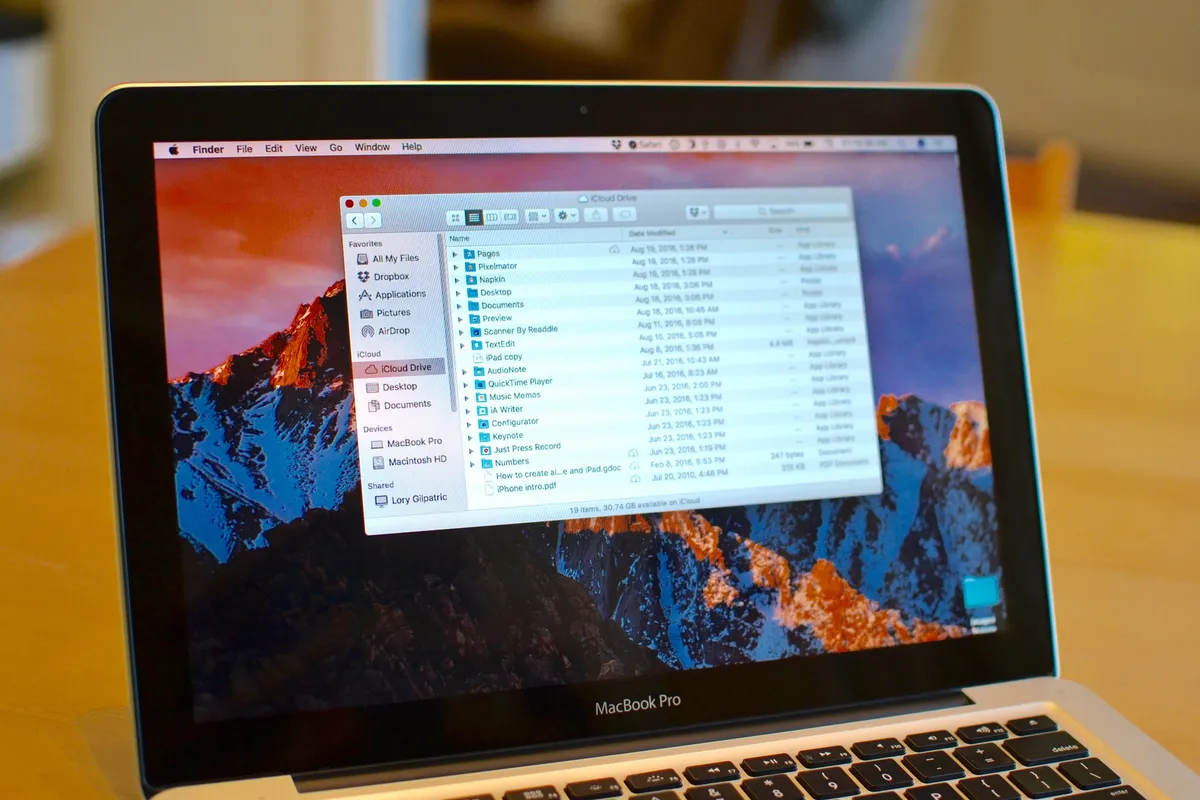
iCloud Drive is Apple's online storage service — a place to keep all your files and access them from all your Apple devices, including your iPhone, iPad, and Mac.
If you're new to iCloud Drive and not sure how to get started, you've come to the right place. Follow along and we'll walk you through how to enable iCloud Drive, pick an appropriate storage plan, and how to better manage your files across your iPhone, iPad, and Mac!
- How to set up and use iCloud Drive on iPhone and iPad
- What iCloud Drive storage plan should you get?
- How to access iCloud Drive files on your Mac
- How to view iCloud Drive files on iPhone and iPad
- How to control what apps have access to iCloud Drive
- How to manage iCloud Drive sync over cellular
- How to manually create folders in iCloud Drive on your Mac
- How to migrate files from Dropbox to iCloud Drive
How to set up and use iCloud Drive on iPhone and iPad

You can choose to set up iCloud Drive at the same time you set up your iPhone or iPad. Otherwise, you can set up iCloud Drive at any time from the Settings App. If you previously used iCloud Documents and Data, iCloud Drive will replace it. Here's what you need to know!
- How to enable iCloud Drive manually on iPhone and iPad
- How to pick an iCloud Drive storage plan
- How to start using iCloud Drive on iPhone and iPad
What iCloud Drive storage plan should you get?

iCloud Drive stores files in your iCloud account. Apple gives everyone 5GB of space for free, but if you want or need more, you'll have to pay for it. Since other services, including iCloud Mail and iCloud Photo Library also use your iCloud account storage, you may want to upgrade to make sure you don't run out. Plans start at $0.99 a month, and you can also downgrade at any time. How much storage should you get? Here are some tips to help you choose the perfect plan!
How to access iCloud Drive files on your Mac

Your Mac comes with iCloud Drive support built right into Finder. Any file you save on your Mac, iPhone, or iPad is instantly synced between all your devices. Since iCloud Drive is baked right into the Finder, you can open, edit, and save any of these files on your Mac with any app that supports the appropriate file type.
How to view iCloud Drive files on iPhone and iPad

Similar to the Mac, you can find all of your iCloud files by using the iCloud Drive app on your iPhone or iPad. You can also send content to others via Messages, Mail, and more using the Share button.
How to control what apps have access to iCloud Drive

Lots of App Store apps offer support for iCloud Drive. That doesn't mean you want all of them to have access to your file. If, for whatever reason, you decide you don't want a particular app to be able to save files to iCloud Drive, you easily shut it off.
How to manage iCloud Drive sync over cellular

By default, iCloud Drive will sync your files not only over Wi-Fi, but over the cellular network as well. Depending on your data plan and the size of the files you're working with, you might want to keep an eye on that. Text files won't use much data, but presentation files can be huge. Luckily, you can easily restrict iCloud Drive to only sync files over Wi-Fi in just a few taps.
How to manually create folders in iCloud Drive on your Mac

iCloud Drive will automatically create folder directories for any app that save data to it, but you can also choose to create your own folders. You can then drop files into them and they'll immediately be synced across all your devices. This is a great option for folks who have multiple documents on their Mac that they'd like to have access to on their iPhone or iPad.
How to migrate files from Dropbox to iCloud Drive

If you've previously been using Dropbox but want to switch over the iCloud Drive, you'll have to move your files over first. We can show you how to do that.
Need more help with iCloud Drive?
Our iMore forums are a great place to ask for and give help to others. The best part is you don't even have to register to ask a question — unless of course you want to. So if you still have some iCloud Drive questions on your mind, we encourage you to ask in our forums:
Reader comments
How to use iCloud Drive: The ultimate guide
Great article! I love these "summation" articles with all the advice in one place.
I would only add that there is one thing I want from iCloud that they so far haven't been able to provide in the beta version ... the ability to choose which folders show up and which apps show up.
Here's hoping that when it's finally out of beta, I don't have to look at the Keynote and Numbers apps on the web, or have to negotiate around folders prepared for a litany of Apple branded programs that I don't use or even have installed on my computer.
This is the most irritating aspect of iCloud so far IMO. A person should have control over their own devices and programs and not be constantly hit in the face with stuff they don't need just because Apple finds it easier to do things that way.
Lot of articles/posts are very good and informative...but a video explanation is perfect and easily understandable....hope to see video tutorials shortly.
Great article!
Does anyone know if it's to possible (since the iOS Version does!) to integrate Microsoft Office 2011 into iCloud Drive? Like Pages, Numbers and Keynote.
Kind regards,
I had a play with iCloud drive when it came out late last year, but I ended up sticking with Google Drive. The reasons are pretty simple - the Google Drive app on iOS is excellent, Google's storage plans are cheaper than Apple's. and I simply trust Google to handle cloud stuff better than Apple can.
Plus Google Drive plus nicely into G+ and Google Docs.
iCloud is to expensive and limited compared to other cloud storage. With it like Dropbox offer horrible storage compared to Google Drive and OneDrive which are much superior and offer more storage. Apple should get off its high horse.
Posted via the iMore App for Android
iCloud Drive is great and hands down the best option unless you're locked into Google or some other 3rd party experience. Advice; unlock yourself there's little Google does that Apple doesn't do better.
Nobody understood iCloud. They simply couldn't see information management as anything but files in folders on drives reminiscent of iDisk of 15 years ago. This share-by-rule approach is easy to understand as it mimics a hard drive but is fraught with sharing issues, is largely redundant (photoshop can't load excel files), and locks everyone into lowest common denominator IM when different information benefits from different management.
Hopefully adding the "drive" to iCloud will educate people as to why they didn't need a drive at all.
Sent from the iMore App