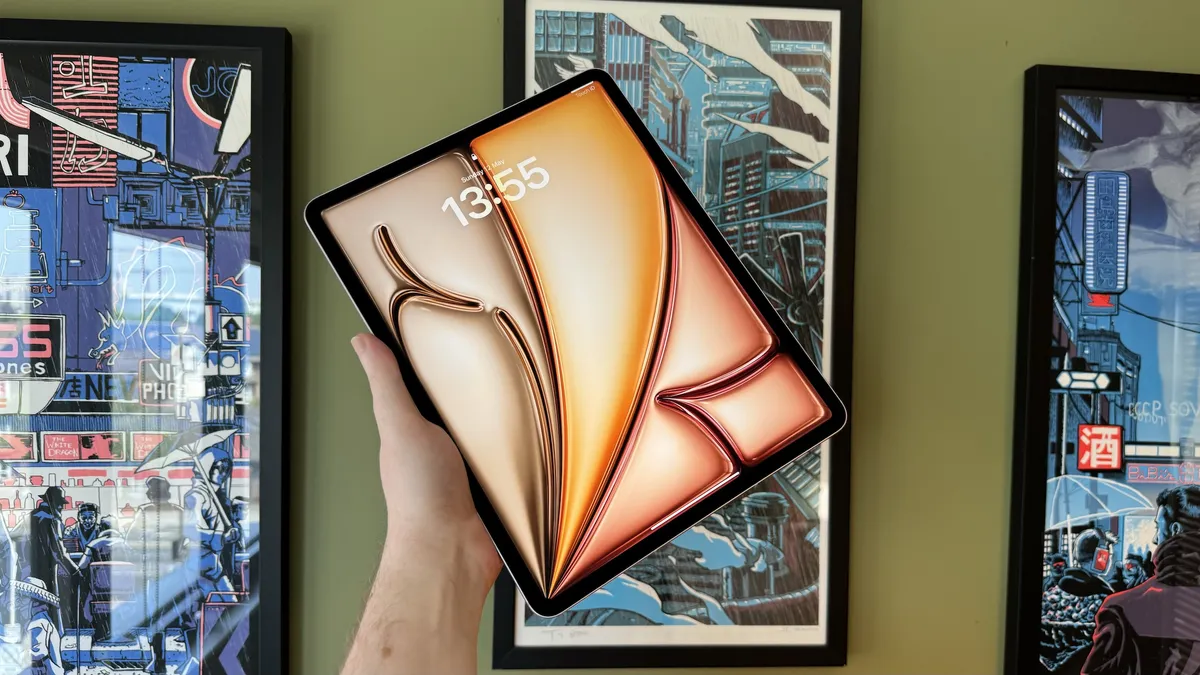
Are you having Wi-Fi connection problems with your iPad?
Dieter mentioned this in the hardware section of our iPad review, but we've seen enough reports (and gotten enough email about it!) that we wanted to break it out and see how widespread a problem this may be for our readers:
Speaking of that aluminum casing, it blocks WiFi signals pretty effectively. To get around that, Apple placed the WiFi antenna behind the plastic Apple logo. While all reports indicate it’s a good antenna, I do find that I’m getting slightly worse reception on the iPad than I do on other devices.
I haven't had a problem either at home on an dual-band Airport Extreme in 802.11n mode or at work on an ancient Linksys in 802.11g, however I'm going try it out in more places on more routers and compare it to both laptops and iPhone/iPod touch to try and get a better idea.
More importantly, however, we want to see what your experience with iPad on Wi-Fi has been. Is the signal strong and steady or sparse and subject to frequent drops? How does the connectivity compare to your iPhone and/or iPod touch?
Update: Reader Fassy points out that CNN has picked up the story.
| Tweet |
|
|
← Previously
Skype updates again, still no VoIP over 3GLeave a Reply
Note: Comments must be civil, respectful, and on-topic. If a comment does not add to the conversation, if it contains spam advertising, or inappropriate language or content, it will be removed. Insulting the topic, author, staff, site, network, or other commenters will result in the comment being marked as spam and potential prevent future comments from appearing on the site. Do not post as a business or your comment will likely be confused with spam. Comments containing links may be held for moderation. Relax, enjoy, and share in the discussion.


I can't tell if it's the wi-fi being spotty itself, or if the OS is misreporting. I have noticed that there are lapses in connectivity (it seems), but it could also be due to memory allocation or something like that. I'm not sure, but I'm hoping if there are issues, it's fixable via update. What was all that R&D money for if it's HW-related?
Same as iPhone. Cuts out periodically. Not the end of the world.
This is why you don't buy first gen.
So what if it's got a little error, updates can fix it
Rene - Is Apple responding to any of this yet?
Mine works fine... calm down.
I'm not having a problem at home, but at starbucks. In fact, both of the starbucks I frequent I'm having problems staying connected.
Mine works well at home. Watched a couple netflix movies with no interuptions.
Mine in and out, and reseption is bad, I phone has better
I've had mine on at least 5 different WiFi networks since Saturday and haven't had problems with any of them (keeping my fingers crossed).
Mine loses connection & I have to re-input my wi-fi password.
Of the four wifi networks I use, I haven't had any problems yet. Matter of fact, it seems quite good and seems very fast.
There is a 12 (so far) page discussion on Apple's support site. I do not have an iPad (if I get one, I am holding out for a 3G model), but my neighbor has, and has most of the problems outlines in the article. To sum up:
Weak signal. His iPhones, Macbooks, and Dells all show full bars anywhere on his property. The iPad fluctuates a room or two away from the router, and drops out completely at distances all those other devices still show full strength.
Dropped connections. Within the same session, he is frequently asked to rejoin his network, and re-enter his password.
Slow speed while connected. My neighbor does not have this problem, but several people on that Apple support thread report their iPad is downloading far slower, and showing far worse speedtest results, than their iPhones from the same location. (I would guess that is a factor of signal strength.)
Fixes suggested by users on that thread:
Turn off "Ask to Join" in their connection preferences
Switch your router to g-only mode (if you have a b/g/n router)
Turn off encryption (not one I would recommend in any case)
Some users have reported these helped, others have said they had no effect.
@BrianA
In the thread is a link to an Apple support page ( http://support.apple.com/kb/TS3304 ) which suggests similar fixes to the above for the dropped connections. There is no comment that I have yet seen on the signal strength.
Not really... I can't tell....
Mine is working fine...I would say it is better than my iphone. Watch some movies on Netflix and shows on ABC without any disruptions from wifi.
Mine looses WIFI connection at home where strength is strong, and asks for password again. Not sure if I should exchange it or if an update can fix it.
I am actually quite impressed with the speed of my iPad, I have used it on 3 different wireless networks so far and my browser loads pages just as quick at my macbook. I have been very happy with the speed and performance of my iPad. Way to go Apple!
Mine is dropping in and out every 5 minutes. =X
My iPad doesn't find as many access points as my iPhone - when they are next to each other!
I was at a new coffee shop on iPad launch day. My iPhone picked up the AP just fine, and strong. My iPad didn't see it and I had to move around a lot for it to finally show up.
No problem with mine. I'm using a dual band modem and I'm running the ipad on the "n" network
I haven't had any issues except at school, but this isn't new. The building my office is in is known for it's spotty wifi. The only other place I've used my iPad is at home and I have had no wifi issues anywhere in my apartment... however, my apartment is MUCH smaller than a house.
I haven't noticed any issues. Mine has been blazing and i use it both at work and at home. Several WI-fi spots.
No problems at all with mine, in fact it picks up signals in our house better than my laptop or iPhone.
I was actually embarrassed this weekend as I tried to show off my new iPad. The constant Wi-Fi connectivity issues caused pausing and disconnects on web pages, videos, the app store, etc.. How do you explain this to someone you want to impress? It wasn’t easy.
My Linksys WRT610N provides good coverage throughout my house. The 5GHz band on the router is N only, and 2.4GHz was set to mixed. Every device and laptop I’ve had connects everywhere with no problems.
The iPad connected to 5GHz / N just fine, but quickly began dropping the connection from only 50 feet away. Switching to 2.4GHz / mixed was better, but instead of dropping the connection, it began pausing. Again, it ranged between frustratingly slow, to unusable.
Ironically, I had to pull out my cheap netbook in order to browse the Apple forums, where I quickly found out I wasn’t alone! I tried several different things that were suggested, such as restarting /resetting the iPad, and resetting it’s network setting to default, but nothing helped. Finally, the partial solution for me was to disable mixed mode on my router. I changed the 2.4GHz band from mixed to G only, and suddenly Wi-Fi is relatively fast and solid. However, I’m still seeing fairly wild Wi-Fi signal strength fluctuations on the iPad.
Also, get this… The application eWiFi is installed on my iPad. eWiFi is a third party Wi-Fi finder. Where the iPad Wi-Fi settings don’t see wireless N in my home, eWiFi does! Very, very odd.
The changes I made are obviously only a temporary measure. Something is wrong.
How can a company like Apple manage to ship the iPad with such a defect? Amazing.
Not a single dropped signal on several hotspots.
I have seen sporatic signal strength in my iPad. Basically, the iPad will randomly go from full strength to no strength and then back again. Of most concern is that other devices have no problem. I am visiting the Genius Bar tonight to have them take a look.
this is why I dont like first gen products.
Wow. This sounds bad. How does the aluminum shell MacBook keep from shielding itself?
I have a signal strength problem too. I noticed it on Saturday and feel kind of glad I wasn't the only one. In the house it works like a dream, but if go out on the deck (where the iPhone and macbook pro work great) the signal is very low and unreliable.
Who cares, this iTampon is a joke anyways. $500 for a big iPhone basically. It's so limited in functionality it's not even funny. At least give us a full browser with Flash support.
Apple has put up an announcement page linking a few troubleshooting possibilities (mainly those suggested in the forums and on the earlier linked support page)
http://tinyurl.com/ygm4ban
One of the links is a new troubleshooting page, http://support.apple.com/kb/TS3237 , but the suggestions on the troubleshooting page range from "move closer to the router" to "restart and reset network settings," so I would hazard to guess Apple does not yet have a firm grip on the root cause.
@Jeff what do you need flash for again?
Oh yeah that's right, you're an idiot.
Hmmm...well, hopefully this problem will get fixed with an update. I don't have one YET, by the time I have the cash to get one, the second Gen iPad should be out! LOL, but seriously, I still want one. Even with the random WiFi issues going on...we'll see.
This is kind of sad. My ipad usage is so heavily dependant to wifi as much as others here depend on it as well.
I can't imagine there being much of a software fix here rather than it being hardware related, but I hope I'm proved wrong.
I don't have enough personal experience to comment on this subject. I guess so far so good. Keeping my fingers crossed. Love my ipad but it does needs wifi to be fully functional.
Yes it is spotty. At times, it's good, but mostly bad. My iPhone has better connectivity!
I've been on vacation since Saturday (picked up ipad at apple store and got on the road...). I've been at two houses, two hotels, tethered for 6 hours on the interstate and a starbucks and have had no WiFi issues...(infact, it did better than my 3G). Wonder if it's a N instead of G thing?
Mine drops a few times a night. Never happens on other devices in my home
Thankx it is fixed NOW.... !
No issues at all, but I've only used it at home on my house wifi signal. It's been fantastic!
most people don't know how to configure a router.
I don't know if this is the same problem but my wifi connection in my house seems to keep "restarting" ever since the iPad was introduced to the home network. This means my macbook pro loses connectivity as well. I have an airport extreme.
Have read about this on some other blogs as well. I am having the problem consistently. Seems to connected with FIOS wireless router. I have tried both changing router setting for single band N and also resetting the network settings and neither seem to resolve the problem.
I have a Linksys router w/ DD-WRT installed. I wasn't able to hold a connection for longer then 25 min. I was about 20 feet from the router separated by 1 wall (drywall, studs and paint). Also I didn't get a signal in the bedroom (on the 2nd floor) eventhought I was able to connect on my iPhone. I tried limiting the router to b/g only (no N) and that didn't seam to help. With DD-WRT you are able to see AP's around you and what CH they are on. I was on CH 7 and ppl around me were on 8 and 10. I remember reading something about channel separation (http://en.wikipedia.org/wiki/ListofWLAN_channels) so I switch mine to CH 3 and enabled N. Since then I have not dropped connections to WiFi at my house. I was able to download apps and podcasts (diggnation) w/o a drop. I am also getting a good signal in the bedroom where I didn't prior to changing to CH 3. I am getting faster speeds according to "DSLR Speed Test" (probably because of N being enabled) and my iPad is now faster then my iPhone which wasn't the case when I was on CH 7. So for me it looks like it was more of a channel separation issue then defective WiFi board or antenna placement in the iPad. Hope that helps! - Rick
sorry bad link above...
http://en.wikipedia.org/wiki/ListofWLAN_channels
http://en.wikipedia.org/wiki/ListofWLAN_channels I don't know why it keeps change the website, should be
ListofWLANchannels not ListofWLANchannels
oh F it! go search Wikipedia yourself!
When I have a connection it is great the speed is comparable to my MacBook but the one issue I am having is I constantly have to reenter my router password to stay connected on my home network and in a number of other locations. I have been on the road with it and used it in two hotels and a few coffee shops and restaurants. I have the same issue everywhere I use it. I know Apple is giving us some router fixes to try but this does not help me when I am in a location that I have no control over their network.
I like the iPad and it has it's place in the world but unless this connection issue is fixed soon, I think I will eat the 10% restocking fee and return it.
Mine occurs every time the device auto-locks and goes to sleep and then when you wake it up, it will lose the connection to wi-fi. So you have to choose your network again, very frustrating.
SOLUTION: Upon waking, my iPad would often prompt me to re-enter my WiFi password, or simply say that it wasn't connected to the internet.
I was using an old D-Link DI-624 Router with 64-bit WEP encryption. After talking to a senior support tech, I switched the WEP to 128-bit and it's been smooth sailing ever since.
This is still a bug, because if you're in some random hotel, you can't change the router settings. But this workaround may help until a patch is released.
Wow. I'm not alone.
I am having issues with my Linksys WRT52G router and iPad. It seems that every few hours or so, when waking the iPad, my router locks up. I then have to go and rest the router to get back on. All of my other laptops, netbooks, Xbox 360 WIFI works great. Never had an issue till iPad.
Someone had stated that it could be a "push" issue. Some apps look for data at certain intervals. (Email, Facebook, etc.) I tried disabling the "Push" and Notications settings. Last thing I am going to try is reseting my network settings in iPad. If that doesn't work, I don't know what to do. I have tried WEP, WPA, WPA2, etc. etc. etc.
I drop about 5 times or more a day, all I do is go to settings and move the screen brightness all the way down a back up and it reconnects every time. Very strange but it works.
That's an move the brightness slider back up.
I'm having issues at Starbucks getting on. I have the Wi-Fi model not the 3G and AT&T doesn't want to let me on. I keep getting a rejected message on the login. Not sure if it is an iPad issue or not, but that is the only device I have a problem getting on with. My MacBook pro is fine and my iPhone I don't have any issues with. Going to mess with it some more but so far after 30 min no luck.
I read on one forum that increasing the screen brightness on the iPad fixed the problem for some people. Seems weird, but worth a try. I don't have my iPad yet - will get my 3g version on Friday, but have been reading about possible issues and getting prepared.
Very real and annoying problem - Apple needs to get on this before they tick everyone off on an otherwise awesome device. Use MAC Book on same network with absolutely no problem - carrier is Verizon FIOs.
All of the very technical fixes mentioned re router settings, etc. are totally unacceptable in a device marketed for a mass consumer market.
I had my iPad wifi 3g for two days and the wifi was unreliable so the kindly Apple folks replaced my iPad. That did not solve the problem. Comparing my iPhone and my iPad literally side-by-side… wifi stable on iPhone, not on iPad.
Steve F. exactly right. Iphone wifi fine. MacBook wifi fine. iPad constantly dropping, and then after a bit, re-asks for the password, which is a big pain in the next because it is from the provider rather than my own, which means it is impossible to remember. Everyone should tweet about this and get Apple to pay attention.
Seems like a software issue. At times drops connection right in the middle of play a video. My iPhone works fine when this happens.
On thing I haven't tried yet on my router is change the maximum data packet size (I forget the name of the setting on the router) and see if this helps. I worked when I first got the router and had problems connecting with my computers but it's been fine until this iPad.
My new 3G iPad looses WiFi connects and password constantly. I had the iPad replace and it is just as bad.
I've been lucky so far... In fact, my iPad wifi is faster than my iPhone 3GS wifi.
I've got a 64gb iPad and it keeps forgetting the wifi password. I have figured out that I can cut wifi off then immediately back on and it works without reentering the password.
I purchased the 64gb ipad 3G on 4/30. My device will not stay connected to wifi. I have to constantly reconnect it and enter the passcode. It then tells me that passcode is invalid or unable to connect. I have to put it in airplane me and then switch it back to get the connection back. The connection last for approximately 3-5 minutes and then I lose it again. If this issue is not resolved I will return it. I do not have this problem with my iPod touch or iPhone which is what I am using to send this message. For now I am using the ipad as a $900.00 book reader.
All I can say is wow...I was trying to buy an iPad today but they are no where to be found. So I came home to see where I might get one and came across this blog. This WiFi issue seems outrageous. Thanks for the heads up. I am not even going to gamble and hope I get one that works. I will not purchase one until the wifi problems are onfirmed to be fixed. Thanks again!!!
I have a 64g wifi iPad with connection problems at public places. As far as I can tell, it won't work at any McDonalds because the login screen at McD is in flash. Anyone have a solution or workaround for that? Also, have had absolutely no luck logging on to free wifi at airports. Have been to 6 airports in last month. Sees the free wifi, but never get the login screen. Wondering if it's the same flash issue
I am seeing the opposite: iPad stronger.
My iPad (3g) gets better WiFi than my iPhone 3gs sitting next to it.
iPad picks up same networks (& strength) on default "settings" app, and iPad gets MORE networks and signal on "eWiFi" app.
Perhaps folks hold iPads closer to their bodies (which absorb RF) and mistake artifacts of proximity for poor device performance, in some cases anyway?
Both my devices ran the same apps & circumstances for observation; Apples to Apples
I had to just restart mine for the 1st time to be able to connect to wifi. It has always worked great except just now. It didn't even show an available network to connect to... even though my iphone was connected 6 inches away from it. I do still get speaker feedback when the ipad is in standby mode. Anyone else? It squeals like a happy pig thru powered speakers.... ugh...
My iPad is constantly dropping the wifi connection. Either says cannot connect or invalid password. Running fios. This either needs to be corrected soon or iPad is going back to apple - so annoying!
Have a 32 G WiFi & 3G model, have not tried the 3G yet, but was having a lot of these WiFi problems until I went to my routers website and looked for firmware updates.
I have a Dlink router, which would tell me in it's own browser that there were no new updates available since 2009. Just to be sure I went to the site and guess what? I found a firmware download that came out in March 2010.
So I backed up the router config file, installed the firmware update, reinstalled the router settings file and the Ipad went from a 48% signal up to 100% when it is in the same room with the router. It also started working better when out and about in the house, the signal is just much higher now.
I think the 802.11 version went from g to n from the update, and did it make a difference. Recommend you check your router's site, I think they have been doing things to keep up with Apple on Dlink.
that is the good news, most evertyhing runs faster and better and everything reconnects on return from sleep except for Weather Channel app. And still occasionally the browser will popup a note that there is no network, but that goes away in 2-3 seconds.
So Apple still has work to do on WiFi
My two week old iPAD 32Gb wifi loses my home connection several times a day. I have to reenter the WEP Key. At least it remembers the SSID.
I also have the connectivity issue. I have found that if you turn the ipad on and off the device will automatically connect to the network. It's a drag, but it works. I use FIOS and have Verizon's router.
I have fios and my iPad drops connection constantly. Signal is strong and fast when it's connected. When iPad drops connection and asks for the WEP or WAP passwors (I've tried both) I just press cancel without entering password and it connects. If iPad drops connection but does not ask for password I switch to safari and iPad reconnects without asking for password. Not sure if this will work for everyone but it beats rebooting the iPad.
Same issue here. Fios, and I drop about once an hour, and have to reenter the password. Also, connection seems really slow.
I got a 16 gig WiFi iPad. And am having all of the WiFi connectivity problems described here and elsewhere on the web. I own a house full of Apple products, and the constant dropping of WiFi signals by iPad is totally unacceptable, none of their other products do this.
To me, it appears to have nothing to do with the iPad antenna positioning. iPad drops connections, and then doesn't know the wep password to log on again.
Apple is clearly ducking this issue, and is shi_ting on its loyal customers. If there's a software / firmware upgrade to fix it then they need to say that, but they haven't. Their silence on the issue leads me to believe there is a hardware problem. This is corporate American greed at work.
I'm going to have to return the iPad.
My wiFi iPad came in with the initial shipment back in April, I've never had an issue with WiFi connectivity until last night at a friends house.
I've connected to at least ten or so networks without an issue, one of them being a connection to an Apple Time Capsule at work, that several other devices and laptops connect to on a regular basis.
Also, at my brothers' house, I was getting a weak signal, but a router firmware upgrade resolved that issue.
At my friends house however, here is the story. I had used the device previously at his house without a problem. This time, however, I had a problem. Several other people were connected, including my iphone, but the signal was fairly weak. I also connected a PS3 to his network and discovered in the network settings that his router didn't support Universal Plug and Play. I turned on my iPad and it immediately recognized he network, however the speed was really slow. I tried turning wifi off, then back on again to see if I could get a new IP, no luck. I'm sure if I was able to get to his router and if I had the ability to upgrade his firmware, the issue would have resolved itself, but by this time, who cared, we were partying!
In my case, I say a 1:10:problem ratio isn't bad enough to warrant calling the iPad at fault.
Before complaining to Apple about it, upgrade your firmware on your router. I've got an "ancient" linksys G router with the latest firmware installed and use Wireless security at home, I connect and it works great.
Apple has addressed the issue, but is still working on a solution:
http://www.appleinsider.com/articles/10/05/11/appletoissuesoftwarefixforlingeringipadwifiproblems.html
Be Patient!
the article can be read here, link to it at the bttom of the page:
http://www.appleinsider.com/articles/10/05/11/
Wifi drops every time I use it. I hope a patch is on the way.
My ipad works great at home but I've had alot of problems with wifi connection issues at hotels that offer wifi. Either it can't find the network or the connection is so weak it is useless. At the same time my iphone and my husband's laptop have no issues with the hotel network.
Had iPad for several days, 32GB WiFi, drops connection several times a day. Have an iTouch, Mac, and 3 other PCs in the house that have 0 issues with Wifi. Apples issue, they need to address it, period.
I have a 64GB 3G and I'm also having the same issues with it constantly dropping the signal when it's upstairs (my router is downstairs). I adjusted the router antenna to be horizontal which provided better vertical coverage and that helped a bit. When it loses the signal (and annoyingly asks for the password), I just click the standby button to turn it off and then turn it back on again. This usually works for me. Hopefully apple will apply a fix soon.
I have 2, 64 Gig 3G models for me and my wife and mine drops all the time and my wife's doesn't ever drop it...
VERY annoying...
My 64Gig 3G model drops the wi-fi signal most often when it awakens from sleep and never when it is on. Also if my other computer is off when it wakes, it does not drop. It might help that we have fast cable internet.
Had mine for a few months with no problems till last week. Both my 2g and 3G constantly drop connection. Never happened in the past. It was always reliable 24/7,but now it just is useless to try to use these devices. I've tried everything and it if a total fail. Apple sucks and I am going to try to return these p.o.s's.
I've had my iPad for six weeks and it had no problems connecting using my Belkin wireless router. Then all of a sudden, I am getting "Failed to join" messages when attempting to connect. I've spent time with Time Warner Cable procuring another ip address (one that does not begin with 169) and then contacted Belkin where they made a few changes and still, I can not connect. My 3 iMacs and 3 iPhones have had no problems all along.
I'm really surprised that the iPad connected fine for the first two weeks and now NOTHING!
have the 32 GB model. it continually drops wi-fi and then asks for password.
My iPad is 32gb/3G. Using a UK SKY router which I cannot reconfigure or replace. iPad almost always fails to connect after sleep, unless I am in the same room as the router. This is a flaw in a product which is otherwise wonderful. I guess that it is a basic breach of consumer legislation - but I am no lawyer. The main reason I bought the thing is to use it on wifi at home, quickly and easily. I don't want to fight with it to get basic functionality.
I keep checking for a software update but I suspect that fix will come on the day that they catch the Loch Ness monster.
As a result I chose not to upgrade my 3GS to an iPhone 4. Now i read about the problems with that. Apple is abusing our trust in their products and will pay the price sooner or later.
I found that if I user a static IP then I don't have a problem with having to re-enter the WEP password on my iPad. If you try this make sure you use an IP outside the range reserved for DHCP in your router's setup.
My iPad (32gb/3G) drops its wifi connection all day long!!!! it's crazy!!! Every 5-10 minutes, I get another request for my wifi password. The crazy Verizon one. And even then, sometimes it can't find the signal. OMG, help!!! SO FRUSTRATING!!!!
I bought a 64 gig Ipad right when they came out. I leave it docked playing music all day with my wifi router 15 feet away and its always losing wifi connection and I have to power it down then back on and it works fine for a while. My ipad is basically useless to me I quit trying to take it with me after work because of how it won't hold a wifi connection. I sent it back to Apple and they just sent it back after reinstalling everything and it still loses wifi all the time. What a huge waste of money and more valuable my time.
Same here (16g WiFi). Connection will drop in the middle of a task. Usually just have to restart Safari to get it going again but sometime I get an "InvalidAddress" message which means then I have to turn WiFi off and back on. Very annoying.
Just got my (64G WiFi) iPad and went through the setup steps. Got to the United Red Carpet Club in LAX and cannot connect to t-mobile WiFi. Well, it does connect like someone said earlier and displays the t-mobile page and I can click login, but before I can enter my number, the connection drops. My laptop Linksys Dual Band N USB wireless works just fine. I've searched, but all I can find is others with similar connect problems, but no real solutions. Apple where are you?
I had my ipad for 2 weeks now and still unable to connect to my home wireless. I have tried everything and spend tireless hours on the phone with support. Don't know what else to do. I think the only thing left for me is to ask for a refund. What a dissapointment.
Same problems at home and work. without moving or changing positions the signal goes from full to partial then drops out.tries to reconnect, sometimes makes me re-enter password(real pain)I have to carry index cards to do that.Phone and laptop have no problem...even my mother next door uses my wifi at her house without a problem.This was a first step back into the apple world in a very long time. Going to test the water before doing a complete pc changeout at home and work.Not too inclined to pursue that at this time.
IPAD wifi connection issues are a real pain on Verizon Fios. Apple says it is router settings, Verizon Fios says they only support one setting. Cant connect at home. Apple totally no solution inlcuding "genius" bar at Apple Store.
Having the same problem... APPLE does nothing to help! What a scam they are...knowing this is a BIG problem yet blaming it on everyone else.
I had the same problem with dropping my wifi but the Apple Store tech did a deep restore and that has solved the problem, at least for the time being.
I bought one of the first iPads to arrive in the UK and stopped using it after 2 days except to play scrabble. The wifi is so unreliable that I can hardly be bothered to try anymore. I'll have my iphone and ipad side by side and the iphone will connect to the internet and the ipad won't. And even if it does, it loses the connection within a minute or two. Unfortunately my iphone touchscreen is also playing up and jamming continuously. It is my second iphone and I was a huge fan before I traded the old one in for this new one. I've been back to the shop twice and the geniuses/genii just tell me that there isn't a problem with it. Am I an Apple fan? Ha! Will I buy anything from Apple again? Not on your nelly!
I purchased the wifi 3G model about 10 days back For the first 5 days or so it was just the best thing since sliced bread. I could connect to the wireless at home and in the office. Also connected to various wireless networks as I got about. fantastic.
Then last weekend I noticed - started having problems. Couldn't connect to the same networks that I had been connecting to just fine previously. Home / office / 3rd party wireless won't connect.
I'm convinced this is an issue with the device itself. I have numerous other laptops and devices connecting to these same networks with no trouble.
I've read the numerous posts and made sure I have the lastest patch installed. Tried the brightness and the full reset. None of these are working for me. It must be about time to take the unit back. I own and run an IT business so I have some knowledge. I have reviewed the router settings and all looks good.
But I agree with the previous post. This device is marketed to the masses who are not expected to have any IT skills. Apple to needs to urgently address this issue.
Apart from WiFi - love the device
My 64Gb iPad drops the WiFi connection about 5 minutes after switching it on - every time. It asks me to re-input the weep code. I ignore that request and switch the iPad off and back on again immediately. It re-connects straight away and stays connected this time no matter how long I have it switched on. Strange, but it works and is the simplest way round the problem.
Just bought new i-pad 16GB at apple store in Sydney. Back at the hotel, where my lap-top has worked fine from day 1, I keep getting message "There was a problem connecting to the server". Driving me nuts, does this just mean it wont pick up the wi-fi in the hotel?