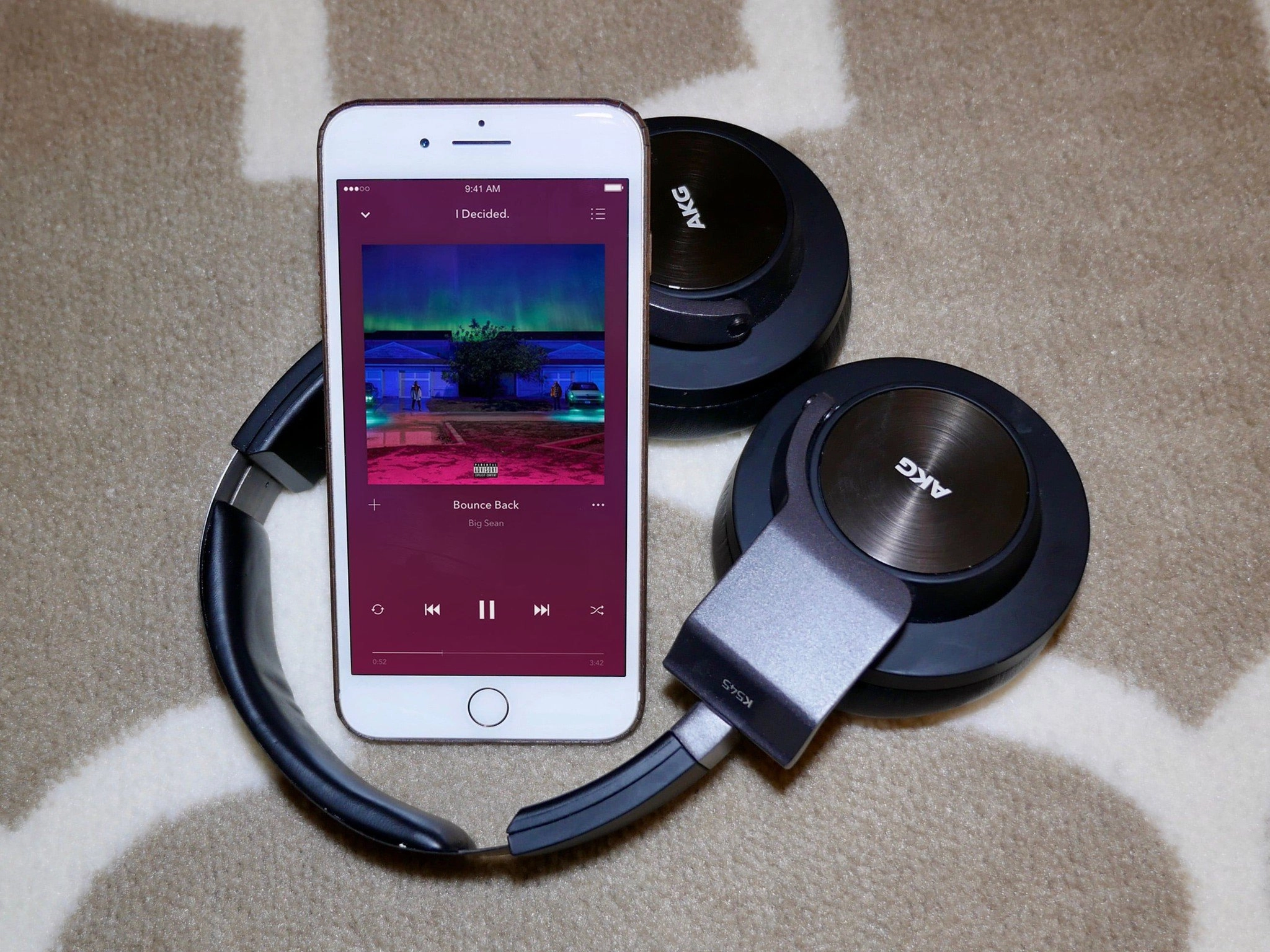
Apple music has now launched in Korea and Israel. Free three-month trials are available in both countries, just like previously-launched countries.
Confused about Apple Music? We've got the beats and the deets.
Apple Music is just over a year old, and offers its users a subscription music service, Beats 1 radio, a redesigned music app, and more custom playlists than you can shake a stick at. Here's what Apple Music is, what it's not, how it compares to other services, what you'll be able to find on your iPhone, iPad, Mac, or PC, and what's coming with iOS 10 and macOS Sierra.
Basics and membership | What's coming this fall with iOS 10 and macOS Sierra | Music | Apple Music, iTunes Match, and DRM | Radio | Connect | Troubleshooting Apple Music
Basics and membership

What is Apple Music?
Apple Music is, to quote the company, "All the ways you love music. All in one place."
So... in non-marketing lingo, Apple has put together a service that combines your purchased music library and ripped tracks with the power of its Apple Music streaming catalog.
From there, you can mix-and-match your songs with their songs in online or offline playlists, listen to specific artists, or rock out to hand-built groupings of music from Apple's music editors.
Apple Music also encompasses a 24/7 radio station that will be available for anyone to listen to; iTunes Radio-like custom radio stations; and a social media stream for musicians called Connect.
Why is Apple making a streaming music service in the first place?
More and more people are listening to streaming music, and for good reason: When you can listen to just about any artist, genre, and song you set your heart on, it's a lot more enticing than playing the same thousand songs you own in your library.
By adding a streaming component to its service, Apple can unify the music you already own with its gigantic catalog — described as "tens of millions" during WWDC–and let you mix your purchased or uploaded music together with your streamed songs, whether or not you have them locally stored on your device.
On top of that, Apple thinks it can help you find great new music to either stream or purchase with tailored recommendations, hand-built playlists, and its new Beats 1 radio station. It's a gamble, but given Apple's background in music, it's one the company wants to take.
How does Apple pay artists when a track is streamed?
When an artist's music is streamed, they're paid a certain monetary percentage per-play. Apple currently pays a certain percentage during your free trial and pays a higher premium when the trial is over.
Do I have to pay for Apple Music?
Yes, but not at first: The company offers a free three-month trial for everyone when they first subscribe, whether you own an iPhone, iPad, iPod, Mac, or PC. Once those three months are up, you'll have to pay $9.99/mo to continue taking advantage of all that Apple Music has to offer.
There's a family plan, too, right?
Yup! If you have a few people in your house who love streaming, just sign up for the $14.99/mo family plan and up to six people in your family can jam out to Apple Music. You don't even use the same Apple ID for each device, either: You just have to turn on iCloud Family Sharing.
- How to sign up and activate an Apple Music family plan
- Can't get Family Sharing in Apple Music to work? Here's the fix!
- How to switch between Apple Music Individual and Family plans
Is there a student plan?
Yes! Apple is offering students in the U.S., U.K., Australia, Denmark, Germany, Ireland, and New Zealand whose schools can be authenticated by third-party service Unidays a $4.99/month discounted membership option. This membership is good for the length of your student tenure or four consecutive years, whichever comes first. You can find more information about student plans on Apple's website.
What do I get when I sign up for Apple Music?
For the first three months after signup, everyone will get all the features of Apple Music. After that initial trial, however, here's how it breaks down.
If you don't have a paid subscription with Apple Music, you'll be able to listen to any music you've purchased, ripped, or uploaded to your device. You'll also be able to listen to Beats 1 radio, and view and follow an artist's Connect stream. You won't be able to match or upload your music to iCloud Music Library, however, unless you pay $24.99/year for iTunes Match.
With a paid subscription (or a free three-month trial), you get all of the above plus:
- unlimited skips for Apple Music radio stations
- the ability to like, comment, play, and save Connect content
- unlimited listening to the entire Apple Music catalog
- the ability to add Apple Music songs to your library and listen offline
- your entire purchased and ripped library, matched to the iTunes catalog/uploaded to iCloud Music Library for access on all your devices
- access to Apple Music's hand-curated recommendations and playlists
What happens if I decide not to subscribe after the three month trial?
Any streaming music you've added to your library from the Apple Music catalog will no longer be playable. (You have thirty days to reinstate your membership if you want to restore these tracks.) You'll also stop having access to Connect content; and unless you switch to the stand-alone iTunes Match service, you won't be able to stream your previously purchased and uploaded music to your devices, and (Any songs from your Mac's original iTunes library that you've downloaded on other devices remain as-is.)
How do I unsubscribe?
You can keep your Apple Music subscription from renewing by following these instructions:
What devices can I use to listen to Apple Music?
Apple Music is available on the iPhone, iPad, and iPod touch running iOS 8.4 or later; it's also available on Apple Watch 1.0.1 or later; on Macs and PCs running iTunes; on Android; and on the Apple TV.
Wait... Android? Really?
Really. Beats Music had an Android app, after all. And if Apple really wants to offer all your music in one place, it needs the flexibility to do so on multiple platforms.

What about listening on an iPod?
Sadly, only the iPod touch is compatible with Apple Music; the new iPod nano and iPod shuffle are limited to tracks you own. We're hoping for a software update from Apple to address this, but it's not likely.
How does Apple Music work on the Apple Watch?
Basically, you can sync any music from your Apple Music library to your Apple Watch like you would a normal playlist. You don't have to have your iPhone nearby to play it, as it's stored locally on your Apple Watch; if you unsubscribe from Apple Music, however, the next time your Apple Watch connects to the internet, any Apple Music songs within that playlist will disappear.
I already use Pandora/Spotify/Google Music/Tidal/etc. Why would I use Apple Music instead?
Apple Music's biggest asset is its integration: You don't have to download extra software. You use your Apple ID to pay for it. And it can tap into your iTunes library, allowing you to listen to any of those songs while you're on the go — even if you don't have them downloaded to your device.
Pandora is cheaper, but limited to algorithmically-generated radio stations. Google, Tidal, and Spotify are on par price-wise, but can't upload and stream your iTunes library with the same ease as Apple, and they all rely more on algorithms. Music, in contrast, will have the old custom-curated playlist magic Beats Music brought to its customers as well as custom-curated Apple Music radio stations.
I'd give Apple Music a shot if any of the following are true for you:
- You want your iTunes collection easily side-by-side with your streaming music
- You like Siri's music integration
- You don't want to download an app and pay for a third-party service
- You loved Beats Music's playlists
- You want an affordable family plan
And hey: it's free for your first three months. Might as well give it a try.
How do I get Apple Music, exactly?
On your iPhone or iPad, make sure you're running iOS 8.4 or later, then open the Music app! You'll also be able to use Apple Music on your Mac via iTunes using OS X El Capitan or later, and Apple TV 9.2 or later.
Which countries can listen to Apple Music?
Over 100 countries can currently groove to Apple Music; here's the company's current list of who can listen.
What's coming in the fall with Apple Music 2.0

How is Apple fixing Apple Music?
After a year of running the service, Apple Music has grown tremendously — but it's not without its growing pains. Apple is well-aware of those complaints and grumbles, and the company is addressing many of them in iOS 10 and macOS Sierra with a redesigned Apple Music experience that simplifies a lot of the insanity without taking away the features users love.
Apple Music has now been consolidated into three tabs: For You, Browse, and Radio. Your Library lives to the left of those tabs; on the Mac, you get a link to the iTunes Store, while iPhone and iPad users will have a tab for search.
Gone are the top-level tabs and weird drop-downs, and though the More button still exists, it's a lot more organized.
On the design side, Apple Music has made everything bigger, bolder, and white, with side-scrollable areas and vibrant section headers offsetting a pure white background. The mini-player also gets this redesign, replacing tiny buttons with larger play/pause and forward buttons.
What's new with my music?
For one thing, it's all in one place! The My Music tab is now Library, and it provides an easy-to-tap list for your playlists, artists, albums, songs, Home Sharing libraries, and any and all downloaded tracks. Below the main navigation is a collection of your recently-added songs and playlists, viewable in album art form.
The Downloads button will be a welcome addition to anyone who flies regularly, but better still are the behind-the-scenes settings for your music, which will let you specify whether you want to optimize your storage or manually control which songs stay on your devices or not. There's also a new setting to restrict Apple Music tracks from your library if you add them to playlists; as a result, you can add hundreds of subscription tracks to an "Apple Music" playlist without worrying about them cluttering up your main library.
Is iCloud Music Library any less terrible?
A lot less terrible. There are some nice additions coming — see the aforementioned switch that limits Apple Music tracks to your playlists, as well as being able to delete tracks from iCloud directly from your iPhone — and my big problems with iCloud Music Library have been addressed in a major way by integrating the iTunes Match service into Apple Music. This limits DRM-locking to subscription music alone, and gives you DRM-free re-downloads of all of your personal music that will subsist even after you cancel your Apple Music subscription.
Sadly, you still can't force tracks to upload rather than match to the iTunes catalog.
How has For You been improved?
In a word: Greatly. Rather than just give you an assortment of playlists and albums, For You now offers several side-scrollable sections tailored to your taste. Come the fall, you'll have your very own Spotify-style Discovery playlist, along with six daily playlist recommendations; a recently played section that tracks playlists you may have enjoyed but not saved; a grouping of playlists you listen to frequently; daily album recommendations; playlists spotlighting specific artists; and new releases recommendations.
There's no tab for Connect: Is it gone for good?
The tab, yes. Connect itself is being folded into For You; after your new releases recommendations, you can endlessly scroll through your timeline of followed artists and DJs. It's a change I'd been hoping for since Apple Music's release, and one that will hopefully make Connect feel more relevant, rather than a tab doomed to isolation.
How is the New section changing?
New has become Browse; while it still highlights new artist releases and holds the entire Apple Music catalog and playlist rotation, it's now been reconfigured to more accurately reflect its contents. You can browse the week's new albums or look at specific genres; scan through playlists; view top charts; play video; and more.
Any new Beats stations?
Sadly, not that we've heard about just yet. There are several new Beats 1 show anchors, however, including Jehnny Beth, Mary J Blige, Martin Garrix, Corey Taylor, Matt Wilkinson, and deadmau5.
When can I get the new Apple Music experience?
You'll see it appear alongside iOS 10, macOS Sierra, and tvOS 10 sometime this fall — we'd guess around the third week of September. Apple is rolling out the iTunes Match integration as I type; it should be available for all Apple Music users by the end of the summer.
Music

What does the current Music app on iOS 9 look like?
It puts Apple Music front and center, offering five categories: For You, New, Radio, Connect, and My Music.
For You showcases your playlists along with any suggested music and playlists Apple Music thinks you might like. New highlights the latest and greatest from artists you've told Apple Music that you enjoy. Radio is where you can find Beats 1, along with Apple's hand-built Music radio (née iTunes Radio) stations. Connect collects the social feeds of your favorite artists, and it's where they can post exclusive videos, songs, lyrics, photos, and more.
My Music is the tab for your music library — any music you've purchased, matched, uploaded, or transferred from Apple Music — and it contains all your songs; you can organize this by Artists, Albums, Songs, Music Videos, Genres, Composers, and Compilations.
Along the top bar of the app, there's an icon to access your Music/iTunes account, two tabs that let you switch between your Library and Playlists, and a search icon.
What about iTunes for the Mac and PC?
It largely resembles iTunes 12, with some new top-tab categories. My Music, Playlists, and the iTunes Store tabs remain the same; replacing Match and Radio are the four new tabs found on iOS: For You, New, Radio, and Connect.
Apple's not going to automatically put music in my music library, right?
Nope, we're not getting another U2 debacle: Any music that shows up in your library should be music that you put there. You may see suggested playlists and songs for you in the other tabs, however, if you've subscribed to Apple Music.
So my music lives next to the streaming service?
Next to, yes, but also integrated with. Your current music collection now exists in iCloud Music Library, accessible on any of your devices. You can also add anything from the Apple Music collection to that library. Of course, if you never want to download songs from Apple Music's streaming catalog, you have that option — but it would make having the service pretty silly.
I heard Apple Music's tracks are DRM-locked?
Yes: Any song from the Apple Music catalog has DRM (digital rights management) applied to it, which is how the company makes sure you don't sign up for a streaming service, download a bunch of songs for offline listening, then cancel and run away with that music. So you can play any song from the Apple Music catalog on your devices, but you can't burn it to a CD or play it in, say, Spotify's online player. Makes sense enough, and it's similar to the DRM used by every other major streaming service.
That doesn't apply to songs you've synced your Mac: They're either matched to the DRM-free iTunes Store catalog or uploaded as-is. You can then stream and download songs to any of your other devices (up to 10).
If you cancel your Apple Music subscription, those matched or uploaded tracks will disappear from iCloud, but any tracks you've downloaded will remain playable. Any songs from the subscription catalog, however, will become unplayable.
But [insert site here] told me Apple DRM-locks the music on my Mac!
That website is wrong. As of August 2016, the only thing Apple DRM-locks is their Apple Music catalog.
If you have an Apple Music account, do you also need to subscribe to iTunes Match?
Nope! iTunes Match is now bundled inside Apple Music. The only reason to subscribe would be if you plan to cancel your $9.99/month Apple Music subscription but still want access to your local music across all your devices.
Why would you choose iTunes Match rather than just subscribe to Apple Music? Math, my friends: iTunes Match is just $24.99/year, while an Apple Music subscription runs you $119.98/year. If streaming all of Apple's music collection doesn't appeal to you, but having on-the-go access to your full music library does, iTunes Match appears to be a good alternate option.
I heard there's a song limit on matching for Apple Music and iTunes Match?
You're correct: You can only match up to 100,000 tracks from your library to the Apple Music or iTunes catalog, depending on what kind of subscription you have.
Can I mix and match my songs with the Apple Music collection?
Absolutely: You can build playlists with both your music and the Apple Music collection, and add Apple Music songs to your library. (Come iOS 10 and macOS Sierra, you'll also be able to keep your Apple Music songs siloed to playlists if you prefer to separate them from your main library.)
What does Apple Music mean for Radio and the iTunes Store?
Apple has two radio offerings: Beats 1 (which is live and streaming 24/7) and algorithmically-created Apple Music radio stations, along with the option to create your own custom algorithmic Apple Music radio station based on your favorite song, artist, or album.
The iTunes Store is very much alive, though: Just because you can stream music doesn't mean Apple expects you never to buy a song again in your life. Sometimes, you just want to own an album or song, and iTunes will be there for you.
What's the streaming bitrate?
Apple Music files are sent to your device at 256kbps AAC, similar to the iTunes Match service. According to Apple senior vice president Eddy Cue, the actual bitrate varies depending whether you're on Wi-Fi or cellular, likely to save on your monthly data bill. This is done automatically, though you can choose to stream in a higher bit-rate over cellular via the Music preferences screen.
Can I listen offline?
Yup! Offline listening to both songs and playlists is one of the perks of Apple Music. (It's also why any songs from the streaming catalog are DRM-locked.)
Can I burn Apple Music songs to a CD?
Nope: That would be stealing. They're not tracks you own, even if you download them for offline use; they're protected .m4p files.
Is Apple Music getting any exclusive content I won't be able to hear elsewhere?
All kinds! Apple Music has debuted music from Pharrell, Taylor Swift, Chance the Rapper, and many other high-profile artists in its first year of operation.
Beats 1 also offers a variety of special and exclusive shows: You'll be able to hear radio spots from Jaden Smith, St. Vincent, Pharrell, and Dr. Dre, as well as exclusive interviews from musicians like Eminem.
How do I tell Apple Music what I like to listen to?

When you first set up Apple Music after upgrading, it'll ask you to highlight genres and artists that you like by tapping on gigantic bubbles. From there, it's an ever-evolving process where the service pays attention to what you favorite and listen to and adjusts accordingly; you can also tap and hold on the Favorite icon while listening to a song to ask Apple Music to play more like the current song, or less of that taste and genre.
What about new music?
The New tab of the Music app is dedicated to finding the best new music specifically for you — it's not just a top ten list or Billboard chart. Apple Music looks at what you like and curates accordingly, highlighting new songs, albums, and artists it thinks you'll love.
Tell me more about curated playlists?
Curated playlists are hand-built by Apple's Music Editors, artists, and what Apple is calling "Curators"; they're targeted specifically to your genre tastes, so if you like soundtracks, for example, you may get "The Musical Dialogue of Gilmore Girls."
Apple has a host of editors on-hand who are constantly making new playlists, but they've also partnered with websites, magazines, and "tastemakers" for their Curators program: Expect to see song recommendations from Rolling Stone, Pitchfork, Q Magazine, DJ Mag, Shazam, Mojo, The Grand Ole Opry, XXL Magazine, and more.
Is there a way to share what I'm listening to?
You bet. Apple is integrating Twitter, Facebook, and Messages into Apple Music, so you can share playlists, albums, and videos with your friends. Unfortunately, those shared playlists aren't searchable nor live-updating: You'll just get a static link.
How do I search Apple Music?
There are two primary ways to search Apple Music: the dynamic search field, and Siri.
How does Apple Music's dynamic search engine work?
When you tap the search icon at the top of the app, you can type in just about anything you're looking for — artist, song, genre, playlist title — and Apple Music will try and find it for you. It'll also remember what you've searched for recently, and display trending music searches from other Apple Music members.
You'll also be able to filter between searching through Apple Music's catalog and the songs that you've added to your library.
What about Siri? Has it gotten more intelligent about music?
Has it ever! Siri's music-playing and finding abilities will improve massively with the Apple Music software update: You'll be able to ask it to do things like "Play the top songs from 1980" and it'll make a playlist of the chart-toppers from that year, for instance. Or, while listening to a song, you can say "Play more songs like this," and it'll generate a playlist for you on the spot. You can also tell it to queue up a song: "After this song, play Thru the Eyes of Ruby." And if you like something you've heard on Apple Music, you can ask Siri "Add this song to my library."
Can I still use Home Sharing?
Yup! You can set it up for each of your devices within the Settings and preferences screens.
I have a Sonos system: How can I listen to Apple Music and Beats 1?
Pretty easily! Apple Music is an offical Sonos partner, so all you need is the Sonos app on your iPhone, iPad, or Mac. (Unfortunately, Siri doesn't integrate with Sonos, so you won't be able to use voice commands.)
What about other home-connected speakers like the Amazon Echo?
Unfortunately — but unsurprisingly — Amazon currently only supports its own music service and Spotify for the Amazon Echo, Dot, and Tap.
Radio

How does Apple's radio service work?
It's split up into two sections: Beats 1, and algorithmic stations. Apple's premade algorithmic stations are a slight misnomer; They're partially custom-programmed by humans, to add an extra touch. You can also create a new entirely-algorithmic station from one of your songs, artists, or albums, however.
Beats 1 is the other half of Apple's radio initiative: It's a 24/7 station that plays music along with exclusive interviews, special celebrity programs, debut singles, and more.
So tell me about Beats 1.
Well, there's it's aforementioned 24/7 nature, achieved by a combination of several A-list hosts and custom programming. Anyone can listen to Beats 1 — whether or not you have an Apple Music subscription — and it's coming to over 100 countries, like Apple Music itself.
Once a Beats 1 show airs, can I download it and listen to it later?
Yes! All of the programmed shows have a full archive, while the everyday live shows are replayed 12 hours later, and some DJs may post playlists or snippets of their shows after the fact.
Who are the hosts of Beats 1?
Apple's tapped three top-tier radio personalities: Zane Lowe, formerly of BBC1, will host the LA segment; Ebro Darden, former vice president of programming for NYC's WQHT Hot 97, will broadcast for NYC; and newcomer Julie Adenuga will host London's broadcast.

Each Beats 1 station also has a number of smaller personalities who run the country-specific shows (London, NYC, and LA each have a few one-hour blocks), along with CHART and REQUEST.
Does Beats 1 play explicit music?
Beats 1 plays music from explicit artists, but the music itself has so far just been clean radio-edits. Currently, there doesn't appear to be a way to set a preference for this on either Beats 1 or other algorithmic Apple Music radio stations.
Are there other radio stations, too?
No live ones, though Beats 1 does host programs from various celebrities and NYC/LA/London DJs whenever Low, Darden, and Adenuga aren't rocking the mic.
You'll have plenty of algorithmic Apple Music radio stations to choose from, however, including Soundsystem, The Mixtape, On the Floor, Pop Hits, All-City, Americana, Blues, Chill, Classic Alternative, Dance Pop, Electronic, Hip-Hop, Indie, R&B, and Workout Anthems. (You can read more about each on Apple's website.)
Can I create my own station?
Yep! You need only select "Create Station" from a song, album, or artist and Apple Music will algorithmically do the rest. You can also adjust your mix on the fly by favoriting songs and marking the ones you dislike.
How can I find my old iTunes Radio stations?
Just go to the Radio tab and tap on the Recently Played title.
What if I don't like a song that's playing?
You can easily adjust what Apple Music's radio stations are playing by tapping the Favorite (star) icon to the left side of the screen: From there, just tap "Play more like this" or "Play less like this."
Can I see what songs played on Beats 1 while I was listening?
Sure thing. Just tap the Up Next button in iTunes, or go to the iTunes app on your iOS device. For more info, check out our tutorial:
Connect

What's Connect, and does it suck any less than Ping?
So pessimistic, readers! But you're not wrong. Connect sucks a little bit less than Ping, offering artists exclusive portals to chat with their colleagues and fans, post unfinished work, showcase videos and photos, and more.
It's a little bit like MySpace's Band pages, but for the 21st century.
As for whether it works? Well, artists haven't been particularly engrossed by it, and it's Yet Another Page to check — so much so that Connect will be incorporated into For You this fall when iOS 10 and macOS Sierra launch.
What can I find on Apple Music Connect?
Whatever artists wish to post, whether that's a photo, lyrics, URLs, videos up to 8 minutes, song snippets up to 90 minutes — you name it. And if you have an Apple Music subscription, you may even be able to download some of those exclusive song snippets.
How do I follow an artist on Connect?
In Music or iTunes's search field, type the name of the artist you want to follow. Click on their profile, then click "Follow".
Can I follow Beats 1 DJs, too?
Yep! Just type in their name (or the name of their show) to get playlists, clips from the show, interviews, and more.
Can I leave comments?
Yup, and the artist can respond if they so choose. Better yet, you can share the artist's post — and your comment — through Facebook, Twitter, Messages, or email, so your opinions on Connect's content aren't siloed to just Connect. It's one of the ways I'm hoping Connect will reach a larger audience and not just fizzle the way Ping sputtered and died.
How do I see more music from an artist I like, using Connect?
All artists on Apple Music should have Connect profile pages, though how well they update those pages depends on the musician. That page will have their full discography on it, their biography, and the content they've shared with Connect; you can also see from that page what content of theirs you have downloaded to your library and what you have yet to listen to or download.
How does Connect work for indie artists?
Any musician who has an iTunes Music account can sign up for a Connect page and to put their music on Apple Music. If you don't currently have your music up on iTunes or Apple Music, you'll either have to go through your label (if applicable) or an approved aggregator, or contact Apple Music support directly to request access to a Connect profile. Apple has more details on its website.
Troubleshooting Apple Music
What's the difference between Apple Music and iCloud Music Library?
Apple Music is the company's name for its whole streaming subscription service. iCloud Music Library is the part of that service dedicated to keeping track of any matched tunes from your Mac's library, uploaded songs that didn't match to the iTunes catalog, and any tracks you've added from the Apple Music catalog.
Is iCloud Music Library part of the stand-alone iTunes Match service, as well?
Yep! The iCloud library you use for both services is identical; as of August 2016, they both match to the iTunes Store's DRM-free song catalog.
Apple Music has eaten so much of my data plan! How do I make it stop?
Chances are you're streaming a lot of music over your cellular plan. We've put together a bunch of suggestions for keeping that from happening in the future.
Why can I only heart certain songs and not others on Beats 1?
This is half-bug, half-catalog issue. In general, if you can't heart a song nor add it to your library, there's a good chance that Apple Music doesn't yet have the rights to it within its catalog, so you can't actually listen to it outside of Beats 1. That said: there's also a bug present in both iOS and OS X where a song presents as not available, but actually does exist in the Apple Music catalog. We're crossing our fingers that Apple's working on it, and it'll be fixed soon.
Apple Music sucks so hard! My album art got screwed up, my songs won't sync... ARGH!
Deep breaths. Did you make a backup of your iTunes library before joining Apple Music? It might be worth logging out of Apple Music and going back to that backup.
Depending on your problem, we've got a lot of different troubleshooting steps and solutions you can try. Check out our troubleshooting Ultimate Guide for more help.
You don't have a troubleshooting article that helps me. Is there anything I can do?
Yes! Contact Apple Support. They may be able to help where our articles can't.
Other questions?
Got a question about Apple Music that we haven't answered yet? Drop it off in the comments and we'll try to answer it to the best of our ability.
If you want even more questions answered, we've put out a 150+ page ebook on Apple Music for all your questions.
July 5 2016: Updated with information about Apple Music 2.0 July 22 2015: Updated with more information about iPods, Connect, Beats 1, and troubleshooting. July 2 2015: Updated with more details on DRM, iTunes Match, iTunes Radio, and Connect. June 30 2015: Updated with more details on Beats Music migration and Apple Music radio. June 28 2015: Updated with additional information from Apple Music senior director Ian Rogers on the exact launch time, and Apple SVP Eddy Cue on Beats migration, library size limits, and iOS 9 compatibility.
Serenity Caldwell has been writing and talking about and tinkering with Apple products since she was old enough to double-click. Managing editor of iMore, she hosts a number of popular podcasts and speaks frequently at conferences. In past lives she worked at Macworld and Apple Retail.
Reader comments
Apple Music FAQ: Everything you need to know
There is some misinformation about uploading and streaming your music library to other services. Google, Spotify, Rdio can actually scan your library and match it to stream in those services. In fact, Google will even upload songs, like Apple, that it can't match and Google's is free! Other things to note is that you can listen to higher bit rate music and have better integration with other apps and services. Uber and Spotify is one example.
Pages
I'm going to do a full compare/contrast on Monday, so stay tuned for that. I'm not saying, mind, that those other services can't upload your library. It's that you'll have slightly better integration with Apple Music if you've bought all that stuff from iTunes/have it in iTunes.
Awsome, cant wait, if you can stream your own music like google does I will jump on board.
I have iTunes Match and Google Play All Access. I uploaded all my iTunes music using the Google Music uploader in one night. Using iTunes to do the same thing took 6 days made my computer practically unusable in the process and never did complete successfully.
In the end I gave up and called Apple for a refund of my $25 which they refused.
Posted via the iMore App for Android
I believe you. For all of iTunes' merits, it is still an old-fashioned software application, and a huge one - both in file size and resource intensity - at that. And it gets bigger, more complex and more CPU and memory hogging with each update: it reminds me of those massive PC applications that everyone used in the 1990s and early 2000s before the shift to the web, or at least web-based GUIs.
Play Music, meanwhile, is a modern web app. It presents you with a little menu dialog box when you are uploading or downloading music but that it it. The rest of it is a web plugin/extension that runs extremely fast and efficiently while taking up almost no CPU or memory. And where iTunes is notorious for taking your whole box down, if Play Music freezes or has any other problem, closing it is akin to exiting a browser window.
If Apple ever does get around to making iTunes a current generation app instead of an application whose design and function is like two computing generations ago, Play Music would be an excellent template for them to follow. Granted, iTunes does perform better on Apple hardware than on Windows, but even there it is still an outdated file system space and resource hog.
yeaa, i felt the same about Apple
luckily i use WALTR now, it`s much easier and using iTunes is not needed, which makes the whole process much easier. You just drag and drop and that`s all you have to do. Give it a try, it`ll change your mind http://softorino.com/waltr
Thanks for the information. Just want to share some info on burning Apple Music to CD. Though iTunes doesn't support to do it, we can save the music to hard drive to remove DRM, then burn it onto a CD. I followed this guide, http://www.apowersoft.com/burn-apple-music-to-cd.html
One of the great things I love about Spotify is that you can drill into an entire artist catalog right from a single song . Believe it's called "go to album". I am really trying to give Apple music a fair shot but I don't see this function. To me it's absolutely critical. Am I missing something?
Apple music has that. Just tap on the song name. It brings you to its album, with the artist name just below it. If you wanna check more info on it, tap the artist name.
CrzyP, Everything you said is wrong.
Only Apple uploads your music, matches it to 256 AAC and lets you keep it even if you aren't a subscriber anymore. You can use music from any source.
Googles is now free because of Apple music but has ad's. I pay for Spotify and Pandora avoid ads. I will almost certainly drop both for Apple music. Google also sells to advertisers what you listen to. You are the product. So if free is worth all that to you have at it.
If I wanted free I would use Spotify and Pandora with ads long before I would anything from Google.
It is also incorrect that any of these services have higher quality sound than Apple. Spotify Extreme mode uses 320k Ogg which is not as good as 256k AAC.
They also do not have "better' integration with other apps. Apple Music will of course integrate with a whole lot of iOS and Mac apps, which it already does and have you heard of Airplay?
Its ironic, you criticize someone else for getting everything wrong, and then do the exact same thing.
Talk is cheap. Tell me exactly what I said that is wrong. Because I know you can't.
I uploaded my iTunes library to Google Play Music and stream it everywhere (including using Google's instant mix feature to constantly get a new slant on my own music) - and have never seen an ad. So you're just plain wrong about that at least - and must have been referring to another part of the service if you're right at all.
I've also never paid a penny - tho' of course GOOG gets to follow me around the web and urge me to buy stuff I've either already bought online or looked at and rejected, to which I say, give it your best shot. I research what I buy rather than get moved by ads. And it's difficult for the average person to go to any websites without trackers from sources less public and more dubious than Google recording your every move... ...so this whole meme focusing just on this company seems a bit overblown to me.
You're article states "your entire purchased and ripped library, uploaded to iCloud" but it doesn't state you need iTunes match at this point. What if I do not have iTunes Match, will my live concert that does not exist in iTunes upload and be available to me through Apple music for streaming?
It appears that if you have Apple Music, you'll be able to do iTunes Match-like uploading. TBD on whether that's actually true or not—we'll have to wait until Tuesday to confirm.
i really hope so, The thing that always prevented me with going to Match was the 20,000 song limit since we can stream anything anyway, I would hope this limit goes away
From Eddie Cue: 25k for launch and working to get to 100k for iOS 9
https://twitter.com/cue/status/614632890740027392
I have 30K in Match now and the performance can be flaky. It always seemed the 25K limit was a technical one more than anything. Hopefully that’s resolved in iOS 9 and not swept aside as an edge case. (It’s great to be able to say there’s a 100K limit, but what percentage of users are going to approach it?)
Apple Music subscription includes iTunes Match. I asked Eddy Cue on Twitter.
https://twitter.com/cue/status/614350132918644736
I have Apple music in the U.S. Is he saying that when you subscribe to Apple music u'r automatically get iTunes Match ? Thy are still separate services. so that is not true....
My question is - what if you are a current Match subscriber? I don't expect a refund or a credit, but at the very least, I hope all my uploaded and matched songs will instantly transfer over to Apple Music... I'd hate to have to go through that process again.
Yeah, the main advantage of Apple Music seems to be Siri integration, and the family share plan. Other than that, Google Music is great, and it will even integrate with iTunes.
I'm a Google Music subscriber and the only issue I've had is when I uploaded my songs it didn't always match them correctly, so I ended up with some duplicates of my songs and Google's copies.
Are podcasts going to be linked into it, or staying a separate app?
Looks like podcasts are staying separate for now. TBD!
If we like Apple Music and are an existing iTunes Match subscriber it sounds like it makes sense to drop the iTunes Match subscription and go with the Apple Music subscription. Would we lose anything by dropping the iTunes Match subscription that's not already in the Apple Music program?
Not that I can tell, but again, TBD until the service actually launches.
So is it safe to say that subscribing to Apple Music means I won't have to re-upload my songs already stored in iCloud through iTunes Match? And also that the number of "matched" songs won't change even though the Apple Music streaming catalog does not include everything in the iTunes Store?
I hadn't thought about that second point. I hope that's the case!
iTunes Match matchs music and upgrades it to 256k AAC and lets you keep it even after your subscription ends. I doubt Apple music does the things or it wouldn't still exist.
I'd also like some clarification on how my iTunes library is handled. I have a pretty large (60,000 songs) library that is well-manicured in terms of metadata, album art, and playlists. I wasn't eligible for iTunes Match because of the 20,000* song limit. (*At least that's what I remember it being.) This article doesn't mention if the song limit still exists with Apple Music.
Also, is there a way to opt-out of the matching feature? I really don't want Apple substituting my tracks with theirs, even if it's the exact same album. I'm pretty fastidious about my genres and how my music is sorted, and I've had bad run-ins in the past with Apple when they try to impose their organization on me. I just want my music uploaded and streamed back to me in exactly the same way I currently have it in iTunes.
Not sure if there's a song limit, but I wouldn't be surprised to see the 20k thing stick around. We'll see on Tuesday!
As for not matching, I think the only way to get around that is to physically load the tracks on your device, rather than rely on streaming. It shouldn't try and rewrite your metadata, though, to my knowledge, but I'm not 100 percent positive on that. Will try and get some better info ASAP!
When Apple makes a device that can hold 60K songs, I'll be the first in line! Probably the best solution for me is a Synology, but I'm not mentally prepared to drop the $$$ on that just yet....
You are an outlier in amount of music but I think I saw somewhere that Apple Music goes past the 20k limits.
Yeah seriously this guy is stupid, that's like 2 years of listening to music two hours a day before you repeat a song. Who needs more music than that?
Do the iOS apps and iTunes still have ratings, play counts and other metadata? Will I get play counts etc for Apple Music tracks I don't own and have added to My Music. Will smart playlists work across tracks I own and tracks I have just added to My Music?
I believe they will, but have to double-check on Tuesday. Smart playlists should work across both your music and Apple Music, yep.
Fingers crossed. Rating songs and creating smart playlists off of them are *the* reason for me being excited about Apple Music (and the family plan to get the kids out of my playlists!).
Same here! The other thing that makes me a bit nervous (in the screenshots) is the "heart" action that's available for each song. Will the binary heart replace the existing 5 star rating scale? Or will it just become another piece of metadata that smart playlists can work with? It appears that the heart is intended to help shape recommendations -- will I need to go in and heart my 4-5 star tracks and albums to make sure they're included?
The tracks in your music collection still use a five star rating system in iOS9 Beta 2. The rating appears if you tap on the track name on the now playing screen. It sounds to me as if the hearts are for music NOT yet in your collection. Obviously this doesn't tell us if Apple Music will use your star ratings to help in choosing recommendations but it would seem trivially easy to do that and stupid not to.
I always thought that having the iTunes Store recommend songs to me based on the entirety of my music library and not limited to ONLY previously-purchased songs would be trivially easy and stupid not to, but here we are. : D
I'll be amazed (and very happy) if Apple Music tracks are included in smart playlists.
.... and I currently sync my iOS device with iTunes through my lightning cable. Is this still supported?
Yes.
Hopefully it’s handled better than in iTunes Match, where you can no longer sync locally-stored tracks from desktop iTunes and have to download tracks from the cloud via the device itself.
I'm wondering... Can I share a $9.99 subscription with my wife? With Spotify I can... If both our iPhones use the same iTunes & App Store Apple ID (which they do) I'm guessing it's possible but I would love to hear confirmation. Or I can just wait until the 30th and find out for myself. :-)
Good question. My wife and I share a Spotify account. Once in a while when we listen at the same time, one of us gets kicked off.
I'm dumping Spotify for the Apple Music family plan. It's 100% worth it to pay just $5 more per month to have separate streaming, playlists, etc.
I would love to get the family plan but it requires to sign up to family sharing and I have no intention of doing so. Unlike you we don't stream music much so sharing an account with the possibility of being kicked off is a non-issue for us.
You can currently have separate accounts on spotify for $14.99. Each additional account is 50% off. What makes the Apple family plan sound better, is that you can have up to 6 accounts for that same $14.99.
Yup, I believe so, as long as you don't mind only listening to one device at a time.
Serenity, could you confirm that Apple Music is restricted to one device playback at a time if youre signed on to the same iTunes ID (but you each have different iCloud accounts)
Can you listen to a streamed song / album without adding it to "My Music?"
ie - Can I sample the next, big thing and decide whether I like it enough to make it "mine?"
Yes
Yep! You can stream entirely from the Apple Music collection without having to download it or add it to your library.
That is one advantage Rhapsody has that Spotify doesn't: the ability to listen to an album offline without adding it to your library.
What a great overview - thanks! I wouldn't go as far as to call the U2 giveaway a 'debacle', though :P
But the Fandroids insist it was, LOL. Really a lot of whining over getting a free album. Pity they had to go to so much trouble to delete it.
Why would it have been a "debacle" for "Fandroids" who never received the album in the first place? My goodness, you folks have Android hatred on the brain. Lots of people resented having AN ENTIRE ALBUM (as opposed to the usual sample song or two) pushed on them on principle. Some people REALLY don't like U2. And there were some who weren't exactly pleased with the album cover art either. You are right, I would not call it a debacle; a software update knocking out your cell or wi-fi connectivity and needing to be rolled back is a debacle. But you can rest assured that Apple is never going to pull a stunt like that again.
Great post Serenity!!!
So much in one post... Everything you need to know is here :) Will be very useful for my friends.
I guess, just like every iTunes Match user, there's still so much confusion with it... If i sign to Apple Music, should I keep my iTune Match etc... Even Apple website is not too clear about it yet.
I guess we will have to see...
Also can't wait to see what will be the official Canadian price... Will they keep the 9,99US (and cover to CAN) or will Apple match Spotify price with 9.99CAN... Mystery....
On the iphone do you think there will be an option that you can use Apple Music and Beats1 on Wifi only?
Sure, I think the option is already there on settings
you mean itunes and app store settings or mobile data?
Do you have any idea if the iTunes ID for Apple Music can be separated from that of the App Store? I used to live in the U.S, so all my paid app history is tied to a U.S. iTunes account and I generally stay on that ID. But I've since moved to Canada and for a subscription I would much prefer to use Canadian billing. Basically can you switch accounts on the App Store without it affecting the login on the Music app?
Maybe you know this but youcan actually make your US account move to be a Canadian account, I haven't actually done that but I think you'll keep your paid history and also be able to use Canadian billing
I actually hadn't known you could do that but should look into it, thanks! It might be necessary when Apple Pay comes here too.
I'm wondering about genius. I just recently turned genius playlists back on and I'm really enjoying what was made from my content. Will that still be available with Apple Music? Maybe even more importantly, will Apple Music use the info in my existing collection to help determine other things to recommend? I've spent decades curating my collection, I'd think that would be valuable information for determining what I might like to listen to next.
Yep, Genius still exists. I'm not sure whether you'll be able to create a Genius playlist with Apple Music songs in your library, but I don't see why not.
Apple Music will use your existing collection and what you listen to for recommendations, though it'll take a little time to learn what you like.
I'm excited to give it a try. In especially interested in Beats 1 radio.
Sent from the iMore App
I'm excited to give it a try. In especially interested in Beats 1 radio.
Sent from the iMore App
These FAQs have been fantastic. Kudos to the staff for the iOS 9, El Capitan, Music and other FAQs.
Thank you! We try our best.
Will tracks that I play from Apple Music appear in the Recently Played playlist on my iMac? If so, I assume they will be scrobbled to Last.fm.
I believe so, if they've been added to your library. Not sure about recently played songs that you only played via streaming (i.e listening to a Taylor Swift album from her artist page vs adding the album to your library and then listening to it).
What happens to music that hasn't been imported by ripping a CD, and wasn't bought in iTunes? (Eg MP3 files imported into iTunes)?
Those will upload, same as your other songs, if you have an Apple Music or iTunes Match sub.
I already took the 3 months trial but the only songs synced are the ones were purchased in iTunes. All the rest I have added to the library without ripping a cd which I got from the internet are not syncing. Do you know how to do it?
This has never, ever been any different in iTunes than the tracks you ripped yourself. So nothing.
will music videos also be available
Sent from the iMore App
They should be!
Music Videos seems to work sometimes and not others. Have you heard of anything changing in the past few weeks?
'unlimited listening to the entire Apple Music catalog'
Unlikely. I would be Shocked if The Beatles were included.
Regardless, I will be dumping Spotify instantly for Apple Music.
Well, there will be a different between Apple's iTunes catalog and the company's Apple Music catalog—different licenses. :)
I think any real Beatles fan surely already has all their music. It's almost as much of an issue as their initial lack of clue wrt iTunes. I had every album/tape/CD before iTunes even started. LOL
GREAT recap of the service! Thank you!
The only thing that I had to giggle at was: "Just because you can stream music doesn't mean Apple expects you never to buy a song again in your life. Sometimes, you just want to own an album or song, and iTunes will be there for you."
If I have access to the entire Apple library and I can even listen offline, I cannot see how/why I would ever by music from iTunes ever again unless I needed a song to be the background of a presentation/video. I think Apple is going to see iTunes revenue go off of a cliff starting next week but 3-months from now they will be recouping a big chunk of change.
I agree with you, however I have heard some people that somehow would still be buying from the store, because of "that" feeling of "possession" and well you maybe would want to buy an album or a song if it isn't available at Apple Music.
I'm also going to guess that you won't be able to play Apple Music songs outside of Apple devices (i.e., if you want to burn a CD or send a song to someone not on Apple Music...)
Rights to listen to individual tracks or even entire albums may be revoked by the publisher at any time. The only way to guarantee you'll be able to listen to a specific track or album is to purchase physical media, such as a CD.
I’ve had that happen with tracks I’ve purchased off the iTunes Store. If I didn’t have a local copy, there’d be no way to re-download it from the store.
I think the difference between Apple Music and iTunes Match is that iTunes Match upload everythung even if it's not in iTunes and I believe Apple Music would only upload the content that it's on iTunes
Nope, Apple Music is supposed to upload your non-iTunes content, too. Via Apple: "If you have music that's not in the Apple Music library, we upload those songs from iTunes on your Mac or PC. "
Serenity, isn't part of the iTunes Match cost they to cover the users ability to replace via download low bit versions of 'matched' tracks, with a DRM free AAC version? I assume this function won't be available in Apple Music.
Just noticed, already mentioned by 'snookasnoo'
I wonder how offline songs will work with respect to connecting the device to things like your cars iPod adapter. Will it still see the songs in the same way and display information when playing? I'm worried that due to some sort of DRM issues, it could cause problems.
Great write up
It should be fine!
I’ve run across iOS music apps that would show all the music contained in Match, but could only work with tracks that had been downloaded to the device.
If the track data appears on the lock screen, then it should also appear on a connected device. I've never had an issue with track data not appearing on my Denon Micro System when connected to the Music app or Rhapsody.
Hi, how does it work with profiles? If a brand wanted to have a profile that people can search for, like on Spotify - can they do that? Or is it only available for artists?
Thank you, Serenity; this is very helpful & informative. You are quickly becoming one of my favorite tech writers.
One annoying thing I hope that Apple Music "fixes" over the current iTunes/iTunes Match setup is that iTunes is constantly trying to sell me music that is already in my iTunes Library! Music that I own and have ripped from CDs and uploaded via iTunes Match is always coming up in iTunes Radio and iTunes emails offering to "sell" me the same tracks/albums I already own. Frustrating!
That's a feature, not a bug. Apple doesn't pay a streaming fee if you own the song already. And email is just a preference.
Can you help me get music??
Do you know what bitrate Apple Music will be streaming in?
256 Kbps AAC, the same as purchased tracks.
Is there an option to go *lower* when you’re listening over cellular?
Looking at iMore, it doesn't look like it ..
Make available offline
opps.... I mean this can be reduce in Settings >> Music.. Cellular connection enabled will reveal the "higher quality" option.., disable this. Dunno how much the quality will reduce by.
Great FAQ Serenity! Some of my music library does not have a corollary in iTunes with some of these being Apple Lossless. Will they downgrade these to 256 AAC, like iTunes Match? Just wondering if I have upgrade my iCloud account?
Sent from the iMore App
I'm trying to find out if the new customized stations will be any better than iTunes radio. I can click "never play this song again" from an artist more than a dozen times but the station keeps sending me songs from that artist. Pandora is much better at giving up on an artist after a few tries. I'd love the ability to have a "never play this artist again" and am hoping to see it in Apple Music. Any hope?
That feature already exists. From the iTunes Radio tab tap Edit, choose the playlist that's playing the artist you hate, and scroll until you see "Never Play This.
I don't see the edit button. On the Radio tab I can find my history of songs played but I don't see a way to edit them. Is this available for people not paying for Apple Music?
True, this is one of the COOLEST features of iTunes and iPhone. It's easiest to access from iTunes on Mac though, than it is on iPhone (I have got to try JBABY's tip, I didn't know you could never play any song from that ARTIST from the iPhone, thought you had to do that on iTunes (mac).
So great, if you just really love some 80's band, etc... but just really can't stand Metallica, etc... Or you really hate Axel Rose's voice (just an example!) etc...
Hi! I was wondering if the free three-month subscription to Apple Music will automatically start the day you update your device / setup Apple Music, or wait and start the free three-month subscription at any time? I was thinking not to use this free subscription yet until I hear the user feedback from my colleagues if the service is great, might as well use every second of the free goodness perhaps. Thanks! :)
Sent from the iMore App
Free three month trial will start anytime you subscribe.
I am definitely considering switching, which includes going to the enormous trouble of re-making all my playlists from Spotify. Reason being? Integration. Spotify has a very shaky track record of not syncing my owned songs that it cannot match into playlists. I even tried to work around the issue by making a playlist of those troublesome tracks called 'My Music' and making it available offline. But ever so often, for no apparent reason, they'll grey out and be unsynced.
Two, Spotify is horrendous on CarPlay. I have spent a lot of money putting this into my car. It is downright dangerous to use it is so problematic. I'll tap to shuffle a playlist and it'll show it's playing on the phone but the CarPlay screen will be blank and there is no sound. Known issue. Playlists will not load. Known issue. When accessing Siri (or tapping pause), sometimes it'll cut off Siri and just start playing again on its own. Known issue. Unresponsiveness and crashing. Interrupting a playlist mid-song and start playing songs from my full library.
I've been a long time Spotify user and I really don't want to leave it, but if they don't step it up with some fixes to these ongoing and oft reported issues, I'm out.
Great article, answered all my questions. Looking forward to giving the service a try!
Sent from the iMore App
Great article, thanks Serenity! My only sticking point to leaving Spotify, my playlists.
I have an extensive playlist collection on Spotify.
It would be a PITA to move all that over to Apple Music.
One other thing. I can plug my phone into the USB in my car, and listen to all my offline playlists.
Will Apple Music work the same way?.
Will I be able to sync over my playlists from Spotify?
Sent from the iMore App
Regarding iTunes Match, anyone know iTunes match songs need to be re-uploaded to Apple Music? I actually don't have local version of my matched music anymore. I'm hoping I don't have to download them from iTunes Match, only to re-upload them to Apple Music.
Great FAQ Serenity - thank you!! I'm surprised you didn't have a question in there about any social user-to-user features outside of sharing. The one thing I love to do on Spotify is follow my brother's or my Dad's playlists. I can see what they are listening to and what songs they recently added to that playlist. I find it really helpful and fun. And Spotify also has "Top 10 songs in my network", which is great too. It's disappointing to me that it sounds like Apple Music won't have any user-to-user social features (besides sharing)... at launch at least. Collaborative playlists would be nice, too. Connect seems to be only user-to-artist.
Have you heard anything?
Once it all looks tickety-boo, can I just skip the three months trial and start subscribing ?
I'm happy that Apple Music will be on Android. That's a good move that I was hoping they'd make, seeing that Beats Music is already on Android.
Sent from the iMore App
Thru the Eyes of Ruby is a great song. Like the Smashing Pumpkins nod.
Sent from the iMore App
Will apple music automatically filter explicit songs from my 6 & 8 year olds iPods, on the family plan?
I just checked, and the new Music app hides explicit tracks when the "Allow Explicit" toggle in Settings > General > Restrictions > Music & Podcasts is turned off.
Since Apple Music hasn't launched I can only confirm this works in My Music, but I assume it'd work the same in search and so on.
once I download a song off of Apple Music, will it show up where the songs that I have bought?
Sent from the iMore App
if I get a single person membership, will it work in all of my devices?
Sent from the iMore App
Yes, as long as they're all logged into the same Apple ID.
But only one device at a time can be logged in for streaming. For example, if you are streaming from your iMac, and then stream from your iPhone your iMac will be disconnected. The way to get around that is to download for off-line playback. Off-line playback does not require a constant connection, it only checks to confirm a paid account periodically.
" a service that combines your purchased music library with the power of its iTunes catalog."
Is this accurate? I recall reading that Apple Music's catalog may not be the same as their iTunes catalog, which would be troubling but not surprising given the different licensing terms.
"iTunes Match is just $24.99/year, while an Apple Music subscription runs you $119.98/year. If streaming all of Apple's music collection doesn't appeal to you, but having on-the-go access to your full music library does, iTunes Match appears to be a good alternate option."
For someone who currently subscribes to both iTunes Match AND a their party service like Spotify or Beats Music, Apple Music can replace both for $10/month so you can actually save a modest $25/year.
Is the subscription tied to your iTunes Store account or your iCloud account? My wife and I share an iTunes account (e.g. to share purchases) but we have separate iCloud accounts to maintain our own settings. I'd want to keep our Apple Music subscriptions separate so we can build our own playlists, recommendations, etc.
You can use your main account to setup Family Sharing and send invitations to your other iCloud accounts. You the sign into iTunes and App Store using the separate accounts and anything they buy in the future is charged to the main account. That also allows you to be separate for Apple Music profiles. However, is kind to know if you get access to stuff uploaded to the main library like iTunes Match does. Currently, Match doesn't stretch across Family Sharing, but you can download previously purchased tracks across accounts in a family.
Hello,
I had a question in regard to the Family Sharing plan. I would like to share with my daughter and son, but my kids are grown up and do not want to share the other stuff from Family Sharing offers. Is there a way just to share the Music subscription service only and turn off the other features? I looked at the Apple website, and I really didn't see information on this.
I had the same question! but it looks like if you buy a single membership and everyone's devices are under the same Apple ID you don't have to upgrade to the family plan. The only problem is that everyone can't stream at the same time.
Sent from the iMore App
"Math, my friends: iTunes Match is just $24.99/year, while an Apple Music subscription runs you $119.98/year."
9.99 * 12 = 119.88
That's not very smart math. Those are 2 totally different products. Your math would only work if you would only listen to your currently owned 25,000 songs that you're allowed on Match. Apple Music gives you access to its entire catalog. Given that, and assuming without Apple Music you're buying 1 album a month at $9.99 to upload to Match, you're looking at Apple Match's cost + 119.88/year.
I agree, but with Match and buying one album, that music doesn't go 'Poof' at the end of the term. It's yours, and you can cancel the streaming anytime and keep it all. It comes down to personal choice. I still think Jobs was correct, people want to own music (that they really like). But sometimes, they want to listen to the radio too, that's a separate thing really.
In weighing the option to switch my family to Apple Music I see several issue not mentioned:
Cons:
- Of all the major services, Apple Music is the only one that will not integrate with Sonos. By this I mean that you will not be able to stream Apple Music directly to Sonos.
- Many cars that don't have CarPlay have integrated other services. Mine has Rhapsody and Spotify well integrated into the display. Switching to Apple Music will be disruptive to my car listening.
Pros:
- Frequent discounts on iTunes gift cards (typically 20%) will significantly reduce the services costs.
Re: Sonos and car integration, maybe there is no Apple Music integration *yet*. I doubt Spotify had any integration on day one. If AM takes off, car makers will want to integrate it. Remember that Apple is launching the service with an Android app (Android!!) so they are clearly open to expanding beyond their own ecosystem — they want you using the service even if it's not on their hardware or OS.
Any word on scrobbling to last.fm? There was a lot of love for the idea on Beats Music's forums, but I don't think it ever came to anything. https://support.beatsmusic.com/hc/communities/public/questions/200315805...
I have two questions, both of which are do-or-die for me. Can you answer them?
1.) Will Apple Music FINALLY let me upload my ENTIRE personal music collection – not just a measly 25,000 tracks (a ridiculously arbitrary – and small - number which makes the current iTunes Match utterly useless)?
2.) If we upload our own tracks to Apple Music, will the new service let us keep our own song meta-data (titles, artist names, etc.) intact? Or (as I suspect) will it keep re-naming them back to the utterly dumb format that iTunes still uses by default (i.e., artists who are listed alphabetically by first name instead of by last name [!?!?]; or thousands of unrelated tracks that get identified by a title like "01" or "Track 12," etc., etc.)? Many music collectors like me spend a lot of time editing (and improving on) the music-ID information in their personal music folders, and we do not want a "service" that screws up and messes around with our hard work.
Can you please confirm that these infuriating iTunes flaws are finally being fixed with Apple Music? Because otherwise it won't be worth 12 cents a year – let alone $120.
Thanks.
Two questions:
1. Are ratings still around or only "hearts"? Can I still rate my music from 1-5? What about Apple Music songs?
2. Is there a limit to number of songs that can be uploaded? The 25k iTunes Match limit doesn't work for my library.
And one bonus question:
3. Are smart playlists still around? If so, can they include Apple Music music + your own music?
1.There are still ratings but I can't seem to get the hearts or the ratings to stick. If you have any luck, please post!
2 & 3 I do not know...
I have three questions to ask: first, when Apple music launches on June 30 and IOS 8.4 is downloaded to our IDevices, is there a way to delay the three month free trial and start it at another time (e.g. December)?
Second: if we delay the start of free trial, can we still view and follow artists on connect, and listen to Beats 1?
Third: the function of Siri (e.g. play the top songs from 2011, play the top 10 pop songs) will it be integrated in IOS 8.4 or are we going to have to wait until IOS 9 for Siri to have that functionality?
Please reply, and I apologize if I asked three questions in 1 comment. I just wanted to clarify things. Thank you so much for your understanding.
I talked to my father about moving to Apple Music from Spotify and how it would be better but he decided to stay with Spotify, he is the one with a credit card so he pays but if he doesn't want the service And I do, will I be able to pay with my subscription with my iTunes credit? I dont have a credit card.
Yes, all subscriptions that you buy through Apple (including Spotify, HBO Now, etc) pull the money from your iTunes account which can be supplied via gift card, credit card, etc.
It says in the article that I can upload all my music from iTunes also the songs that are not on iTunes, to iCloud, but will that be my iCloud account they will be added to? If yes, that means I might have to pay for more iCloud space and at the same time pay for Apple Music... IMO that is not a feature but a big downside...
Do you know how that works?
Pretty sure that is separate space, and that music isn't counted on iCloud but separately.
I'm wondering if T-mobile will be adding Apple Music to there list of free music streaming services. They already have iTunes Radio, but they never added iTunes match.
iTunes match works with t-mobile. No charge for any streaming music on iPhone on t-mobile that I know of. I know because it works even when I am out of data.
What about other genres? Classical, for example?
Also, Zane Lowe isn't from BBC 1 (TV station) but BBC Radio 1 (radio station)
How will the radio statio work, will I be able to listen to Zane Lowe in the UK, is he on at a certain time or will I listen on an on demand basis, really excited of apple music but would appreciate some clarity on the radio station
Sent from the iMore App
I am curious if there will be a Spotify-connect like service in Apple Music.
Some speakers and receivers have a built in Spotify connector so that it connects itself to Spotify and you use your app only as a remote, not as the device where you stream from. So, no problem if you get a phone call or even switch of your phone.
Or maybe Apple is thinking of another way of solving this? Maybe via a apple-tv or something?
I like to use the music I currently own in other apps eg. logic, fcp etc. Will Music downloaded via Apple Music subscription have any limitation for third party use ?
If Apple Music allows offline listening of songs, why would anyone buy any song or album ever?
If you ever need to play music somewhere with no ability to connect your mobile device to the in car sound system. For example my car which has a CD player and that's it - no iPod dock or aux-in socket. I currently buy albums from iTunes then burn to a blank CD for the car. I don't think Apple Music will let you do this for streamed albums unless someone can correct me?
Without the ability to do this Apple Music holds less appeal for me (at least until I buy a new car or some kind of bluetooth kit for the old car)
Do you know if there will be any parental control for family plan. Don't want kids to be able to listen to explicit content.
Sent from the iMore App
One question I have that has yet to be answered. Does anyone know if in Apple Music's settings there's a cross fade option. I like my songs to fade into the next one.
What happens to the iTunes radio stations one has created? Will I need to recreate them?
Can anyone inform me about the family plan of Apple Music?
With it being 6 users, but how many devices can be used under one user. Most of my family & friends have an iPhone & iPad. I wonder how does that work..
Currently a Spotify premium user. On Spotify, you have the ability to search for playlists that other users have made and then follow that playlist into the 'Your Library' section. Every time the owner adds a song to the list, you also get a notification saying so. Any idea if Apple Music has this kind of playlist functionality?
Hi,
I don't have unlimited data. Right now I use an iPod Classic. How can I use this service in my car or at work where I don't have wifi?
I currently subscribe to iTunes Match. One nice feature with Match is that if I have an old 128 kbps MP3 copy of a song that I acquired through a friend or ripped from a CD, then if the song matches something in the iTunes catalog, iTunes Match lets me download a high quality 256 kbps AAC version back to my machine. And if iTunes Match is turned off or I end my subscription, I get to keep that copy.
Will Apple Music offer this as well?
What if I want othing to do with Beats or any of the other online streaming crap? I just want to sync my purchased (digital and CD ripped) music from iTunes to my iPhone and listen to that.
Is Apple going to make me hunt for my own iTunes synched content on the iPhone like it does now on my iPad?
This is iTunes match, the article says it will not change (hard to know for sure yet). Hunt on iPad? Did you buy iTunes match or not? Did you turn on iTunes match on the iPad?
Would there be some way of importing playlists, maybe an API for that? Remaking even several playlists from Spotify by hand could be a pain.
Now that there is a (somehow disappointing) answer about the 25,000 songs limit, the real question is still not answered: Will it be possible to subscribe to Apple Music if your collection is bigger? For iTunes Match it is definitely not possible to subscribe if the music library is too big (according to Apple). But it would be very strange for a streaming service to reject customers because their existing local collection is too big.
So I answer it myself: Yes, it is possible to subscribe to Apple Music. But it is not possible to activate "iCloud Music Library" on the Mac. This means: No offline playing and no adding of albums to a collection. If you activate "iCloud Music Library" on an iOS device, there will be NO way to get any song of your own collection from the Mac to it. I think at least this should be mentioned in the FAQ: Activating "iCloud Music Library" on the iPhone means no more local sync of your own collection. There should be a huge warning sign about it.
So if I currently have itunes match, and I get apple music, I can cancel my itunes match account?
Also, what happens if I get apple music, and in a year from now, I decide to cancel. How do I get my stuff back onto itunes match?
Here's my question. Any word on streaming rates? Even though the world is starting to have wifi most everywhere, some places, such as work, do not offer wifi, therefore I have to rely on my data plan. Let's face it, if the music is streaming at 256 kb/s (or whatever Apple's standard rate is), that will really kill data plans quickly. The beauty of services such as Spotify, Google Music, etc is that there is an option to lower the stream rate.
What do you know about parental controls? iTunes Radio currently allows you to block explicit lyrics. If Apple is using Family Sharing, it makes sense to block explicit lyrics for minor accounts, based on those preferences. I have yet to hear anyone from Apple comment on this. As a Spotify customer this is the one thing that would take me over the edge and commit to Apple Music.
Will there be a web-based interface for Apple Music or is iTunes required? I've recently begun using a Chromebook and services like Spotify, Google Music, and Pandora all have web-based "applications" that can be used within a browser.
OK... if i use itunes on my iphone 6 and macintosh imac and mac air computers, and do not use apple music (i see no need to stream music), can i still put my chosen selections on my iphone to listen to as i want? It says i cannot stream music if i dont have apple music. I just want to load the itunes music on my iphone and listen to my own selections. Is that possible without having apple music ? Just use the itunes sync to the iphone 6 as i am now ?
please advise........ once i load the music on my iphone i will not loose it when i don't sign up for apple music ? I will probably use it for three months and then cancel...... will that work for keeping my music on my iphone 6?
My question is, what happened if you already have a family plan with beats and AT&T?
Sent from the iMore App
Will Canada be getting Apple Music tomorrow because apple.ca/applemusic says coming soon?
Sent from the iMore App
Still waiting for my question to be answered
Sent from the iMore App
same here ..... how much will it be???
I'm wondering the same thing. I checked Australia, UK, HK and China stores and apart from China (unlikely to get Apple Music at all), the others all say coming soon, (but still no pricing). I know it doesn't answer your question, but we will find out soon enough.
Sent from the iMore App
My question (and I thought it would be the first thing on a lot of people's minds but I suppose not judging by these comments), is can we turn it off?
I don't see any reason why I would want to listen to Beats One or want this streaming music service at all. Is there a way to turn it off? Or are those that don't want it forever regulated to a lesser experience in the Music app where we have to stare at tabs and other screen real estate being used for something we already know we will never want?
You don't need to stare at tabs you don't use in the Music app for iOS. Just press the "More" tab, then press Edit. You can reorganise the tabs and hide the ones you don't want under the "More" tab. I have iTunes Radio hidden. That's how it currently works - at least for now.
Sent from the iMore App
Curious as to how music is handled if you want to use it within other apps (for example, a DJing app such as Serato or Traktor). Can you play the un-purchased offline files alongside files you already own and have in iTunes? And if not, I'm guessing they will make it easy to purchase whatever tracks you want from the service to allow for that...
I'd rather use streaming services when it's free on a computer or tablet. I won't pay for streaming , as I don't see the point for me. the only reason I will stream for free is to discover if I like a certain song or album.
once I know what music I like I would rather spend the money I would pay for streaming to actually purchase new music and own it myself.
Less than 24 hours to go to the launch and United Kingdom Apple customers are still waiting for the membership costs for the UK. I know that the first 3 months are free but why is Apple holding back on revealing the Music prices for some of their potential customers?
Longtime Android and MUCH longer time iTunes and Amazon Music user here. Allow me to say that I have nothing against Apple Music; as a matter of fact I greatly appreciate that Apple Music's creation forced Google Play Music to offer a free tier! But allow me to say that "Google ... par price-wise, but can't upload and stream your iTunes library with the same ease as Apple" is just wrong. Well, I take that back ... I have absolutely no idea how it works on an Apple device like a Mac, iPad or iPhone. (But that makes me wonder: how many OS X and iOS device owners use Google Play Music to begin with? Gmail, Google Maps, Google Drive, Google Docs, even Google Photos are one thing. But Google Play Music? Why? I would imagine that not that many Apple device owners use Google Play Music and TV either. I use Google services - though not Play Music - on my Apple devices but only because I am primarily an Android/Chrome user, but I can't imagine that it would apply to people who primarily or exclusively use Apple hardware.)
But on Windows and Android devices it is super easy. On Windows, Google Play music will explicitly ask you if you want to import your iTunes library (as well as the contents of your Music folder on Windows) and all you have to do is click "yes." You can also have Google Play music search for and import every audio file on any storage device mapped to your computer by simply pointing and clicking, and it will automatically synchronize and upload any new audio files added to your computer i.e. downloaded via iTunes, via Amazon Music, or simply ripped from an audio CD. On Android more of the same: Google Play Music can scan your internal storage and your SD card and automatically upload all music files, as well as detect and upload new content downloaded no matter the source (sadly no iTunes for Android, but from Amazon, copied to your phone from your Mac or PC, etc.)
I am certain that there will be advantages to using Apple Music over Play Music, especially if you are invested in the Apple ecosystem, but easier uploading and streaming your iTunes library is not one of them. Google obviously made easy compatibility with iTunes their #1 priority when creating Play Music. Right now I mostly purchase music from iTunes or Amazon (mainly by force of habit; I have been buying songs from both for over 10 years) and use Google Play Music to stream my library online (as well as listen to the songs that Google recommends based on my uploaded music) and it literally couldn't be easier.
Any idea if DJay 2 will allow you to DJ with the new service? Currently, you can use your iTunes library and spotify...
I'm a beats subscriber from a non US credit card, it can be done one beats not like spotify thay force you to have an US credit card, sooo is apple music are gonna restrict me from using apple music or what? How does it work? Because if i have to use US apple ID to subs on apple music, i don't have any credit card on that apple ID, please help! The uncertainty is killing mee
Sent from the iMore App
So if iTunes Radio is going away and the Apple Radio for Apple TV isn't going to be ready until the fall what does that mean for people that use iTunes radio on their Apple TV starting tomorrow?
it comes down to the price and what you get. Is your favorite group on apple music... on spotify is everything i need. can download my music to my phone on the go and never need to use my computer. thats why i used google play because my library was on it and easy to use. hm and its free
So if I have iTunes Match already that currently gives ad-free listening, will the ad-free piece continue in iTunes Match once Apple Music is launched or will this ad-free piece be dropped from iTunes Match in favor of you now having to sign up for Apple Music to get rid of ads ?
Thanks
Ok, so I don't want the streaming music nor Beats 1 radio. I don't have iTunes Match. I don't have many purchased songs. All I want is to hear my purchased songs and the radio stations I have picked out So what are my options in 8.4?
It sounds like there isn't an option. Pay for the subscription to use the radio stations you've been listening to since iOS 8 came out, or don't pay and get only your library.
Will the parental controls already in place on my kids devices filter out explicit lyrics on music? If not will I have an option to hide this content from them. This was a huge downfall when I switched to Spotify.
Sent from the iMore App
I'd like to know if there will be on-the-go playlist capabilities like Rdio has
Will Androids get 3 months trail too when it comes this fall?
No, from what I heard in an iMore podcast, Android users won't have the 3-month trial option -- at least that's the plan now.
Is there any way to share a family subscription without also agreeing to pay for my whole families iTunes purchases in family sharing? I don't mind paying the $14.99/mo, but I don't want to pay for all of their movies and music, etc.
I have tried over and over to add non-purchased songs to my Apple Music playlist and it won't allow me to do this. Is that really a thing? Or is there a feature that I need to enable? So far, I've messed with Apple Music for over an hour and I'm not impressed with it's usability UI/UX compared to Spotify.
Anyone know if there's a setting to block explicit content and how to get to it? I have a family account.
So I just joined Apple Music, having already been a Beats subscriber. The good news is that they credited my recent Beats payment to my Apple Music Membership, so I can draw it down, presumably staring after my free three months have elapsed. The bad news is that, unlike with Beats, there's no option to pay for a whole year at once for a reduced rate.
AND WHY COULDN'T I SIGN UP FOR A FAMILY MEMBERSHIP? Beats allowed me to play three devices at once, so I shared that membership with my spouse. But when I converted to Apple Music, I was offered ONLY an individual membership, and can't find any way to increase my free trial to a family membership.
Yes, I realize that I could simply sign my spouse up for her own free three months, and hope that Apple sorts this out later. But then I have to worry about canceling her membership before they start billing her, and worse, she won't be able to access my hundred+ playlists that I created on Beats and iTunes.
So HELP, Serenity! What do I do?
How can you tell what music you've downloaded (not streamed)? I am in the car often with a limited data plan. As far as I can tell there is no "offline" mode.
There is an offline mode. In the all playlists view press the title and you can toggle on or off "show offline music"
Are there any restrictions in streaming when away from your home country? As a potential subscriber in the UK, this would be ideal for an impending California road trip. I have a U.S. iTunes account too but there are no payment details attached
I don't see any of this stuff in my iTunes (says its the latest version 12.1.2) today. Or on my poor old iPhone4. Am I once again forsaken? …Also, I still have "radio" and the "stations" I created and never listened too last year.
You need 12.2 and it's not available yet...insane in my opinion. .
If you go to the Mac Appstore, and click updates, there should be an update for iTunes 12.2
If you've had a beats account previously do you still get the free trial when signing up with Apple Music?
If I sign up to apple music and have 6 months left on my iTunes Match will apple give me a refund?
Are you friggin kidding me? Why on earth would Apple NOT have iTunes 12.2 ready for Apple Music launch??? When you try and access Apple Music via iTunes it tells you that you need to update, directs you to the iTune download page and there is a note that says "iTunes 12.2 available soon." I'm an Apple fan but this is nuts! Am I the only one that thinks this is crazy?
Thanks for the review. Just had a couple questions in regards to streaming:
1) how do you know if the current song is streaming or playing from offline?
2) is there a quick way to know if the song has offline playback or not? If I have a playlist made with both apple music and my own music, there doesn't seem to be a way to see if it's offline playback? (Other than click the dots on each individual song separately...)
If I take the family plan, can I switch back to the individual plan latter easily?
Simple question: What if I simply just don't want to use Apple Music and have my music thrown in with everything that Apple "thinks" I like? What if I only want to listen to my own music just as I always have?
Don't sign up for Apple Music when prompted. Just tap the My Music icon on the bottom of the screen (iPhone) and you'll only be dealing with your own music.
Well I got an error on my Beats 1, It says The operation could not be completed an unknown error occurred (-12880)
So what happened to shuffle? I used to be able to select songs and then shuffle. I don't see it now
What happens to all the music in the Cloud, and all the music on the device once the trial period ends? Do you get to keep it, or does it disappear from iCloud, and your device?
In regards to the beats change over, will apple music take all of your playlists with all of the music you have on them from beats to apple music? I just checked and saw that some of the music I have on beats is not on apple music so will that all just disappear?
I already took the 3 months trial but the only songs synced to iCloud are the ones were purchased in iTunes. All the rest I have added to the library without ripping a cd which I got from the internet are not syncing. Do you know how to do it?
I already took the 3 months trial but the only songs synced are the ones were purchased in iTunes. All the rest I have added to the library without ripping a cd which I got from the internet are not syncing. Do you know how to do it?
hey Apple, thanks for automatically having my sign-on "follow" artists. /s I haven't signed up for "Music" yet my iTunes Match is all messed up, only a fraction of my music is showing as even IN the cloud!
I would like to ask if you can use Apple Music in many devices with one account that is associated with the payment of $9.99/mo? And 2nd is that what if you have two family members that wants Apple Music, do you still need to pay $14.99/mo
Why there is no mention of Deezer when it comes to streaming services. Probably it is much better than Spotify. You can upload unlimited number of songs on the server plus you can have all songs in 320kbps and it has greatest music library. So I'm really wondering many portals are analyzing streaming services without mentioning Deezer ?? And Deezer have humans (editors) which make posts beside the algorithm.
Can I make my own connect page to upload my own music, videos and pictures
How many playlists can u make available offline
I have both a US Apple ID and a Polish Apple ID. I used my Polish ID to set up Apple Music – mainly because I wanted to use Family Sharing, which doesn’t allow members to have accounts in various iTunes stores(the other members of my family sharing plan are in Poland). That wouldn’t really be an issues, expect for one really annoying aspect in Apple Music Radio – it doesn’t seem to allow me to go through music charts in other countries, namely the US. I don’t want to listen to the top song in 1997 in Poland, or for a playlist of top alternative songs to be based on what’s trending in Poland. Any ideas on what I can do
Why when I add a song to my music and add to my playlist it doesn't show up? I have icloud music library on in settings..
I cannot listen to beats1 on 2 devices at once! How do I enable this? I'm willing to pay for a family plan, but would it allow this, and how do I do it?
So far I am very disappointed. All of the CDs and apple store purchases I made are uploaded to the Apple Music service, which needs an Internet connection to play my music. That's just stupid. So all of my old music is unavailable on my iPhone when I am not using WiFi and have no cell connection. Like on an airplane. Or a cruise. Or in a tunnel, or I don't want to use a ton of data on my cell plan. The only way I see to avoid this is to manually select each fricken album or song INDIVIDUALLY, and then click the elipsis (...) and check "make available offline." What a waste of time and effort.
Will I be able to stream from multiple devices with the same apple id? I don't have family plan setup but my wife and me share the same account.
So, are members able to use ITunes gift cards as a way to pay for the membership or is it credit or dept card only?
I am an iTunes Match only user and I am staying that way.........my thoughts:
#1 Pro for me - The new music app and its implementation has completely removed some problems I would ALWAYS have with iTunes match. Crazy weird errors with albums being split into two...what a pain that was. That, so far, is gone for me.
#2 Pro for me - Before, streaming my iTunes match/cloud music seemed more of a local cache/DL/playback thing. That always seemed to create songs/tidbits of songs that would get orphaned on my devices. to remove, I'd have to go back to the "show all music", download those songs, THEN delete. Now, it looks like Match playback is a straight stream. Or at least appears to be. I have yet to see any tidbits DL/cache/get stuck.
#3 Pro for me - deleting DLed/local content. Just seems cleaner and easier to do now (perhaps due to #2 above). In addition to "deleting" from the "more" tab, you can very easily go into Settings/General/Usage/Manage and remove music from there too.
1+2+3: Before 8.4 I had said that when I am eligible for upgrade that I was going to get a 128gb phone and dump match. I am thinking I won't need to do this now. Match seems very reliable now and add to that that I have come out of the DSL dark ages and have a good connection at home I can avoid the added expense of the 128gb phone (though prob would still go 64gb, just because).
Cons (for me):
#1 Con: I cannot find a way to get rid of EVERYTHING in connect. When I updated each device, before I hid Apple Music, I would go into connect, unfollow anyone listed, then flip the switch that says "do not auto follow based on my music". Now that I have done that, I still have a few artists showing in Connect (Maroon 5, The Fray, Train, etc.,). Are these "marketed/advertised" and not removable? Obvi I can just choose to NOT go into Connect, but being OC as I am, I would like to find a way to get rid of them....anyone else have this and find a way around?
Not a big fan of Beats 1, but I'm more a classic rock guy so I didn't expect to be a big fan of it.
So, I'm trying to get family sharing set up. We set up it with the icloud account that is tied to our main itunes account for ease of billing which is on my wife's two devices. She then enabled family sharing as did and invited me. Got the email, accepted, said I'm all set. Now when I go into the music app on my iphone it'll ask me to start my 3 month free trial and then ask if i want single or family membership. Can't find a way to get past that and was wondering if I'm doing something wrong that's not allowing me to get into it the way I should be able to. Thoughts?
I am curious of one thing. I have not subscribed yet.
I created a small playlist, and I noticed I can save and stream it offline in my car stereo. How is that possible?
If my memory serves me well, unless I subscribed to Spotify premium, I could not stream offline.
And why is some of my purchased music, grayed out, and unplayable?
Wait, so what happens to music saved for offline use if you cancel your subscritption?
How do I delete a radio station I created? I can't find the option to delete it.
Thanks for this article - very informative - hey is there a guide to using Apple Music on OSX?
I can see how to add artists on iPhone but what if I want to listen to an entire album on my Mac? Thanks guys..
Ok, I don't understand exactly what has happened and I am really confused.
So forgive me if I am venting my frustration.
I am an individual who doesn’t use music streaming services at all.
I add my own tracks and albums I already bought and own.
I also pay per track or per album to download the music to my computer individually to add my device for my own personal time to listen for free without the use of internet.
I feel like I'm being forced subscribe and pay for a subscription to access my music library and what I've added to my device?
I smell a scam.
This is confusing and misleading to users who DO NOT STREAM music.
I will jump on the bandwagon in a class action lawsuit.
I'm not going to be forced to subscribe to what I already own.
If that's the case I want to be refunded the full $700.00 for my iphone that I haven't paid off at at&t..
@classicbabyrock21 - you're not being forced to subscribe - you can say no.
you can continue to buy tracks as you have in the past - nothing changes there. This is just a service for people who want to get more music via streaming and subscribing. For the $14 or whatever the cost is in your country you get access to the whole iTunes music library (that's my understanding).
You don't have to pay again for the music you already own - it's on your device under My Music
hope that helps you out - I for one have never used streaming in the past - too many monthly things already but I'm tempted by this but I'll need to know a bit more..
:)
Well that's some relief. Thank you.. I don't want to subscribe. I want to manually add what I already purchase and own and listen to it without streaming. lol
Does listening to songs use ur data if they are songs that aren't purchased and in ur library?
Yes we are being forced to subscribe. Because Any music we have added to our library from the apple music catalog will no longer be playable. If we don't have iTunes Match enabled we won't be able to stream our previously purchased and uploaded music on our device.
---------------------------------------------------
What happens if I decide not to subscribe after the three month trial?
Any streaming music you've added to your library from the Apple Music catalog will no longer be playable; you'll stop having access to Connect content; you'll be skip-limited when listening to Apple Music radio stations; and unless you have iTunes Match enabled, you won't be able to stream your previously purchased and uploaded music to your devices.
Those of us who don't use streaming services Apple is forcing down our throats a streaming service to block us from our own manually uploaded music.
Deceitful practice sprung on apple consumers. Time to sue.
Well.... of course you won't be able to play music you've added from the Apple Music catalogue after the trial is over - why would you get all that music for free, without paying for it? And why do you think you are entitled to stream your whole library without paying for iTunes Match? That was never possible, why should it be possible now?
Nobody is forcing you to do ANYTHING, you can listen to your purchased and ripped music on all your devices like you did before. Nobody is blocking you from accessing your music.
Please, for the love of god - read up, inform yourself and check the facts before calling up your lawyer...
Hello! Please please answer me! :)
I'm on Apple Music and I already looooove it but I'm having an issue I was wondering if you'd know anything about it: Some songs I had before Apple Music came in are NOT available for me to play anymore! I bought this album, The Bones of What You Believe, by CHVRCHES on the iTunes Store, but now I cannot play two of the songs on the album, The Mother We Share and We Sink. So I'm thinking this is because these are the two "explicit" songs on the album.... I've realized all songs on AMusic that are explicit arent available for me and some other songs I had two arent playable anymore. So here's my question: do you know if this had anything to do with the free trial? or maybe this is because somehow (idk why) they think I'm a minor... please help me i dont know who to turn to! :D
I have a playlist question. In iTunes, I can see my Apple Music "subscribed" (sorry, spotify term) playlists on the left side of the screen, as well as my personally created playlists. I can drag apple music songs from the apple music playlists to a playlist I have created, and on the computer, its fine, but as soon as I do this, the playlist won't sync.
I have noticed that if I add all of the songs in the playlist to "my music", the playlist will sync.
Is anyone seeing that? A lot of times, I will make a playlist of new songs/albums, but I don't want to add them to "my music" since I am using the playlist to determine if I like the song or not. I guess that is no longer possible?>
It appears that you need to add them to "my music", which however does NOT necessarily download them.
Hi guys, question about creating playlists with Apple Music; when I do this, the songs also seem to end up in my Itunes library. I don't want songs that I am streaming to end up in my library. Is there anyway to avoid that? Appreciate any help.
No, your my music library includes all music. See http://www.imore.com/how-check-if-your-macs-songs-are-uploaded-matched-p...
Thanks for your reply but I don't think that's the answer I'm looking for.
I have my music library. I know I can make playlists out of those songs.
But sometimes I want to get songs from Apple Music (i.e. songs I don't have in my library). Then I DO NOT want these songs to end up in my Itunes library, which they seem to do.
Anyone have a solution for this one?
Unfortunately, there's no way to add a song to a playlist without it being "added" to your music library. That said, you can create smart playlists to exclude those songs from shuffling with your other tunes.
Hi. I just would like to know where I can find songs, albums or playlists which I have ❤️ To?
I just gave heart to some of albums and now I don't know where it is
Thank you
There is a new column named "Loved" which you can display or use in a smart playlist in my music. "Loves" which I do while listening to Beats1 just disappear, even if I add the song to my music. Confusing.
I have one question about Apple Music: can I use Family Sharing and the $14.99 Family Sharing subscription to allow my wife to access my existing iTunes Music Library (which includes things missing from the Apple service like the Beatles, etc.?) I also have iTunes Music Match and had read this wasn't possible with THAT service, but is it now possible with Apple Music? Please let me know with thanks -
- rj
I'm so confused about this upgrade. Just tried to listen to music in my library, and I had to turn on my cell data. (no wifi around). It's not actually eating my data to listen to music I've already downloaded, is it??